Have you ever wondered what’s happening on your Wi-Fi network? Imagine being able to see every keystroke typed by devices connected to your router.
Installing a keylogger on your Wi-Fi router can give you that power. It sounds complex, but with the right steps, you can set it up yourself. In this guide, you’ll discover simple, clear instructions to install a keylogger on your router and monitor the activity on your network.
Keep reading—you’re about to unlock a new level of control and insight into your Wi-Fi usage.

Credit: www.expressvpn.com
Keylogger Basics
Understanding the basics of keyloggers is essential before you dive into installing one on a Wi-Fi router. Knowing what a keylogger is, the types available, and the legal boundaries can save you from unintended consequences. Let’s break down these core concepts to help you make informed decisions and use this technology responsibly.
What Is A Keylogger?
A keylogger is a software or hardware tool that records every keystroke made on a device. It captures what you type, including passwords, messages, and search queries. People often use keyloggers for monitoring purposes, but they can also be misused for spying.
Imagine you want to track activity on your home network. A keylogger installed on your router can collect data from every device connected to it. This gives you a bird’s-eye view of the keystrokes across your network without needing direct access to individual devices.
Types Of Keyloggers
Keyloggers come in several forms, each with unique features and use cases.
- Software Keyloggers:These run on the target device and record keystrokes digitally. They are easier to install but can be detected by antivirus software.
- Hardware Keyloggers:Physical devices attached to keyboards or inside routers. They are harder to detect and can capture keystrokes silently.
- Network-based Keyloggers:These intercept data as it travels over a network. Installing one on your Wi-Fi router falls under this category.
Choosing the right type depends on your goals. Do you want to monitor one device or an entire network? Are you aiming for stealth or transparency?
Legal And Ethical Considerations
Before you install a keylogger on any device, ask yourself: is this legal where I live? Many countries have strict laws against unauthorized monitoring.
You must have explicit permission from all users on the network. Installing a keylogger without consent can lead to serious legal consequences. Ethical use means respecting privacy and being transparent about monitoring.
Think about your reasons for using a keylogger. Are you protecting your network or invading someone’s privacy? The line between security and surveillance is thin but important to honor.
Credit: www.xcitium.com
Preparing Your Router
Preparing your router is a crucial step before installing a keylogger. It helps ensure the process goes smoothly and avoids any issues. Proper preparation keeps your network safe and your data intact.
Checking Router Compatibility
Not all routers support keylogger installation. Check your router’s model and firmware version first. Visit the manufacturer’s website for detailed information. Look for routers that allow custom firmware or advanced settings access.
Routers with open-source firmware like DD-WRT or OpenWrt work best. These firmwares offer more control and flexibility. Verify your router supports these firmware versions for easy keylogger setup.
Backing Up Router Settings
Backing up router settings is essential before making any changes. It helps restore your network if something goes wrong. Access your router’s admin panel and find the backup option.
Save the backup file to a safe place on your computer. This file contains all your current settings like passwords and network configurations. Keep it ready for quick recovery if needed.
Accessing Router Admin Panel
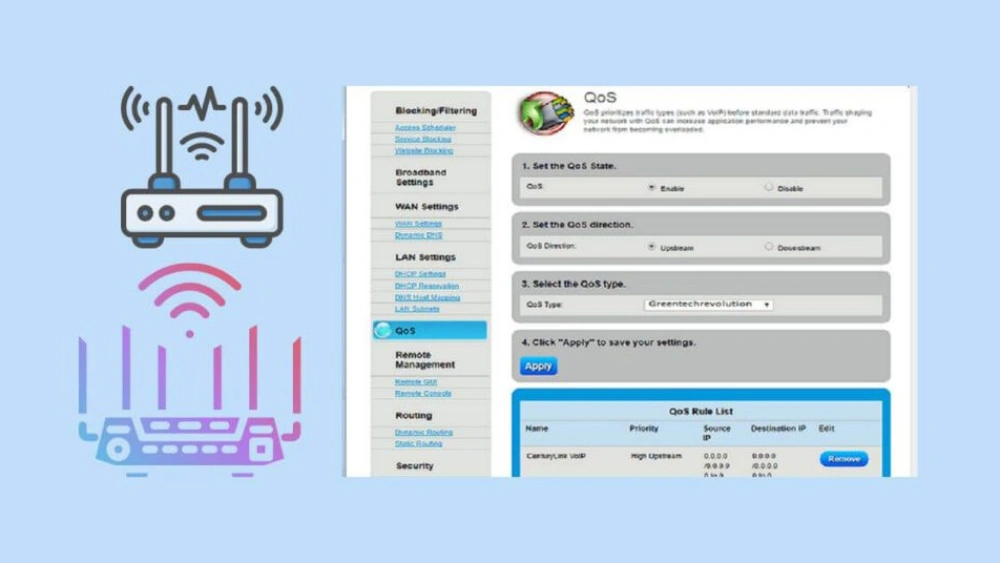
Access the router admin panel to start the installation. Connect your device to the router’s network. Open a web browser and enter the router’s IP address, usually 192.168.0.1 or 192.168.1.1.
Log in with your username and password. Default credentials are often found on the router label. Change these credentials after logging in for better security.
Once inside, navigate through the settings to prepare for firmware changes. This step is key to successfully installing the keylogger software.
Selecting A Keylogger
Selecting the right keylogger is crucial for effective monitoring on your Wi-Fi router. The choice impacts how easily you can install it, how well it captures data, and how discreet it remains. Understanding the differences between software and hardware options will help you make a smart decision tailored to your needs.
Choosing Software Vs Hardware Keyloggers
Software keyloggers run directly on your router’s firmware or connected devices. They are easier to install remotely but may require technical skills like flashing firmware or accessing the router’s admin panel.
Hardware keyloggers are physical devices connected between your router and modem or other network components. They capture keystrokes without relying on software but need physical access, which can be inconvenient or risky.
Ask yourself: Do you want a solution that works silently in the background, or are you okay with occasional physical checks? Your answer guides whether software or hardware keyloggers suit you best.
Recommended Keylogger Tools
- Software:Tools like Wiresharkor RouterKeyLoggeroffer packet sniffing and keylogging features compatible with many routers.
- Hardware:Devices such as KeyGrabberor USB Keyloggermodels can be connected inline for capturing keystrokes effectively.
Choosing well-supported and regularly updated tools prevents compatibility issues. It’s also smart to pick keyloggers with clear documentation and user forums for troubleshooting.
Downloading Necessary Files
Once you select your software keylogger, download files only from official or trusted sources. This avoids malware that can compromise your entire network.
Check that the files match your router’s firmware version to prevent installation errors. Sometimes, you may need additional dependencies or drivers, so read the installation guide carefully.
Have you verified file integrity by checking hashes or digital signatures? This step ensures your downloads haven’t been tampered with and keeps your network safe.
Installing The Keylogger
Installing the keylogger on your Wi-Fi router requires careful steps to ensure proper setup. This process involves connecting to the router, uploading the keylogger firmware, and configuring its settings. Each stage is crucial to capture the desired data effectively without disrupting your network.
Connecting To The Router
Begin by accessing your router’s admin panel. Open a web browser and enter the router’s IP address, usually found on the device label or manual. Log in using the administrator username and password. If default credentials are unchanged, update them after installation for better security.
Ensure your device is connected to the router via Wi-Fi or Ethernet. A stable connection prevents interruptions during firmware upload. Avoid using public or shared networks to reduce security risks.
Uploading Keylogger Firmware
Locate the router’s firmware upgrade section in the admin panel. Download the keylogger firmware compatible with your router model from a trusted source. Upload the firmware file through the upgrade interface carefully.
Confirm the upload and wait for the process to complete. Do not turn off or disconnect the router during this step. Firmware installation might take several minutes. After completion, the router will reboot automatically.
Configuring Keylogger Settings
Access the keylogger configuration page through the router’s admin panel. Set up logging options, such as which data to capture and storage location. Choose the format and frequency of logs based on your needs.
Configure notifications to alert you when new data is recorded. Save all settings and test the keylogger to confirm it works correctly. Regularly check logs to monitor activity without affecting router performance.
Monitoring And Accessing Logs
Monitoring and accessing logs is crucial after installing a keylogger on your Wi-Fi router. Logs contain valuable information about network activity and captured keystrokes. Managing these logs properly ensures you can review data efficiently and maintain security.
Retrieving Logged Data
Access the router’s admin panel using its IP address. Login with your credentials. Navigate to the section where the keylogger stores logs, often under system or security settings.
Download logs regularly to avoid data loss. Logs may appear in formats like .txt or .csv, which are easy to open with common software.
Use search functions to find specific keywords or timestamps. This helps analyze activity quickly and spot unusual behavior.
Setting Up Remote Access
Enable remote access on your router to check logs from any location. This option is usually in the admin panel under remote management or remote access settings.
Configure a strong password and use encryption protocols like HTTPS or VPN. These steps protect your connection from unauthorized users.
Test remote access on a different network to ensure it works correctly. This way, you can monitor logs anytime without physical access to the router.
Securing Your Logs
Keep your logs safe by restricting access to trusted users only. Set strong passwords for both the router and log files.
Regularly update your router’s firmware to fix security vulnerabilities. Outdated software can expose logs to hackers.
Consider encrypting log files or storing them on secure external devices. This adds an extra layer of protection against unauthorized access.
Troubleshooting Common Issues
Common issues during keylogger installation on a Wi-Fi router include connection errors and software compatibility. Checking router settings and restarting devices often solves these problems quickly. Clear instructions help avoid mistakes and ensure smooth installation.
Installing a keylogger on a Wi-Fi router may seem like a straightforward task, but it can quickly become frustrating when you encounter issues. Understanding these common troubleshooting problems can save you time and prevent headaches. Whether you’re facing installation failures, performance problems, or detection concerns, addressing these challenges head-on can make the process smoother. Let’s dive into some practical solutions to these common issues.Installation Failures
You might find that the keylogger software doesn’t install properly on your router. This can be due to compatibility issues or incorrect configurations. – Check Compatibility: Ensure your router model is compatible with the keylogger software. Not all routers support third-party installations. – Configuration Settings: Double-check your router’s settings. A simple misconfiguration can halt the installation process. Consider the last time you struggled with tech setup—was it due to overlooking a simple detail?Performance Problems
Once installed, you might notice a drop in your network’s performance. This is a common issue when adding any software to a router. – Network Speed: Monitor your internet speed. If it drops significantly, your keylogger might be consuming too much bandwidth. – Software Updates: Regularly update the keylogger software to ensure it runs efficiently without hogging resources. Remember, maintaining your network’s performance is crucial for both security and everyday use.Detecting And Avoiding Detection
The last thing you want is for your keylogger to be detected. This can lead to privacy concerns and potential breaches. – Software Stealth: Opt for a keylogger known for its stealth capabilities. Some are designed to be less detectable. – Regular Checks: Conduct frequent checks to ensure it’s running undetected. If you were on the receiving end, how would you safeguard your privacy? Being proactive can prevent unwanted detection. By focusing on these troubleshooting areas, you can ensure a seamless installation and operation of your keylogger. Keep your network secure, efficient, and undetectable with these insights.
Credit: www.expressvpn.com
Frequently Asked Questions
What Is A Keylogger On A Wi-fi Router?
A keylogger on a Wi-Fi router records keystrokes from connected devices. It helps monitor network activity. Installing it requires router access and specific firmware or software.
Is Installing A Keylogger On A Router Legal?
Installing a keylogger without consent is illegal. Use it only on routers you own or manage. Always inform users to avoid privacy violations and legal issues.
How To Access Router Settings For Keylogger Installation?
Access router settings via its IP address in a browser. Login with admin credentials. Navigate to firmware or monitoring sections to install keylogger software or custom firmware.
Can All Routers Support Keylogger Installation?
Not all routers support keylogger installation. Compatibility depends on router model and firmware. Advanced routers with custom firmware options like OpenWRT are better suited for keyloggers.
Conclusion
Installing a keylogger on a Wi-Fi router takes care and attention. Follow each step carefully to avoid mistakes. Make sure you understand the legal side before proceeding. Protect your network and data from unwanted access. Stay safe and keep your information secure at all times.
This guide helps you get started the right way. Keep learning and stay aware of new security tips. Small actions can make a big difference in your online safety.