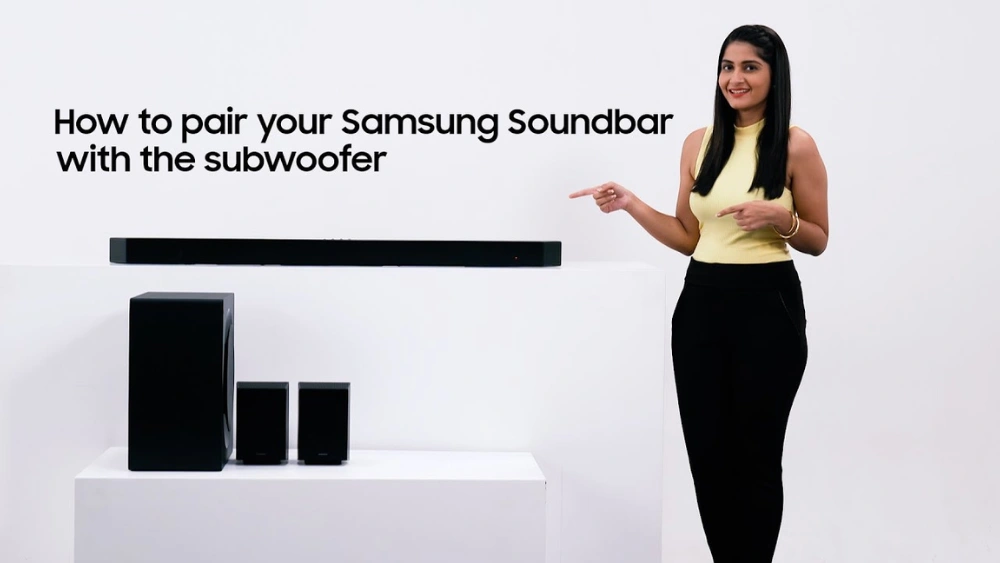
Are you ready to take your home audio experience to the next level? Pairing your Sony subwoofer with your soundbar can deliver rich, deep bass that transforms movies, music, and games.
But if you’re not sure how to connect them properly, it can feel confusing and frustrating. Don’t worry—this guide will walk you through simple, step-by-step instructions to get your subwoofer and soundbar working perfectly together. By the end, you’ll enjoy powerful sound with clear, booming bass that fills your room.
Keep reading to make your Sony sound system truly come alive!
Check Compatibility
Checking compatibility is vital before pairing a subwoofer with your Sony soundbar. This step ensures both devices work well together. It prevents connection problems and sound issues.
Compatibility depends on your soundbar model and whether it supports a subwoofer. Confirming these details saves time and effort. It helps you get the best sound experience.
Identify Your Soundbar Model
Find the model number on your soundbar’s label or manual. The model name usually starts with “HT” or “SA.” You can also check the original box or receipt.
Knowing the exact model helps you check official Sony resources. It guides you to the right subwoofer options designed for your soundbar.
Confirm Subwoofer Support
Check if your soundbar supports a wireless or wired subwoofer. Most Sony soundbars list this feature in the user manual or product description.
Look for terms like “subwoofer out,” “wireless subwoofer,” or “compatible subwoofer.” If unclear, visit Sony’s official website or contact support for details.
Using an unsupported subwoofer can cause poor sound or no connection at all. Confirming support ensures a smooth pairing and better audio quality.
Prepare Your Devices
Getting your Sony soundbar and subwoofer ready is the first crucial step to enjoying deep, rich audio. Preparing your devices properly can save you from frustrating connection issues later. Let’s look at how to power on your equipment and place your subwoofer for the best sound experience.
Power On Soundbar And Subwoofer
Start by plugging in your soundbar and subwoofer to power outlets. Make sure both devices are switched on—sometimes the subwoofer has a separate power button or a standby mode. Check your remote or the soundbar’s control panel to confirm the soundbar is active.
Have you noticed that sometimes the subwoofer doesn’t light up immediately? This can mean it’s not paired yet or needs a manual connection. Try turning both devices off and back on to reset their connection. It’s a simple trick that often resolves pairing hiccups.
Place Subwoofer Properly
Where you put your subwoofer affects the sound quality more than you might expect. Avoid stuffing it in tight corners or behind bulky furniture. Instead, position it near a wall but with some space around to let the bass resonate freely.
Think about the room layout. If your TV is on the left side, placing the subwoofer on the right can balance the audio better. Also, avoid placing it on carpeted floors if possible, as this can muffle the bass. Have you tried moving your subwoofer around and noticed how the bass changes? Experimenting is key to finding the perfect spot.
Connect Using Wireless Method
Pair the subwoofer to your Sony soundbar using Bluetooth or Wi-Fi for a wireless connection. Simply activate pairing mode on both devices and follow the on-screen prompts. This method keeps your setup neat and cable-free.
Connecting a subwoofer to a Sony soundbar using wireless methods can enhance your audio experience significantly. This setup eliminates the clutter of wires, offering a clean and organized look. Wireless pairing is straightforward and requires just a few steps. Here’s how you can do it seamlessly.Enable Bluetooth On Soundbar
First, turn on your soundbar. Access the settings menu and find the Bluetooth option. Ensure Bluetooth is enabled. This prepares the soundbar to search for nearby devices. Make sure the soundbar is discoverable.Activate Subwoofer Pairing Mode
Next, power on the subwoofer. Locate the pairing button, usually at the back. Press and hold the button until the indicator light flashes. This signals that the subwoofer is ready to pair. Keep the subwoofer close to the soundbar.Complete The Wireless Connection
Return to your soundbar settings. Search for devices to pair. The subwoofer should appear on the list of available devices. Select the subwoofer and confirm the connection. Once connected, the indicator light on the subwoofer stops flashing. Test the setup by playing audio through the soundbar. Adjust settings for optimal sound.
Credit: www.youtube.com
Connect Using Wired Method
Connecting your Sony subwoofer to a soundbar using a wired method ensures stable and clear audio. This connection type avoids signal drops and interference, giving you rich bass every time. Follow simple steps to pair them correctly.
Locate Audio Output Ports
Check the back of your Sony soundbar for audio output ports. Look for labels such as “Subwoofer Out” or “LFE Out.” The port may be an RCA jack or a dedicated subwoofer output. Also, find the input port on the subwoofer itself. It usually matches the soundbar’s output type.
Use Appropriate Cables
Select the right cables to connect the two devices. Most Sony soundbars use an RCA cable for subwoofer connection. The cable should have a single plug on each end. Use a high-quality cable to maintain sound clarity and reduce noise. Keep the cable length short to avoid signal loss.
Secure Connections
Firmly plug the cable into the soundbar’s output port. Then connect the other end to the subwoofer’s input port. Make sure both ends fit snugly to avoid loose connections. Loose cables can cause crackling or no sound. Check the cable is not bent or damaged for best results.
Adjust Sound Settings
Adjusting the sound settings is a crucial step to get the best experience from your Sony soundbar and subwoofer. It allows you to balance the bass with the rest of the audio for clear, rich sound. Paying attention to these settings helps avoid overpowering bass or weak lows, making your listening more enjoyable.
Access Soundbar Menu
Start by turning on your soundbar and accessing its main menu using the remote control. Look for the “Settings” or “Sound” option, which is usually easy to find on most Sony models. Navigating through these menus might feel tricky at first, but once you locate the sound settings, you gain full control over your audio preferences.
Set Subwoofer Volume
Within the sound settings, find the option to adjust the subwoofer volume. Don’t set it too high right away; a moderate level often works best to avoid distortion. Try increasing the subwoofer volume in small steps until you notice the bass complements the main speakers without overpowering them.
Test And Fine-tune Audio
After setting the volume, play different types of content—music, movies, or games—to test the audio balance. Listen carefully to how the bass blends with voices and other sounds. If something feels off, revisit the sound settings to tweak the subwoofer level or other audio options until you achieve the perfect harmony.

Credit: www.youtube.com
Troubleshoot Common Issues
Troubleshooting common issues with pairing your Sony subwoofer to a soundbar can save you a lot of time and frustration. Problems like connection failures, audio delays, or silence from the subwoofer are more common than you might think. Addressing these issues step-by-step helps you get back to enjoying rich, immersive sound quickly.
Subwoofer Not Connecting
If your subwoofer refuses to connect, first check if both devices are powered on and within range. Wireless connections can be disrupted by walls or other electronics, so try moving them closer together.
Also, ensure the subwoofer is in pairing mode—usually indicated by a blinking light. Sometimes, resetting both the soundbar and subwoofer helps clear any connection glitches. Have you double-checked that the subwoofer is compatible with your specific Sony soundbar model?
Audio Delay Or Sync Problems
Notice your subwoofer’s bass arriving a bit late or early compared to the rest of the audio? This sync issue can ruin the listening experience.
Try adjusting the audio delay settings on your soundbar’s menu. Some Sony soundbars allow you to fine-tune the subwoofer delay in milliseconds. Experiment with small increments until the bass aligns perfectly with the main speakers.
Sometimes interference from other wireless devices causes lag. Turning off nearby gadgets or switching your soundbar to a different wireless channel might fix the delay.
No Sound From Subwoofer
If your subwoofer is connected but silent, first check the volume level—sometimes it’s set too low or muted. Also, verify the bass settings on both the soundbar and any connected devices.
Inspect the cables if you’re using a wired connection. A loose or damaged cable can block sound output entirely.
Another tip: test the subwoofer with a different audio source to rule out problems with the soundbar. Could the issue be with the audio format or source device instead of your subwoofer?

Credit: www.youtube.com
Frequently Asked Questions
How Do I Connect A Sony Subwoofer To My Soundbar?
Turn on both devices. Press the pairing button on the subwoofer. On the soundbar, select the subwoofer connection option. Wait until the LED indicator shows a successful connection.
Can I Pair Multiple Subwoofers With One Sony Soundbar?
No, most Sony soundbars support pairing with only one subwoofer. Check your soundbar’s manual for specific model limitations.
What If My Sony Subwoofer Won’t Pair With The Soundbar?
Ensure both devices are powered on and close. Restart both devices. Try pairing again following the manual’s instructions carefully.
Is Bluetooth Or Wired Connection Better For Sony Soundbar Subwoofers?
Sony soundbars typically use wireless (Bluetooth) for subwoofers, offering easy setup and flexibility. Wired connections may provide more stable audio but are less common.
Conclusion
Pairing your Sony subwoofer to the soundbar is simple and quick. Follow the steps carefully to avoid any issues. A good connection brings better sound and deeper bass. Enjoy clearer movies, music, and games at home. Try adjusting settings to fit your room perfectly.
Keep your devices updated for smooth performance. With the right setup, your sound system feels complete and powerful. Now, you can enjoy richer audio without extra hassle.