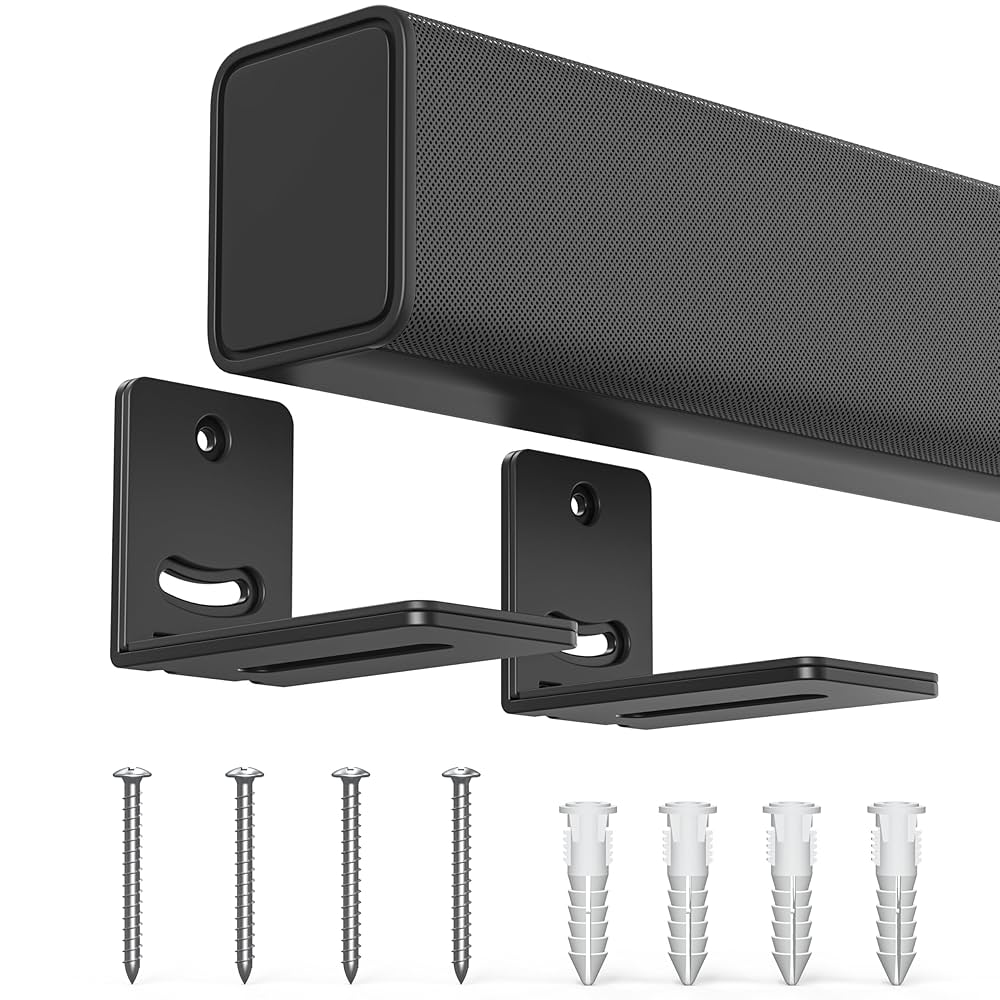
Are you wondering if your Samsung soundbar will mount directly to your Samsung TV? You’re not alone.
Many people want a clean, clutter-free entertainment setup but aren’t sure how to connect their soundbar to the TV physically. Knowing the right way to mount your soundbar can save you time, avoid damage, and give your living room a sleek, professional look.
Keep reading, and you’ll discover exactly how to mount your Samsung soundbar to your Samsung TV the easy way.

Credit: www.amazon.com
Compatibility Check
Before you buy a Samsung soundbar to pair with your Samsung TV, it’s important to check their compatibility. Matching these devices isn’t just about brand names; it affects how well they connect and perform together. Understanding which models and mounting options fit best can save you from frustration and extra expenses.
Samsung Soundbar Models
Samsung offers a wide range of soundbars, from basic models to premium ones with advanced features like Dolby Atmos and wireless subwoofers. Not all soundbars are designed to work seamlessly with every TV model. Check if your soundbar supports features like Q-Symphony, which synchronizes the soundbar with your Samsung TV speakers for a richer audio experience.
For example, the Samsung HW-Q90R soundbar works perfectly with QLED TVs released after 2018. But if you own an older model, such as the HW-T450, it might lack some compatibility features. Knowing your soundbar’s capabilities helps you decide if it’s worth pairing with your TV.
Samsung Tv Models
Samsung TVs come in different series and years, each with its own connection options. Smart TVs from the last few years often include HDMI ARC or eARC ports, which enhance audio quality and simplify control with one remote. If your TV only has optical or Bluetooth connections, some soundbar features might not be available.
Consider your TV’s model number and check the specifications for audio output types. You might find that newer models, like the Samsung Q80T or Q90T, support more advanced soundbar features compared to older NU or MU series TVs. Compatibility depends on both hardware and software support.
Mounting Options
Mounting your soundbar directly under or above your Samsung TV can improve aesthetics and sound performance. Many Samsung soundbars come with wall-mount brackets designed to align perfectly with Samsung TVs. However, not all soundbars fit every TV’s mounting holes or style.
You can choose between wall mounting or placing the soundbar on a TV stand. If you prefer wall mounting, ensure your TV has compatible VESA mount points and that the soundbar’s bracket matches. Some users find that universal mounts work well, but double-checking the dimensions and weight limits is crucial.
Have you checked your TV and soundbar manuals to see if they recommend specific mounting kits? Sometimes, investing in the right mount makes all the difference in setup ease and sound quality.
Mounting Hardware Needed
Mounting a Samsung soundbar to your Samsung TV requires the right hardware. This ensures a secure fit and clean setup. Knowing what comes in the box and what tools you need saves time and effort. It also helps avoid damage to your devices or walls.
Included Accessories
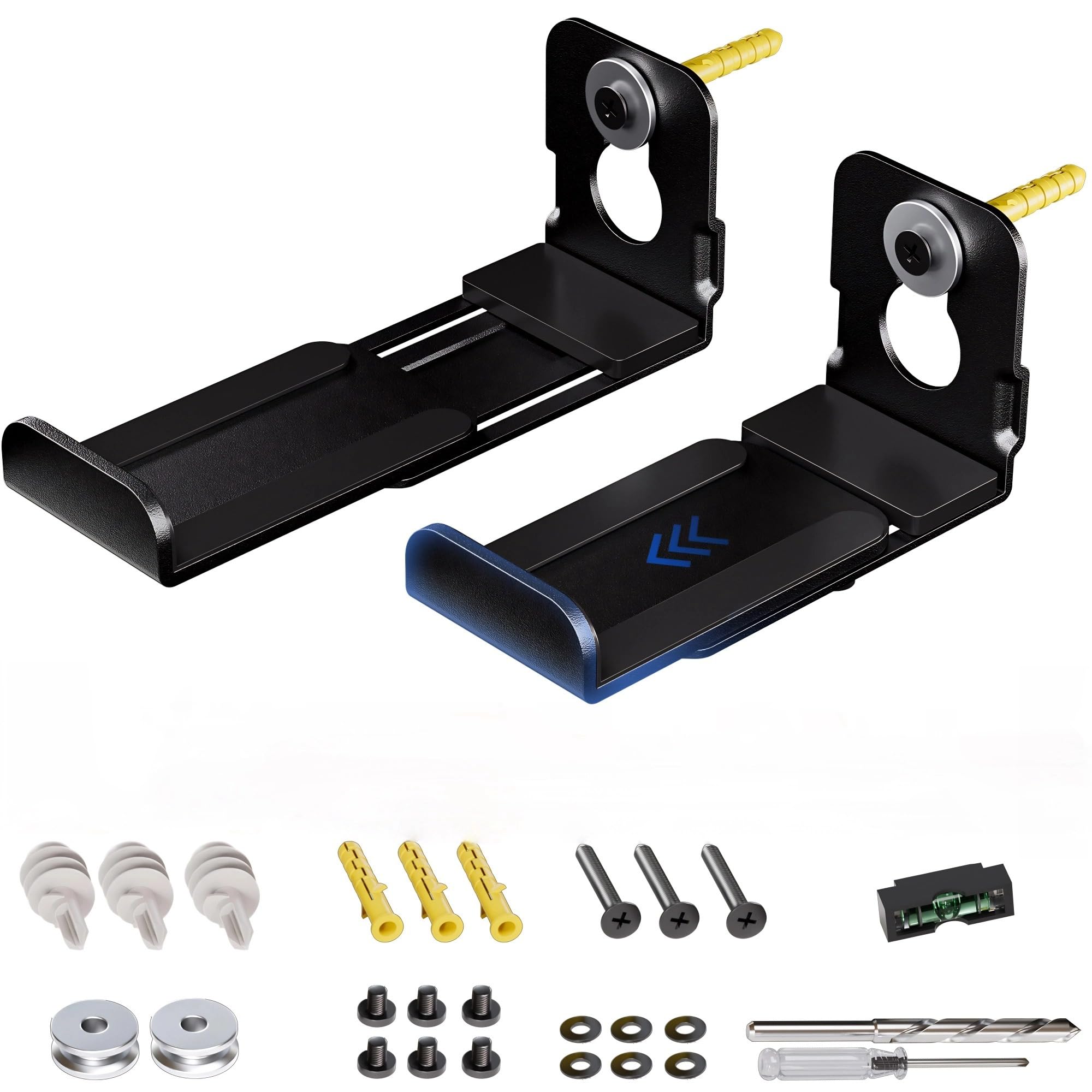
Samsung soundbars often include basic mounting accessories. These can vary by model but usually contain:
- Mounting brackets designed to fit the soundbar and TV
- Screws and bolts needed for attachment
- Spacers or pads to protect surfaces
- Instruction manual with mounting guidelines
Check your soundbar package for these parts before starting installation. Missing pieces may require a separate purchase.
Additional Tools
Besides the included hardware, some tools are necessary:
- Screwdriver (usually Philips head)
- Drill and drill bits for wall mounting
- Level to ensure straight installation
- Measuring tape for proper alignment
- Stud finder when mounting on drywall
Having these tools ready makes the process smooth and safe.
Wall Mount Vs Tv Mount
Decide how you want to mount your soundbar. Two common ways exist:
- Wall Mount:Attach the soundbar directly to the wall below the TV. Requires wall anchors and possibly extra brackets.
- TV Mount:Connect the soundbar to the TV using brackets that bolt into the TV’s VESA holes. Keeps everything together and tidy.
Each method needs specific hardware. Wall mounting may need stronger anchors. TV mounting uses hardware compatible with the TV model.
Preparing The Soundbar And Tv
Check the compatibility of your Samsung soundbar and TV before mounting. Ensure both devices have matching mounting points and use proper brackets for secure installation.
Preparing the soundbar and TV for mounting can transform your audio experience while keeping your space neat and organized. With Samsung’s sleek design, the soundbar can complement your TV perfectly, but it requires a bit of preparation for a seamless integration. Here are some critical steps to ensure you’re set up for success, making the process both efficient and enjoyable.Cleaning Mounting Surfaces
Before you start the mounting process, ensure both the TV and soundbar surfaces are clean. Dust or debris can compromise the adhesive or mounting hardware. Use a microfiber cloth to gently wipe down the surfaces. This not only ensures a clean setup but also protects the devices from scratches. A clean surface can make the mounting process smoother and more secure.Checking Mounting Points
Identify and inspect the mounting points on both the TV and soundbar. These points are crucial for ensuring stability and safety. Ensure all necessary mounting holes and brackets are intact and compatible. If you’re unsure, consult the user manual or Samsung support for guidance. Proper alignment of these points can prevent potential mishaps and enhance the setup’s durability.Cable Management Tips
Tidy cable management is essential for a sleek look and easy access. Start by evaluating the length of your cables and the proximity of your devices. Consider using cable ties or clips to bundle and guide cables along the TV stand or wall. By keeping cables organized, you can avoid tangles and make future adjustments hassle-free. Imagine turning on your TV without the clutter—cable management can make this a reality. Have you thought about labeling your cables for easy identification? This simple tip can save you time and frustration in the future.Step-by-step Mounting Process
Mounting a Samsung soundbar to a Samsung TV is simple with the right steps. Follow this clear guide to attach your soundbar securely and enjoy better sound instantly. The process involves three key actions: attaching the mount bracket, aligning the soundbar with the TV, and securing it firmly. Each step is easy to follow and requires basic tools.
Attaching Mount Bracket To Soundbar
Start by locating the mounting holes on the back of the soundbar. Use the screws provided with your mount bracket kit. Align the bracket with the holes and tighten the screws gently. Avoid overtightening to prevent damage. The bracket should sit flush and feel stable on the soundbar.
Aligning Soundbar With Tv
Place your TV on a flat surface or mount it on the wall first. Hold the soundbar with the attached bracket near the TV’s lower edge. Match the bracket hooks or slots to the corresponding mounts on the TV. Ensure the soundbar sits centered below the screen. Check the alignment from the front and sides.
Securing Soundbar To Tv
Press the soundbar bracket gently into the TV mounts until it clicks or locks in place. Some models have locking screws or clips—tighten them to secure the fit. Test the soundbar by giving it a slight pull to confirm it holds firmly. Connect your audio cables and power up for the final test.
Connecting The Soundbar
Connecting your Samsung soundbar to your Samsung TV is simple and enhances your audio experience. There are several ways to link these devices depending on your setup. Choose the best connection type for clear sound and easy control.
Using Hdmi Arc
HDMI ARC (Audio Return Channel) lets your TV send sound to the soundbar using one cable. Connect an HDMI cable from the TV’s HDMI ARC port to the soundbar’s HDMI OUT port. Turn on HDMI-CEC settings on both devices to control volume with one remote. This connection supports high-quality audio and simplifies setup.
Optical Cable Setup
An optical cable transfers digital sound from the TV to the soundbar. Plug the optical cable into the TV’s Optical Out port and the soundbar’s Optical In port. Select the optical input on the soundbar to hear TV audio. This method works well if HDMI ARC is unavailable.
Bluetooth Pairing
Bluetooth lets you wirelessly connect your soundbar to the TV. Activate Bluetooth on both devices and set the soundbar to pairing mode. Find the soundbar in the TV’s Bluetooth menu and connect. This option reduces cable clutter but may have slight audio delay.
Troubleshooting Common Issues
Troubleshooting common issues with Samsung soundbars and TVs helps maintain smooth operation. Problems can arise during mounting, audio setup, or remote control use. Identifying the cause quickly saves time and frustration. Below are solutions for frequent problems.
Soundbar Not Mounting Properly
Check the mounting brackets match your Samsung TV model. Use the screws and hardware included with your soundbar. Ensure the soundbar aligns with the TV’s mounting holes. Avoid forcing the soundbar into place. If the soundbar feels loose, tighten screws gradually. Confirm the wall mount or stand is stable. A level surface prevents uneven mounting. Inspect for obstructions behind the TV that block the soundbar.
No Audio Output
Verify the soundbar is connected to the TV’s audio output correctly. Use an HDMI ARC or optical cable for best sound quality. Check the TV’s audio settings to confirm the external speaker is selected. Increase the volume on both the TV and soundbar. Mute settings can prevent sound output. Restart the TV and soundbar to reset connections. Test with different cables to rule out defects. Ensure firmware updates are installed on both devices.
Remote Control Problems
Replace the remote batteries with fresh ones. Clean the remote sensor on the soundbar and TV. Avoid blocking the remote signal path. Pair the remote again if it stops working. Use the Samsung SmartThings app as a backup remote control. Check for interference from other electronic devices nearby. Reset the remote to factory settings if issues persist. Keep the remote within range for better response.
Tips For Optimal Sound Experience
To enjoy the best sound from your Samsung soundbar and TV, a few simple tips help a lot. Proper setup enhances clarity and depth. Small changes can make your movies and music sound much better.
Focus on the right spot for the soundbar. Adjust settings to suit your room. Use surround sound features to fill the space with rich audio. These steps create a better listening experience.
Soundbar Placement
Place the soundbar directly below or above the TV. Keep it centered for balanced sound. Avoid blocking the speakers with objects. Leave some space between the soundbar and the wall. This allows sound to travel freely.
Try to keep the soundbar at ear level when seated. This position improves voice clarity and sound detail. Avoid placing the soundbar inside a closed cabinet. It can muffle the sound.
Adjusting Sound Settings
Access the TV or soundbar menu to find sound options. Select modes like “Standard,” “Movie,” or “Music” based on content. Use the equalizer to boost bass or treble if needed.
Lower the volume of the TV speakers if the soundbar is active. Check for a “Sound Sync” feature to sync audio perfectly. Adjust dialog enhancement to hear speech clearly.
Using Surround Sound Features
Enable surround sound modes for a richer audio experience. Features like Dolby Atmos create immersive effects. Use wireless rear speakers if your soundbar supports them.
Position rear speakers behind or to the sides of the seating area. This placement creates a true surround sound effect. Test different modes to find what sounds best in your room.

Credit: condomounts.com
Credit: www.amazon.ca
Frequently Asked Questions
Can Samsung Soundbars Mount Directly On Samsung Tvs?
Yes, many Samsung soundbars are designed to mount directly on Samsung TVs. They often use custom brackets or universal mounts for seamless attachment.
What Mounting Options Exist For Samsung Soundbars?
Samsung soundbars can be mounted using wall brackets, TV mounts, or placed on shelves. Check compatibility before choosing the method.
Are Mounting Brackets Included With Samsung Soundbars?
Some Samsung soundbars include mounting brackets, but not all. Always verify the package contents or buy brackets separately if needed.
Does Mounting Affect Samsung Soundbar Audio Quality?
Mounting generally does not affect sound quality. Proper installation ensures optimal sound performance without obstruction or vibration.
Conclusion
Samsung soundbars generally mount well to Samsung TVs. Both devices often share compatible mounting systems. This makes setup easier and cleaner. Check your soundbar and TV models for exact fit. Use the right brackets and screws for safety. Mounting improves sound and saves space.
It also keeps your entertainment area tidy. Simple steps lead to a better viewing experience. Choose a soundbar designed for your TV brand. This reduces guesswork and installation problems. Enjoy clearer sound and a neat look together.