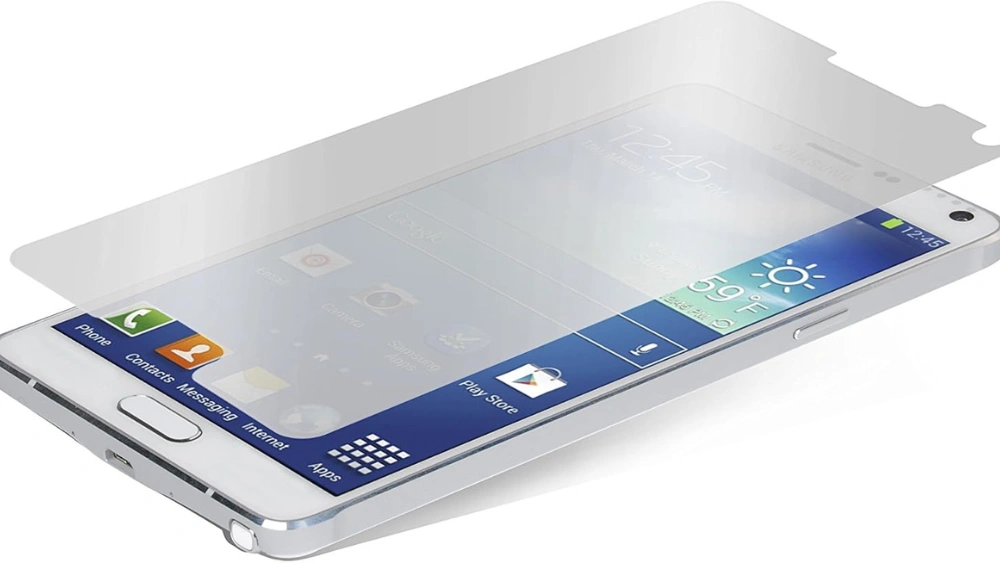
If you want to keep your phone’s screen safe from scratches and cracks, a Zagg screen protector is a great choice. But putting it on can feel tricky.
You might worry about bubbles, dust, or misalignment ruining your device’s look. Don’t worry—this guide will show you exactly how to apply your Zagg screen protector quickly and perfectly. By the end, you’ll have a flawless, clear screen that stays protected.
Keep reading to learn the simple steps that make all the difference.
Prepare Your Workspace
Preparing your workspace is a crucial first step before applying your Zagg screen protector. A clean and organized environment helps prevent dust and bubbles from ruining the installation. Taking a few minutes to set up properly can save you from frustration and ensure a smooth, flawless finish.
Choose A Dust-free Area
Find a spot that is as dust-free as possible. Bathrooms after a hot shower can be ideal because the steam helps settle dust particles. Alternatively, pick a room with minimal airflow and close all windows and doors to keep dust from floating around.
Have you ever tried applying a screen protector only to see specks trapped underneath? That’s usually because of dust in the air or on your hands. Working in a clean environment minimizes this risk significantly.
Gather Required Tools
Before starting, collect all the tools you need to avoid interruptions. Typically, Zagg screen protectors come with a cleaning wipe, dust removal sticker, and a microfiber cloth. You might also want to have a pair of tweezers handy for lifting any stubborn dust particles.
Gathering these tools beforehand keeps you focused and reduces the chances of contaminating your screen while searching for supplies. Do you have everything within reach to make the process seamless?
Clean Your Device Screen
Before you even think about applying your Zagg screen protector, it’s crucial to start with a clean slate. A spotless screen ensures that the protector adheres smoothly, without any pesky bubbles or dust particles. Taking the time to clean your device screen can make or break the application process. Let’s dive into how you can achieve a pristine surface.
Use Cleaning Wipes
Grab some alcohol-based cleaning wipes designed for electronics. These are your best friends in removing fingerprints, grime, and smudges from the screen. A thorough wipe down will leave your screen looking brand new.
Make sure to cover every corner, paying extra attention to edges where dirt likes to hide. Have you ever noticed how the edges of your screen seem to collect debris like magnets? A little extra care here can save you from headaches later.
Remove Dust With A Cloth
Once your screen is free from smudges, it’s time to tackle any dust. Use a microfiber cloth to gently wipe the screen. This type of cloth is perfect for dust removal without scratching the surface.
Lightly buff the screen in small circles to catch every speck. It might seem minor, but a single speck of dust can ruin the flawless look of your new protector. Can you imagine going through all that effort only to see a tiny bubble form around a dust particle?
By following these steps, you’re setting the stage for a smooth and successful application of your Zagg screen protector. Remember, patience and precision are key. How confident are you in your screen-cleaning skills now?
Align The Screen Protector
Aligning your Zagg screen protector correctly is crucial to avoid bubbles and ensure full coverage. This step demands patience and a sharp eye. Taking your time here will save you from frustration later and give your device a flawless finish.
Identify Screen Edges And Cutouts
Start by carefully examining your device’s screen edges. Look for the speaker, front camera, and sensor cutouts on your screen protector. These cutouts must match your phone’s features precisely to maintain functionality.
Hold the protector up against the screen without removing the backing to see if the edges align perfectly. Check every corner and side to ensure no part of the screen is left exposed or overlapped. This quick check helps you avoid misalignment before applying the adhesive side.
Position The Protector Carefully
Now, peel back a small portion of the protector’s backing—just enough to expose the adhesive along one edge. Place this edge onto your screen first, aligning it with the edges and cutouts you identified.
Slowly lower the rest of the protector onto the screen, using a credit card or a soft squeegee to smooth it out as you go. This technique minimizes air bubbles and keeps the protector straight.
If you notice a slight misalignment, don’t panic. Gently lift the protector and reposition it while the adhesive is still tacky. Have you ever rushed this step and ended up with a crooked screen protector? Taking your time here makes all the difference.
Apply The Screen Protector
Applying the Zagg screen protector needs care and attention. This step ensures your device’s screen stays scratch-free and clear. Follow these simple instructions to get a perfect fit without bubbles or dust.
Peel Off The Backing
Start by gently peeling off the backing from the screen protector. Hold the protector by the edges to avoid fingerprints. Peel slowly to keep the adhesive side clean and ready.
Place And Press Gently
Align the screen protector with your device’s screen edges carefully. Place it lightly without pressing hard at first. Check the fit and adjust if needed.
- Once aligned, press the center of the protector gently.
- Allow the adhesive to spread naturally outward.
- Use a soft cloth to smooth out air bubbles toward the edges.
Remove Air Bubbles
Removing air bubbles is a crucial step when applying your Zagg screen protector. Even tiny bubbles can distract you and reduce touchscreen sensitivity. Taking a little extra time here ensures a smooth, flawless finish that feels just like the original screen.
Use A Soft Card Or Cloth
Grab a soft card, like a credit card, or a microfiber cloth. These tools help you press out air bubbles without scratching the protector. Avoid using hard or sharp objects—they can damage the screen or protector.
Hold the card or cloth gently against the screen. Apply steady pressure to push bubbles toward the edges. A microfiber cloth also reduces static, preventing new bubbles from forming.
Work From Center To Edges
Start pushing out bubbles from the center of the screen. This helps air escape smoothly toward the edges. If you begin at the edges, you might trap bubbles in the middle, making them harder to remove.
Use slow, firm strokes with your card or cloth, moving outward. Notice how the bubbles shrink and disappear as you work. If a stubborn bubble remains, lift the protector slightly near that spot and press down again.
Ever wondered why some screen protectors look perfectly clear while others don’t? It’s usually this simple trick of working from the center out that makes all the difference.
Final Touches
After carefully applying your Zagg screen protector, the final touches are crucial to ensure it stays flawless and protects your device perfectly. This stage focuses on removing any lingering dust and securing the edges to avoid peeling. Taking a few extra moments here can save you from frustration later on.
Check For Remaining Dust
Dust trapped under the screen protector can cause annoying bubbles and reduce touch sensitivity. Use a bright light or hold your device at an angle to spot any tiny specks you might have missed.
If you find dust, don’t panic. Gently lift the protector from the edge nearest the dust using a credit card or similar flat tool. Use a small piece of tape to dab and remove the particles, then carefully lay the protector back down. This technique worked for me when a tiny dust mote showed up after placement, preventing a full redo.
Secure Edges And Corners
The edges and corners are the most vulnerable spots for lifting or peeling over time. Press down firmly along all sides using a microfiber cloth or your finger to ensure a tight seal. Avoid using sharp objects that can scratch the screen or protector.
Pay special attention to corners, as these are often neglected but crucial for long-lasting adhesion. A well-secured protector feels seamless and stays in place even with daily use and occasional pocket pulls.
Frequently Asked Questions
How Do I Prepare My Phone For Zagg Screen Protector?
Clean your phone screen thoroughly using the provided alcohol wipe and microfiber cloth. Remove all dust and fingerprints before applying the protector. This ensures a bubble-free, smooth installation and maximizes adhesion for better protection.
Can I Reuse A Zagg Screen Protector Once Removed?
No, Zagg screen protectors are designed for one-time use. Removing it damages the adhesive and reduces effectiveness. Always use a new protector for optimal clarity and protection.
How To Avoid Bubbles When Applying A Zagg Screen Protector?
Apply the protector slowly from one edge. Use a card or squeegee to push out air bubbles gently. Clean screen and dust removal before application also prevent bubbles.
How Long Does Zagg Screen Protector Last After Application?
A Zagg screen protector typically lasts 1 to 2 years, depending on usage and care. Replace it when you notice scratches or reduced sensitivity to maintain optimal protection.
Conclusion
Applying a Zagg screen protector is simple and effective. Clean your screen well to avoid dust and bubbles. Align the protector carefully before placing it down. Press gently to remove air pockets for a smooth finish. A well-applied screen protector keeps your device safe from scratches and cracks.
Take your time and follow each step with care. Your phone’s screen will stay clear and protected for longer. Enjoy using your device without worrying about damage.