Have you ever wondered if you can remove your screen protector without damaging your phone? Maybe it’s scratched, bubbling, or just time for a fresh start.
You might worry about leaving sticky residue or harming your screen. The good news is, yes—you can remove it safely, and we’ll show you exactly how. Keep reading to learn simple, effective steps to take off your screen protector like a pro, so your device stays flawless and ready for a new one.
Reasons To Remove A Screen Protector
Removing a screen protector may seem simple, but there are clear reasons to do so. Over time, protectors can lose their effectiveness or affect your phone’s display. Keeping your screen clear and responsive often means swapping out old protectors.
Here are common reasons why removing a screen protector makes sense.
Cracks And Damage
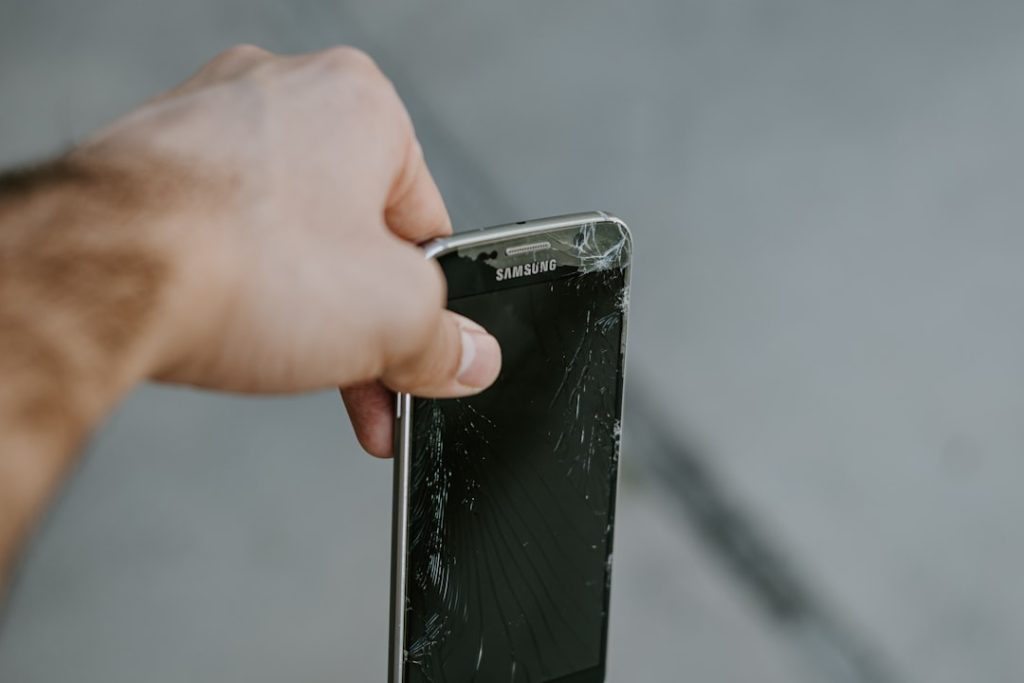
Screen protectors can crack from drops or impacts. Cracks reduce touch sensitivity and ruin the look of your device. Damaged protectors no longer protect well and can cause scratches on the screen underneath. Removing a cracked protector prevents further harm and keeps your screen safe.
Upgrading To A New Protector
New screen protectors often offer better features like anti-glare or stronger material. Removing the old protector allows you to apply a fresh one with improved protection. Upgrading keeps your device looking new and enhances usability.
Removing Air Bubbles And Dust
Air bubbles and dust trapped under the protector disrupt the screen’s clarity. They can also affect touch response. Removing the protector to clean the screen and apply a new one ensures a smooth, clear surface. This step improves your viewing experience and touch accuracy.
Tools Needed For Removal
Removing a screen protector requires a few simple tools. These tools help protect your device and make the removal smooth. Having the right items prevents damage and keeps your screen clean. Prepare these tools before starting the removal process.
Soft Cloth Or Microfiber
A soft cloth or microfiber cloth is essential. It cleans the screen after removing the protector. This cloth prevents scratches and removes leftover adhesive. Use it gently to avoid damaging the screen surface.
Plastic Card Or Pick
A plastic card or pick helps lift the screen protector. Choose a tool that is thin and flexible. Avoid metal objects that may scratch the screen. Slowly slide the card under the protector to peel it off.
Cleaning Solution
A mild cleaning solution removes any residue left on the screen. Use a solution made for electronics or a mix of water and isopropyl alcohol. Spray it lightly on the cloth, not directly on the screen. Clean the surface carefully for a clear finish.
Preparing Your Device
Removing a screen protector requires care to avoid damaging the device. Gently lift a corner and peel slowly for best results. Clean the screen afterward to prepare for a new protector.
Preparing your device for screen protector removal ensures a smooth process. A few simple steps can protect your device from damage. Follow these steps to keep your phone safe during removal.Powering Off
Turn off your device before starting. This prevents accidental touches or screen damage. Hold the power button until the shutdown option appears. Confirm shutdown to ensure the device is off. A powered-off device reduces risk during handling.Cleaning The Edges
Clean the edges of your device carefully. Use a soft cloth to remove dirt or dust. This prevents scratches while removing the protector. Pay attention to corners and crevices. A clean surface makes the removal easier. Avoid using liquids that might damage the device.Step-by-step Removal Process
Removing a screen protector can be easy with the right approach. Follow this step-by-step process to avoid damage to your device. Take your time and be gentle. This ensures the protector comes off cleanly without leaving residue or scratches.
Loosening The Corner
Start by finding a corner of the screen protector. Use your fingernail or a soft tool to lift it gently. Avoid using sharp objects that can scratch the screen. Slowly lift the edge until you can grab it firmly. This small gap helps begin the peeling process.
Peeling Off Slowly
Pull the screen protector away from the screen at a low angle. Move slowly to prevent the protector from breaking. Keep the tension steady and even. If you feel resistance, pause and adjust your grip. This method reduces the chance of leaving adhesive behind.
Handling Stubborn Adhesive
Sometimes adhesive sticks too well to the screen. Use a soft cloth dampened with a little warm water to soften it. Avoid harsh chemicals that can damage your screen. Rub gently in circular motions to lift leftover glue. Repeat as needed until the screen is clean.
Cleaning After Removal
After removing your screen protector, cleaning the screen properly is crucial to keep your device looking clear and functioning well. Leftover adhesive and smudges can affect touch sensitivity and screen clarity. Taking a few moments to clean your screen carefully makes a big difference in your daily user experience.
Removing Residue
Sticky residue often remains after peeling off a screen protector. You can remove this by gently rubbing the screen with a soft cloth dampened with a little rubbing alcohol or a specialized screen cleaner. Avoid using harsh chemicals or too much liquid, as they can damage the screen.
If you don’t have rubbing alcohol, try a small piece of tape to lift off the sticky bits. Press the tape onto the residue and pull it away slowly. It’s a simple trick that works surprisingly well without any risk to your screen.
Wiping The Screen
After residue removal, wipe the screen with a clean, microfiber cloth. Use circular motions to avoid streaks and ensure even cleaning. This step removes fingerprints, dust, and any leftover moisture.
Make sure the cloth is dry or just slightly damp—too much moisture can seep into the edges of your device. Have you noticed how much clearer your screen looks and feels after a proper wipe? It’s a satisfying small win after removing that old protector.
Tips To Avoid Damage
Removing a screen protector can be tricky. It needs care to avoid scratching or damaging your device’s screen. Following simple tips helps keep your screen safe and clean during removal. These tips reduce risks and make the process smooth.
Avoid Sharp Objects
Sharp tools can easily scratch or crack the screen. Do not use knives, scissors, or metal objects. Instead, try using your fingernail or a soft plastic card. Gently lift the edge of the protector without forcing it. Patience is key to prevent damage.
Work In A Dust-free Area
Dust particles can stick to the screen during removal. Find a clean, dust-free space before starting. This prevents dirt from getting under the screen protector. Wipe your hands and the device gently with a soft cloth. A clean environment helps keep the screen flawless.
When To Seek Professional Help
Knowing when to seek professional help to remove a screen protector can save you time, stress, and potential damage to your device. While many screen protectors peel off easily, some situations require a careful touch and the right tools. Understanding these moments will help you protect your phone and avoid costly repairs.
Devices With Curved Or Fragile Screens
Curved or edge-to-edge screens are more delicate than flat ones. Trying to remove a screen protector on these devices without proper tools can cause cracks or scratches. If your phone has a fragile screen, a professional has the right experience to handle the removal safely.
Screen Protectors That Are Stubborn Or Damaged
If your screen protector is cracked, bubbling, or glued on too tightly, pulling it off yourself can make things worse. Professionals use specialized tools and techniques to loosen adhesives without harming your screen. Don’t risk further damage by forcing it off at home.
When You Notice Screen Issues After Removal
Sometimes, after taking off a screen protector, you might see discoloration, lines, or touch sensitivity problems. These can be signs that the screen underneath was affected during removal. If this happens, get professional help immediately to diagnose and fix the issue before it worsens.
Complex Devices With Multiple Layers
Some modern phones have multiple layers—like glass, OLED, and touch sensors—that require careful handling. Removing a screen protector incorrectly on these models can disrupt the delicate layers. Professionals understand the device’s build and can ensure the protector comes off cleanly.
When You’re Unsure Or Lack Proper Tools
If you feel unsure about removing your screen protector or don’t have the right tools, it’s better to seek expert assistance. Professionals have the right equipment to avoid scratching or damaging your phone. Is it worth risking your device to save a few minutes?
Frequently Asked Questions
Can You Remove A Screen Protector Safely?
Yes, you can safely remove a screen protector. Use a fingernail or a thin card to lift one corner gently. Peel it off slowly to avoid damaging the screen or leaving residue behind.
When Should You Remove A Screen Protector?
Remove a screen protector if it’s cracked, peeling, or reducing touchscreen sensitivity. Also, replace it if dirt or bubbles accumulate underneath, affecting screen clarity and usability.
Will Removing A Screen Protector Damage The Phone Screen?
Removing a screen protector usually won’t damage your phone screen if done carefully. Avoid using sharp tools or excessive force to prevent scratches or cracks on the display.
How Do You Remove A Screen Protector Without Residue?
To remove a screen protector without residue, peel it off slowly and steadily. If sticky residue remains, clean the screen gently with a microfiber cloth and a small amount of screen-safe cleaner.
Conclusion
Removing a screen protector is simple with the right steps. Start slowly to avoid damage to your device. Use your fingernail or a plastic tool to lift the edge gently. Pull it off carefully, keeping the screen clean. Always clean your screen after removal to remove residue.
Replacing the protector often keeps your screen safe. Taking care of your device helps it last longer. Small efforts make a big difference in protecting your phone. Keep these tips in mind for easy screen protector removal.