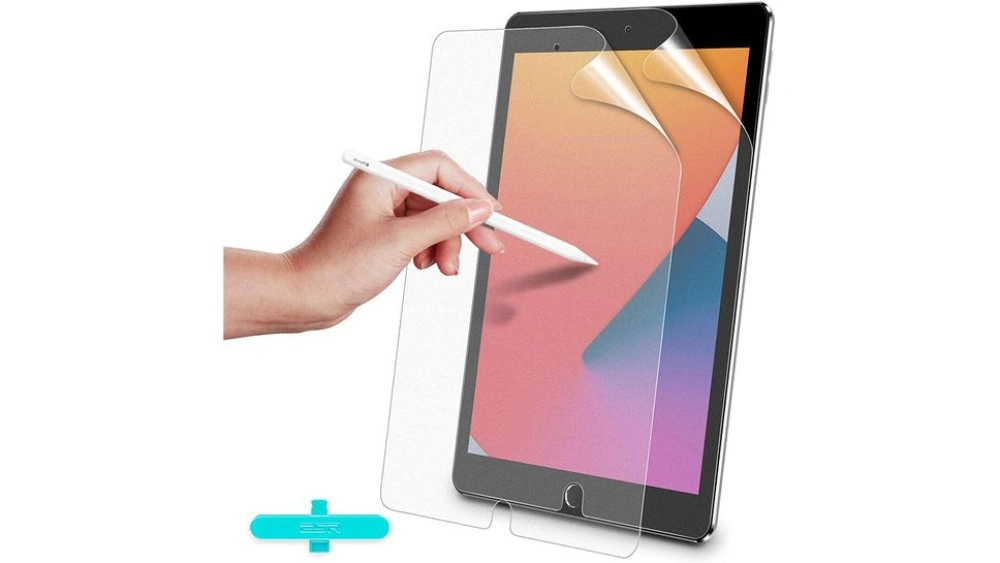
You just got a new iPad, and you want to keep that beautiful screen safe from scratches and smudges. Applying a screen protector might sound tricky, but it doesn’t have to be.
If you’ve ever worried about bubbles, dust, or misalignment, this guide is made for you. By the end, you’ll know exactly how to apply your iPad screen protector perfectly—quickly and easily. Ready to protect your device and keep it looking brand new?
Let’s dive in!
Prepare Your Workspace
Getting your workspace ready is a key step before applying an iPad screen protector. The right environment helps you avoid dust, bubbles, and misalignment. Taking a few moments to prepare can save you from frustration and ensure a smooth application.
Choose A Clean, Dust-free Area
Pick a spot where dust and debris are minimal. A bathroom after a hot shower works well because steam settles the dust in the air. Alternatively, a room with minimal airflow and no open windows reduces the chance of particles landing on your screen.
Have you noticed how even tiny dust specks can ruin the protector’s look? That’s why cleaning the surface beforehand and choosing the right space matters. Avoid carpeted floors or windy spots where dust easily floats.
Gather Necessary Tools
Before you start, collect all the tools you’ll need to apply the protector smoothly. Typically, this includes:
- Microfiber cloth
- Screen cleaning wipe or alcohol pad
- Dust removal stickers or tape
- Installation guide or card (often included with the protector)
Having everything within reach keeps you focused and prevents interruptions. Imagine trying to apply the protector and suddenly realizing the cleaning wipe is missing—annoying, right? Being prepared makes the process feel easier and quicker.
Clean The Ipad Screen
Cleaning the iPad screen is key before applying a screen protector. Dirt, dust, and fingerprints can cause bubbles and poor adhesion. A clean surface helps the protector stick smoothly and keeps your display clear.
Take your time and follow these simple steps to prepare your screen perfectly.
Use A Microfiber Cloth
A microfiber cloth is soft and gentle on the screen. It removes dirt without scratching the surface. Avoid paper towels or rough fabrics that can cause damage.
Wipe the screen in small circular motions. This helps lift away oils and smudges effectively.
Remove Dust And Smudges
Check the screen closely for dust particles. Even tiny specks can create bubbles under the protector.
- Blow gently on the screen to loosen dust.
- Use a dust removal sticker or tape to pick up stubborn particles.
- Wipe again with the microfiber cloth to clear smudges.
Apply Cleaning Solution If Needed
For tough fingerprints or grease, use a small amount of screen-safe cleaning solution. Do not spray directly on the screen.
Lightly dampen the microfiber cloth and wipe the screen carefully. Let it air dry completely before applying the protector.
Align The Screen Protector
Place the screen protector carefully over the iPad screen. Align edges and holes with buttons and camera for a perfect fit. Take your time to avoid bubbles and misplacement.
Aligning the screen protector is crucial for a flawless finish. It ensures the protector fits perfectly and protects your iPad’s screen. A well-aligned screen protector prevents bubbles and offers a smooth experience. Follow the steps below to achieve precise alignment.Peel Off The Backing
Begin by peeling the backing off the screen protector. Make sure your hands are clean and dry. Hold the protector by its edges to avoid fingerprints. Only peel the backing halfway to keep it manageable.Position Carefully Over The Screen
Hold the protector above the screen, aligning it with the edges. Keep it parallel to the screen for even placement. Lower it slowly, ensuring it matches the screen’s shape and size. Take your time to avoid misalignment.Check For Proper Fit And Edges
Inspect the protector’s fit once applied. Confirm it covers the entire screen without gaps. Check that the edges are smooth and aligned. If necessary, gently adjust to ensure a snug fit. A well-fitted protector enhances screen clarity and touch sensitivity.Apply The Screen Protector
Applying a screen protector to your iPad requires care and precision. This process helps keep your screen safe from scratches and dirt. Follow these simple steps for a smooth, bubble-free application.
Start From One Edge
Hold the screen protector by the edges. Align it carefully with one edge of the iPad screen. Slowly place the protector down from that edge. Make sure it fits perfectly before pressing further.
Use A Card To Remove Air Bubbles
Once the protector touches the screen, tiny air bubbles may appear. Use a plastic card or a similar flat object. Gently push the bubbles toward the edges. Do this with slow, firm movements to avoid wrinkles.
Press Down Gently Across The Surface
After removing the bubbles, press down gently across the entire screen. This helps the protector stick well to the glass. Use your fingers to smooth out any remaining air pockets. Check all corners to ensure good adhesion.
Fix Common Issues
Applying an iPad screen protector can be tricky. Small mistakes often cause bubbles, misalignment, or sticky residue. These common issues reduce screen clarity and touch sensitivity. Fixing them quickly improves your iPad’s look and feel. Use simple tools and gentle techniques to correct these problems without damage.
Remove Small Bubbles
Small bubbles usually form when air is trapped under the protector. Gently press the bubbles toward the edges using a soft cloth or a credit card wrapped in a microfiber cloth. Move slowly and steadily to push out trapped air. Avoid sharp objects that might scratch the screen. Most bubbles disappear after a few minutes as the protector settles.
Reposition If Misaligned
Misalignment happens if the protector is not centered on the screen. Carefully lift the protector from one corner without stretching it. Align the edges with the iPad screen, starting from the top or bottom. Slowly lay it back down, smoothing out air bubbles as you go. Take your time to ensure perfect placement. Repositioning early prevents dust and damage.
Clean Remaining Residue
Residue can come from adhesive or dust trapped under the protector. Use a lint-free cloth slightly dampened with water or screen cleaner to wipe the surface gently. For sticky spots, a small amount of rubbing alcohol on a cloth can help. Avoid harsh chemicals that may damage the screen or protector. Keep cleaning tools soft to protect your device.
Maintain Your Screen Protector
Maintaining your iPad screen protector ensures clear display and lasting protection. Simple care keeps it free from dirt and scratches. Proper upkeep extends the life of your screen protector and keeps your iPad looking new.
Regular Cleaning Tips
Clean your screen protector often to remove fingerprints and dust. Use a soft, lint-free cloth. Avoid paper towels or rough fabrics that cause scratches.
- Dampen the cloth slightly with water or a screen-safe cleaner.
- Wipe the screen gently in circular motions.
- Do not press too hard to avoid damaging the protector.
- Dry the screen with a dry part of the cloth.
Keep your hands clean before touching the screen. This reduces oils and dirt buildup.
When To Replace
Replace the screen protector when it shows visible damage. Cracks or deep scratches can reduce screen clarity and touch sensitivity.
Look for these signs:
- Peeling edges or lifting corners
- Persistent bubbles that don’t go away
- Reduced touch responsiveness
- Yellowing or discoloration
Removing and replacing the protector helps keep your iPad screen safe and clear.
Frequently Asked Questions
How Do I Clean My Ipad Screen Before Applying Protector?
Use a microfiber cloth to remove dust and fingerprints. Avoid using harsh chemicals. A gentle screen cleaner or water works best for a spotless surface.
What Tools Do I Need To Apply An Ipad Screen Protector?
You need a screen protector, microfiber cloth, dust removal sticker, and a squeegee or card. These tools help ensure a smooth, bubble-free application.
How To Avoid Bubbles Under The Ipad Screen Protector?
Apply the protector slowly from one edge. Use a squeegee to push bubbles toward the edges. Work in a dust-free environment for best results.
Can I Reuse An Ipad Screen Protector If Removed?
No, most screen protectors lose adhesion after removal. Reusing them causes poor attachment and bubbles. It’s best to apply a new protector for optimal protection.
Conclusion
Applying an iPad screen protector takes patience and care. Clean the screen well to avoid dust and bubbles. Align the protector carefully before sticking it down. Press out any air pockets gently with a soft cloth. Take your time and work slowly for the best results.
A well-applied screen protector keeps your iPad safe and clear. Protect your device and enjoy a smooth touch experience every day. Simple steps lead to lasting screen protection.