
Are you ready to dive into a whole new world using just your phone? A phone VR headset can transform your device into a gateway for amazing experiences—whether it’s exploring distant places, playing immersive games, or watching movies like never before.
But if you’re wondering how to get started or make the most of your VR headset, you’re in the right place. This guide will walk you through simple steps to set up and use your phone VR headset, so you can unlock unforgettable adventures right at your fingertips.
Keep reading, and soon you’ll be enjoying virtual reality like a pro!
Choosing The Right Vr Headset
Choosing the right VR headset for your phone can make a huge difference in your virtual reality experience. The market offers many options, each designed for different needs and budgets. Understanding what fits best with your phone and your usage style will save you time and frustration.
Types Of Phone Vr Headsets
There are mainly three types of phone VR headsets: basic viewers, adjustable headsets, and advanced models with extra features.
- Basic Viewers:Usually made of cardboard or plastic, these are affordable and easy to use. They work well for beginners but may lack comfort for long sessions.
- Adjustable Headsets:These come with straps and adjustable lenses to improve fit and visual clarity. They provide better comfort and a clearer view.
- Advanced Models:These include extra features like built-in headphones, better ventilation, and enhanced lenses. They tend to be pricier but offer a more immersive experience.
Which type feels right for you? Think about how often you’ll use the headset and for what purpose.
Compatibility With Your Phone
Your VR headset must fit your phone’s size and operating system. Not every headset supports all phone models or screen sizes.
- Check the maximum phone size the headset can hold. Phones with larger screens might not fit in smaller viewers.
- Make sure your phone’s operating system is compatible with VR apps you want to use. Some headsets work better with Android, others with iOS.
- Consider how your phone connects to the headset. Some require Bluetooth controllers or specific apps.
Have you checked your phone’s specs against the headset’s requirements? Overlooking this can lead to a poor experience or wasted money.
Budget Considerations
Price is a key factor when choosing a VR headset. You don’t need to spend a fortune to enjoy VR, but very cheap models can feel flimsy or uncomfortable.
| Price Range | What You Get | Who It’s For |
|---|---|---|
| Under $20 | Basic cardboard viewers, limited comfort | Casual users or beginners |
| $20 – $50 | Better materials, adjustable lenses, straps | Regular users wanting more comfort |
| Above $50 | Premium features, enhanced visuals, accessories | Enthusiasts and heavy users |
Think about how much time you want to spend in VR. Are you okay with a simple viewer, or do you want a headset that feels good during longer sessions?

Credit: www.amazon.com
Setting Up Your Vr Headset
Getting your phone VR headset ready is the first step to entering a world of immersive experiences. The setup process might seem tricky at first, but it’s straightforward once you know what to do. This part of the blog breaks down how to prepare your phone, place it into the headset, and adjust everything for the best fit and view.
Preparing Your Phone
Before placing your phone in the VR headset, make sure it’s fully charged to avoid interruptions during use. Close all background apps to maximize performance and prevent lag. Check your phone’s screen is clean and free of smudges, as these can affect image clarity inside the headset.
Also, enable Do Not Disturb mode to stop notifications from popping up and breaking your immersion. Have you noticed how a sudden notification can pull you out of a VR moment? Avoid that by taking this small step.
Inserting The Phone Into The Headset
Open the front compartment or phone holder on your VR headset carefully. Align your phone’s screen with the center of the lenses to ensure the best view. Most headsets have a specific orientation, so check for any markings or guides to help position your phone correctly.
Secure the phone firmly but gently to avoid it slipping during use. It’s easy to press too hard and damage your phone or the headset, so apply just enough pressure to hold it steady. Have you experienced the frustration of your phone falling out mid-session? Taking your time here prevents that hassle.
Adjusting Straps And Lenses
Put the headset on and adjust the straps so it fits snugly but comfortably on your head. The goal is to keep the headset stable without causing pressure points or discomfort. If the headset feels loose, the image will shake and ruin the experience.
Next, adjust the lenses to match your eye distance. Most phone VR headsets have a slider or dial for this. Adjusting the lenses sharply improves clarity and reduces eye strain. Don’t ignore this step—it makes a big difference in how immersive and comfortable your VR session feels.
Best Vr Apps And Games
Explore virtual reality with top VR apps and games. Place your phone in a VR headset. Launch your chosen app or game and adjust settings for comfort. Enjoy immersive experiences by following in-app instructions and using headset controls.
Virtual reality headsets have opened a new world of experiences. With your phone VR headset, explore fascinating apps and games. These apps offer endless possibilities for fun and learning. Dive into a virtual universe full of excitement and discovery.Top Free Vr Apps
Discover a range of free apps for your VR headset. They provide thrilling experiences without cost. Try YouTube VR for immersive videos. Google Cardboard offers simple VR experiences. Within VR app showcases short films and interactive stories. Enjoy exploring these apps at no expense.Popular Immersive Games
Many VR games captivate players with stunning visuals and gameplay. Beat Saber challenges you to slice beats with light sabers. VRChat connects you with friends in virtual worlds. Rec Room offers various multiplayer games and activities. These games provide hours of entertainment in virtual reality.Educational And Travel Experiences
VR apps transform learning and exploration. Titans of Space takes you on a tour of the solar system. Google Earth VR lets you travel to any place globally. The Apollo 11 VR app offers a virtual moon landing experience. These apps make learning and traveling accessible from home.Optimizing Vr Experience
Optimizing your VR experience with a phone VR headset makes all the difference between just watching and truly feeling immersed. Small tweaks can greatly improve how your virtual world looks, sounds, and performs. Let’s look at how you can get the most out of your VR headset with simple yet effective adjustments.
Adjusting Display Settings
Start by fine-tuning the display settings on your phone before placing it in the headset. Adjust the brightness to a comfortable level; too bright can cause eye strain, while too dim reduces immersion. Also, check your phone’s resolution settings—higher resolution means sharper images but may use more battery.
Some VR apps allow you to change the field of view (FOV) or enable lens distortion correction. Experiment with these settings to see what fits your eyes best. Don’t forget to clean the headset lenses—smudges can blur the visuals and ruin the experience.
Improving Audio Quality
Audio plays a huge role in how real VR feels. Use good quality headphones or earbuds that fit comfortably and block out outside noise. If your headset has built-in speakers, make sure they are positioned correctly near your ears.
Try to avoid using your phone’s speaker alone—sound from the phone can feel distant and break immersion. You can also tweak audio settings in VR apps to balance volume and surround sound effects. Have you noticed how clear, directional sound makes you feel like you’re inside the game?
Managing Battery Life
VR can drain your phone’s battery quickly, cutting your experience short. Lower your screen brightness and close background apps before starting VR to save power. Some phones offer battery saver modes that you can activate without sacrificing too much performance.
Keep a portable charger handy if you plan long VR sessions. Also, consider taking breaks to let your phone cool down, as overheating can reduce battery efficiency. Have you ever had your VR fun interrupted by a dead battery? Planning ahead can keep you immersed longer.
Safety Tips For Vr Use
Using a phone VR headset opens up a world of immersive experiences, but it also demands caution to keep your body and mind safe. VR environments can sometimes lead to discomfort or accidents if you’re not careful. Paying attention to safety tips can help you enjoy VR longer and more comfortably.
Avoiding Motion Sickness
Motion sickness can sneak up on you during VR sessions, especially if the visuals don’t match your body’s movement. To reduce this, start with shorter sessions and gradually increase your time as your body adapts.
Try to stay seated or keep your head movements slow and steady. If you feel dizzy or nauseous, pause immediately and give yourself a break. Have you noticed certain VR games trigger discomfort more than others? Stick to those that feel smooth and easy on your senses.
Taking Breaks
Your eyes and brain need regular rests to avoid strain. Experts recommend taking a 10-15 minute break every 30 minutes of VR use.
During breaks, remove the headset and focus on distant objects to relax your eye muscles. Drinking water and stretching can also help refresh your body. How often do you check in with yourself to notice signs of fatigue or discomfort while playing?
Safe Play Area Setup
Clearing your play area is crucial to avoid tripping or knocking over objects. Make sure there is enough space around you—ideally, a 6-foot radius free of furniture and obstacles.
- Remove rugs or loose cables that could cause falls
- Keep pets and other people out of the play zone
- Use soft flooring if possible to reduce injury risk
Also, ensure good lighting so you can quickly remove your headset if needed. How safe is your current VR space? Taking a moment to check could prevent accidents.

Credit: www.amazon.com
Troubleshooting Common Issues
Using a phone VR headset can sometimes bring minor issues. These problems often block the fun and immersive experience. Troubleshooting helps fix common problems quickly. This section guides you through simple fixes.
Fixing Blurry Images
Blurry images can spoil VR fun. Adjust the headset lenses for better focus. Most headsets have a wheel or slider to change lens distance. Move the lenses slowly until the image looks sharp. Clean lenses with a soft, dry cloth to remove dust. Avoid using liquids that might damage the lenses.
Resolving Tracking Problems
Tracking troubles cause lag or wrong movements. Make sure your phone sensors are active. Keep the play area well-lit but avoid direct sunlight on the phone. Remove any objects that block the phone’s camera or sensors. Restart the VR app and recalibrate the headset if needed. These steps improve tracking accuracy.
App Crashes And Freezes
App crashes stop the VR experience suddenly. Close all background apps to free phone memory. Check for app updates in the store and install them. Restart your phone to clear temporary glitches. If the app still freezes, uninstall and reinstall it. These actions usually fix app stability issues.
Enhancing Vr Fun With Accessories
Enhancing your VR experience goes beyond just wearing a phone VR headset. Accessories can make virtual worlds feel more real and immersive. They improve control, sound, and even the care of your device. Small additions can create big differences in enjoyment and comfort.
Controllers And Gamepads
Controllers and gamepads give better control in VR games and apps. They let you move, select, and interact naturally. Many phone VR headsets support Bluetooth controllers for easy connection.
- Look for controllers with good button layout and responsiveness.
- Some have motion sensors for more precise movements.
- Gamepads offer traditional controls for certain games.
Using these accessories helps you play longer without frustration. Controls feel smoother and more intuitive.
Audio Enhancements
Good sound makes VR worlds feel alive. Built-in phone speakers often lack depth and surround effects. Using headphones or earbuds improves audio clarity and immersion.
- Choose comfortable headphones for extended use.
- Wireless options reduce cable clutter.
- Surround sound headphones add realism.
Clear, rich audio helps you notice details and stay focused in VR. It also makes experiences more enjoyable and believable.
Cleaning And Maintenance
Keeping your VR headset clean protects your device and skin. Sweat and dirt can build up on lenses and straps. This can blur vision and cause discomfort.
- Use microfiber cloths to clean lenses gently.
- Wipe straps and cushions with mild disinfectant wipes.
- Store the headset in a dry, dust-free place.
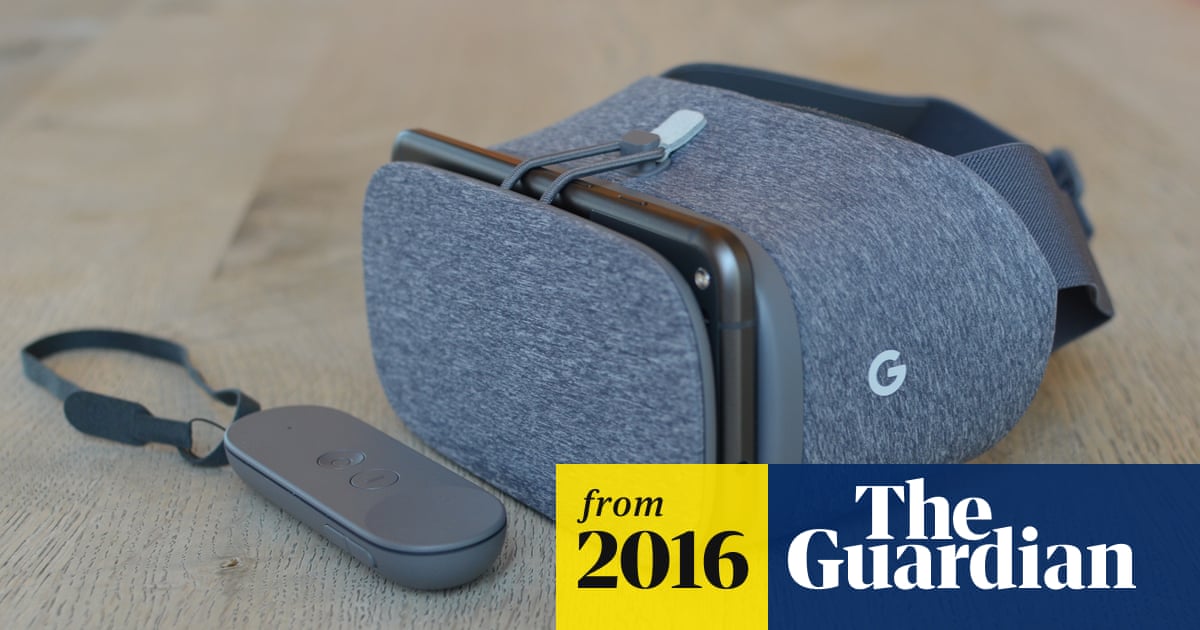
Regular cleaning extends your headset’s life. It ensures clear visuals and a pleasant fit every time you play.
Credit: www.theguardian.com
Frequently Asked Questions
What Devices Are Compatible With Phone Vr Headsets?
Most phone VR headsets support Android and iOS smartphones. Check your phone’s size and OS before use. Compatibility ensures smooth VR experience and proper fitting inside the headset.
How Do I Set Up My Phone Vr Headset?
Start by downloading compatible VR apps. Insert your phone into the headset securely. Adjust the lenses for clear visuals. Follow app instructions for an immersive VR experience.
Can I Use Phone Vr Headset For Gaming?
Yes, phone VR headsets support many VR games. Download VR-compatible games from app stores. Use Bluetooth controllers for better gameplay. Ensure your phone meets game requirements for smooth performance.
How To Clean And Maintain A Phone Vr Headset?
Use a microfiber cloth to clean lenses gently. Avoid using harsh chemicals or water. Store the headset in a cool, dry place. Regular cleaning improves visual clarity and headset longevity.
Conclusion
Using a phone VR headset can bring fun and new experiences. Just follow simple steps to set it up right. Make sure your phone fits well inside the headset. Adjust the straps for comfort during use. Explore different apps to find what you enjoy.
Take breaks to avoid eye strain and dizziness. VR can feel real and exciting but stay safe. Now you know how to start using your phone VR headset easily. Enjoy the virtual world at your own pace.