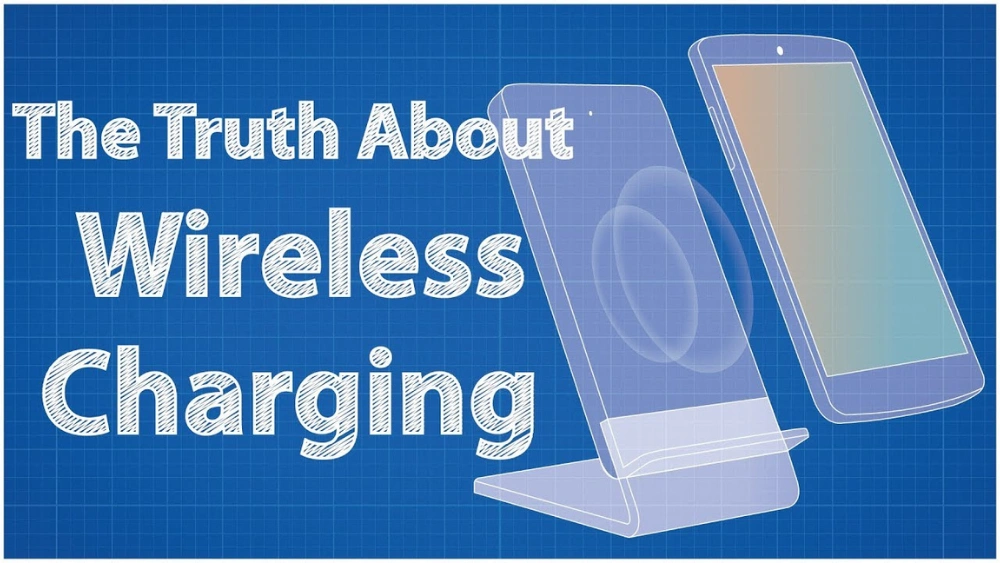
Have you ever wondered if you can charge your phone without plugging it in? Imagine just placing your device on a small pad and watching it power up, no cords needed.
Wireless charging isn’t just a cool idea—it’s becoming a simple way to keep your phone ready all day. But how does it work, and is your phone ready for it? Keep reading to find out how you can make charging effortless and what you need to get started.
Wireless Charging Basics
Wireless charging has quickly become a convenient way to power up your devices without fumbling for cables. Understanding the basics helps you decide if it fits your lifestyle and what gear you’ll need. Let’s dive into how it works, the types available, and which devices can use it.
How Wireless Charging Works
Wireless charging uses electromagnetic fields to transfer energy between two objects. A charging pad creates a magnetic field that your phone’s receiver coil converts into electrical current. This process happens without any physical connection, so you just place your phone on the pad and it starts charging.
Have you noticed your phone gets warm during wireless charging? That’s normal because energy transfer generates a bit of heat. This method is slower than wired charging, but the ease of simply setting your phone down can save you time and hassle.
Types Of Wireless Chargers
There are several types of wireless chargers, each with its own benefits:
- Pad Chargers:The most common style where you lay your phone flat on a charging surface.
- Stand Chargers:Hold your phone upright, perfect for video calls or using your device while charging.
- Charging Docks:Designed for multiple devices, often including smartwatches and earbuds.
- Car Chargers:Let you charge wirelessly on the go without cables cluttering your dashboard.
Choosing the right type depends on how you use your phone daily. Do you prefer to see notifications easily while charging? A stand might be better than a pad.
Compatible Devices
Not all phones support wireless charging, so check if your device is compatible before buying a charger. Most recent smartphones from brands like Apple, Samsung, and Google include this feature. Even some earbuds and smartwatches now support wireless charging.
If your phone doesn’t have wireless charging built-in, you can still add it with special cases or adapters. Have you ever tried using a wireless charger with your current phone? You might be surprised how easy it is to integrate into your daily routine.
Benefits Of Wireless Charging
Wireless charging offers many benefits that improve daily phone use. It removes the need for cables and chargers. This technology provides a simple and efficient way to keep your phone powered. The following sections explain key advantages of wireless charging.
Convenience And Ease
Wireless charging lets you power your phone by just placing it on a pad. There is no need to plug in a cable every time. It saves time and effort, especially in busy moments. You can pick up your phone quickly without unplugging anything. This ease makes charging stress-free and smooth.
Reducing Cable Wear
Charging cables often get damaged from constant bending and pulling. Wireless charging removes this problem since no cables connect to the phone. It extends the life of your phone’s charging port and cables. Less wear means fewer replacements and less waste. It is a practical choice for phone care.
Safety Features
Wireless chargers include safety functions to protect your phone. They prevent overcharging and overheating during the charging process. Many chargers stop power automatically once the phone is fully charged. This reduces battery damage and keeps your device safe. These features bring peace of mind while charging.
Fast Wireless Charging Explained
Wireless charging is a game-changer, offering convenience and freedom from tangled cords. But have you ever wondered how fast wireless charging works? The technology behind it is fascinating, as it allows your devices to power up quickly without being tethered to a wall socket. Let’s dive into the details and see how this modern marvel operates.
What Makes Charging Fast
Fast wireless charging relies on advanced technology to boost the speed of power transfer. One key element is the electromagnetic field, which is generated between the charger and your device. The strength and efficiency of this field determine how quickly your phone charges. Have you ever noticed that placing your phone perfectly on the charging pad often results in quicker charging? That’s because the alignment maximizes the transfer efficiency.
Power Output Standards
Different devices support varying power output standards, impacting charging speed. Some chargers offer 5 watts, while others can provide up to 15 watts or more. Higher wattage equals faster charging, but not all phones can handle higher outputs. Knowing your device’s capabilities is crucial to avoid damaging it. Always check the specifications of both your phone and charger to ensure compatibility.
Device And Charger Compatibility
Compatibility between your device and the charger plays a significant role in charging speed. Not all phones support fast wireless charging, and not all chargers are built to deliver it. If you’re using a charger that matches your phone’s fast charging capabilities, you’ll notice a significant difference. Think of it like finding the perfect pair of shoes; when the fit is right, everything just works better.
So, can you charge your phone wirelessly? Absolutely, but understanding these elements will help you make the most of this technology. Have you considered upgrading your charger or device to take advantage of faster charging speeds? The convenience is hard to beat, and it might be time to make the switch for a smoother and quicker charging experience.
Choosing The Right Wireless Charger
Choosing the right wireless charger can make a big difference in how convenient and fast your phone charges. Not all chargers work the same way, and your choice depends on your lifestyle, phone model, and budget. Let’s look closely at the key factors that can help you decide which wireless charger fits your needs best.
Charging Pad Vs Stand
Do you prefer to lay your phone flat or keep it upright while charging? Charging pads are simple and compact. You just place your phone on the pad, which is great for desks or nightstands where you want the phone to rest flat.
Charging stands hold your phone at an angle, letting you see notifications or use the screen easily while it charges. If you often check your phone while it charges, a stand might be more practical. Think about your daily phone use—does your charging spot support easy access or just a quick drop and go?
Brand And Quality Considerations
Not all wireless chargers are created equal. Trusted brands often provide better safety features, faster charging speeds, and longer-lasting products. I once bought a cheap charger that overheated and slowed my phone’s battery life.
Look for chargers with certifications like Qi, which ensure compatibility and safety. Reading user reviews can reveal hidden issues like poor build quality or inconsistent charging. Would you rather pay a bit more for peace of mind or risk your phone’s health?
Price Vs Performance
Higher price doesn’t always mean better performance. Some budget chargers offer reliable charging without fancy features. But if you want fast charging or extra functions like multiple device support, you may need to invest more.
List what matters most to you: speed, safety, style, or extra features. You can often find mid-range chargers that balance cost and quality well. What’s your priority—saving money or getting the best experience?
Optimizing Wireless Charging Speed
Wireless charging is convenient but can sometimes feel slow. Optimizing wireless charging speed helps your phone power up faster. Small changes can make a big difference in charging time.
Proper Placement Tips
Place your phone correctly on the charger pad. Align the phone’s charging coil with the charger’s coil. Misalignment causes slower charging or no charge at all.
Remove any phone case that is thick or made of metal. These materials can block the charging signal. Keep the phone flat and steady during charging.
Using Certified Accessories
Use chargers and cables certified by trusted brands. Certified accessories ensure safety and efficient charging. Cheap or uncertified chargers may deliver less power or cause damage.
Look for Qi certification, the standard for wireless charging. Certified products often charge faster and prevent overheating. Invest in quality accessories for the best results.
Avoiding Interference
Keep metal objects away from the charging pad. Keys, coins, or jewelry can disrupt the charging process. Interference reduces charging speed and may cause errors.
Charge your phone in a cool, dry place. Heat slows down wireless charging and can damage the battery. Avoid charging near other electronic devices that emit signals.
Common Wireless Charging Issues
Wireless charging offers incredible convenience, but it’s not without its quirks. You might find your phone charging slower than expected or notice it getting warmer than usual. Understanding these common wireless charging issues can help you troubleshoot effectively and get the most out of your charging experience.
Slow Charging Causes
Wireless charging often feels slower compared to wired charging, but several factors can make it worse. The alignment between your phone and the charging pad is crucial—if they’re slightly off, power transfer drops significantly.
Using a thick or metal phone case can also block or reduce the charging efficiency. Are you charging through a case? Try removing it to see if your phone charges faster.
Additionally, some chargers and phones support different wattages. Using a low-power charger with a phone that supports fast wireless charging will naturally slow things down.
Overheating Concerns
Have you noticed your phone getting hot while charging wirelessly? Overheating is a common issue and can reduce battery health over time. Heat builds up when the phone and charger are in constant contact without proper ventilation.
Charging on soft surfaces like beds or couches traps heat, so place your charger on a hard, flat surface instead. Some phones slow down charging automatically to prevent overheating, which can make the process feel even slower.
If overheating happens frequently, consider checking if your charger is compatible with your device or if there’s any damage to the charging pad.
Connection Interruptions
Wireless charging depends on a steady connection between your phone and the pad. Small movements can interrupt this connection, causing charging to stop and start repeatedly. This can be frustrating when you’re in a hurry.
Try to keep your phone perfectly still during charging. Some pads have larger charging surfaces or magnets to help keep your phone in place—does your charger offer this?
Interference from other electronic devices or metal objects nearby can also cause interruptions. Keep your charging area clear to maintain a stable connection.
Wireless Charging Myths
Wireless charging has gained popularity, but it’s surrounded by many myths that can confuse you. These myths might stop you from trying out this convenient technology or make you worry unnecessarily. Let’s clear up some common misunderstandings so you can make an informed choice about charging your phone wirelessly.
Battery Damage Misconceptions
Many people believe wireless charging damages the phone battery faster than wired charging. However, modern wireless chargers regulate power to avoid overheating and overcharging your battery. I once hesitated to use wireless charging because I thought it would shorten my phone’s lifespan, but after months of daily use, my battery health remained stable.
Battery wear depends more on charging habits than the method itself. For example, frequently charging your phone from 0% to 100% stresses the battery more than topping it off regularly, whether wired or wireless. So, focus on good charging practices rather than worrying about the wireless aspect.
Charging Speed Limits
It’s common to hear that wireless charging is always slower than wired charging. While it’s true that wireless charging can be slower, this gap is narrowing with newer technologies. Some wireless chargers now deliver fast charging speeds comparable to traditional cables, especially if your phone supports fast wireless charging.
You might notice slower charging if your phone or charger doesn’t support higher wattage. Also, factors like phone case thickness and placement on the charging pad can affect speed. Have you checked if your wireless charger and phone are optimized for fast charging?
Compatibility Confusion
Not all phones support wireless charging, which leads to confusion about compatibility. If your phone doesn’t have a built-in wireless charging receiver, you can’t charge it wirelessly without an accessory like a special case or adapter. Before buying a wireless charger, verify your phone’s specifications to avoid wasting money.
Wireless chargers usually follow the Qi standard, making them compatible with many devices across brands. Yet, some phones may have unique charging requirements or positioning needs. Have you tested how well your charger works with your phone’s design and case? Small adjustments can make a big difference.
Future Of Wireless Charging
The future of wireless charging holds many exciting possibilities. Technology is evolving fast, making charging easier and more convenient. Wireless charging will become more common and useful in daily life. Let’s explore what the future may bring in this field.
Emerging Technologies
New wireless charging methods aim to increase speed and range. Some use magnetic resonance to charge devices from a distance. Others explore using radio waves or lasers to send power. These technologies seek to charge multiple devices at once. They also focus on reducing energy loss during charging.
Integration With Other Devices
Wireless charging will likely expand beyond phones. Smartwatches, earbuds, and laptops will support wireless charging. Furniture and vehicles may come with built-in charging pads. This integration makes charging seamless and invisible. Users will just place their device and power will flow.
Wireless Charging Beyond Phones
Charging will reach more than just small electronics. Electric cars will benefit from wireless charging lanes and pads. Medical devices could use wireless power for better safety. Public spaces like cafes and airports may offer wireless charging zones. This will create a more connected and powered world.
Frequently Asked Questions
Can All Phones Charge Wirelessly?
No, only phones with built-in wireless charging can. Check your phone’s specifications for compatibility. Most modern smartphones support Qi wireless charging.
How Fast Is Wireless Phone Charging?
Wireless charging is generally slower than wired charging. Speed depends on the charger’s wattage and phone model. Fast wireless chargers provide speeds up to 15W.
Is Wireless Charging Safe For My Phone?
Yes, wireless charging is safe when using certified chargers. It prevents wear on charging ports and reduces overheating risks. Always use reputable accessories for best safety.
Do I Need A Special Case For Wireless Charging?
Most thin cases support wireless charging without issues. Thick or metal cases can block the charging signal. Check if your case is wireless charging compatible before use.
Conclusion
Wireless charging offers a simple way to power your phone. It removes the need for cables and plugs. Just place your phone on the charging pad. Most newer phones support this easy method. Charging speed may be slower than wired chargers.
Still, it works well for daily use. Keep your phone’s case thin for best results. Wireless charging adds convenience without much effort. It’s a useful option to consider for your device. Try it out and see how it fits your routine.