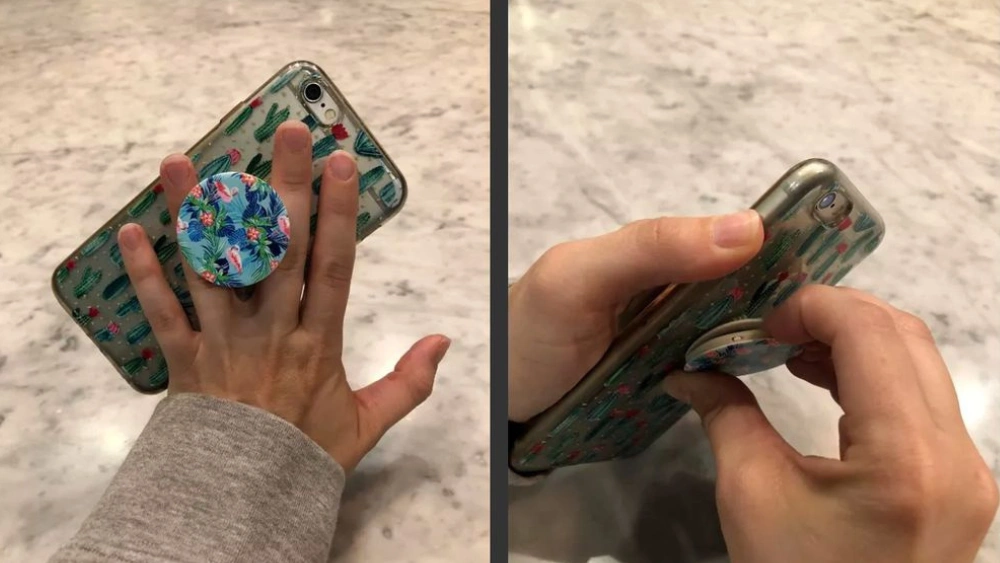
Struggling to remove that stubborn Popsocket adhesive from your phone or case? You’re not alone.
Sticky residue can be frustrating and tricky to get off without damaging your device. But don’t worry—there are simple, effective ways to clean it up quickly. In this guide, you’ll discover easy steps and handy tips to remove Popsocket adhesive safely, so your phone looks as good as new.
Keep reading—you’ll be surprised how fast and hassle-free this can be!
Why Remove Popsocket Adhesive
Removing Popsocket adhesive might seem tricky at first, but understanding why you need to do it can make the task clearer and more purposeful. Whether you’re changing your phone’s look or simply clearing up sticky residue, knowing the reasons behind removal helps you choose the best approach. Let’s look at why you might want to say goodbye to that adhesive.
Common Reasons For Removal
People often remove Popsocket adhesive because they want to switch to a new design or reposition their grip for better comfort. Sometimes, the Popsocket no longer sticks well after repeated use, making removal necessary. Others might want to sell or give away their device and prefer a clean, residue-free surface.
Have you ever tried to peel off an old Popsocket only to find it leaves behind a sticky mess? That’s another common reason — to get rid of the unsightly adhesive that can attract dirt and dust. If you’ve experienced this, you know how important a thorough removal can be.
Potential Risks Of Adhesive Residue
Adhesive residue isn’t just an eyesore; it can cause real problems for your device and daily use. Leftover stickiness can attract dirt, making your phone look dirty and feel unpleasant to hold. It might even damage your phone case or screen protector if left too long.
There’s also the risk that residue can interfere with wireless charging or other phone functions. Have you noticed your phone not charging properly after a Popsocket removal? That sticky layer could be the culprit. Cleaning off adhesive properly helps you avoid these issues and keeps your device working smoothly.
Tools Needed For Removal
Removing Popsocket adhesive does not require many tools. The right tools make the process easier and protect your device. Some tools are common household items. Others are specialized products designed to remove sticky residues safely.
Household Items
Several household items can help remove Popsocket adhesive. These are easy to find and safe to use on most surfaces.
- Warm water and soap: Softens the adhesive for easier removal.
- Rubbing alcohol: Breaks down sticky residue effectively.
- Hairdryer: Heats the adhesive to loosen its grip.
- Plastic card or old credit card: Gently scrapes off adhesive without scratching.
- Microfiber cloth: Cleans residue without damaging surfaces.
Specialized Products
Some products are made specifically to remove adhesives. These can be more effective for stubborn residue.
- Goo Gone: A safe adhesive remover for electronics and phone cases.
- Adhesive remover wipes: Pre-moistened wipes designed to dissolve sticky glue.
- Isopropyl alcohol (90% or higher): Stronger than rubbing alcohol for tough adhesives.
- Silicone-based adhesive removers: Work well without harming phone surfaces.
Heat Method
The heat method is a simple and effective way to loosen the adhesive of a Popsocket without damaging your phone or the accessory itself. By gently warming the glue, you can reduce its stickiness, making it easier to peel off the Popsocket cleanly. This approach requires just a little patience and common household items.
Using A Hairdryer
Grab a hairdryer and set it to medium heat. Hold it about 6 inches away from the Popsocket and move it around to evenly warm the adhesive area. You’ll feel the surface getting slightly warm—this signals the glue is softening.
After about 30 seconds to 1 minute, try to gently lift the edge of the Popsocket with your fingernail or a plastic card. If it resists, apply more heat and try again. Have you noticed how heat can transform something stuck into something peelable?
Applying Warm Cloth
If you don’t have a hairdryer, a warm cloth works just as well. Soak a clean cloth in hot water, wring it out so it’s damp but not dripping, and place it over the Popsocket for 1-2 minutes. The warmth will seep into the adhesive, softening it gradually.
After removing the cloth, gently peel the Popsocket off. If the adhesive still feels too strong, repeat the process. This method is less direct but perfect if you want to avoid blowing hot air on your phone.
Oil-based Solutions
Oil-based solutions help loosen Popsocket adhesive quickly and safely. Apply a small amount, wait a few minutes, then gently rub to remove residue. This method works well on most phone surfaces without damage.
Oil-based solutions are an excellent way to tackle stubborn Popsocket adhesive. They are often gentle on surfaces, minimizing the risk of damage while effectively dissolving the adhesive residue. Whether you have a bottle of cooking oil or rubbing alcohol lying around, these common household items can be your best friends in this sticky situation.Using Cooking Oil
Cooking oil is not just for your culinary adventures. It can also work wonders in removing Popsocket adhesive. Simply apply a small amount of cooking oil to a cotton ball or soft cloth. Gently rub the affected area in circular motions. You’ll notice the adhesive starting to loosen up. If you’re worried about the oil smell, don’t fret. A quick wash with soap and water will remove any oily residue from the surface.Applying Rubbing Alcohol
Rubbing alcohol is another effective oil-based solution for removing adhesive. It evaporates quickly, leaving no residue behind. Apply a bit of rubbing alcohol onto a cotton swab or cloth, and gently dab the adhesive area. You’ll see the adhesive lift off without much effort. Isn’t it amazing how a simple household item can save your day? Would you try it on other sticky situations too?Adhesive Remover Products
Adhesive remover products help take off sticky residue left by Popsockets. These products are designed to dissolve glue without damaging your phone’s surface. Using the right remover makes cleanup easier and faster. Choose a product that suits your device and follow the instructions carefully.
Types Of Commercial Removers
- Isopropyl Alcohol:A gentle solvent that breaks down adhesive. Safe for most surfaces.
- Goo Gone:A popular option for sticky residue. Works well but test on a small area first.
- Nail Polish Remover (Acetone):Strong solvent that removes glue quickly. Use cautiously to avoid damage.
- Citrus-Based Removers:Natural and less harsh. Good for sensitive surfaces.
- Adhesive Remover Wipes:Convenient and pre-soaked. Easy to use on the go.
Safe Usage Tips
- Test the remover on a small, hidden spot first.
- Apply remover with a soft cloth or cotton swab.
- Avoid soaking your phone or device directly.
- Work in a well-ventilated area to reduce fumes.
- Wear gloves to protect your skin from chemicals.
- Wipe the surface gently to prevent scratches.
- Clean the area with water after using the remover.
Mechanical Techniques
Mechanical techniques offer a straightforward way to remove Popsocket adhesive. These methods rely on physical actions to lift and separate the adhesive from the surface. They require no special chemicals and can be done with common household items.
Using gentle force and the right tools helps prevent damage to your device. Patience is key to avoid leaving sticky residue or marks behind.
Peeling Off Slowly
Start by lifting a corner of the Popsocket carefully. Use your fingernail or a thin object to get under the edge. Pull the adhesive back slowly at a low angle. Avoid yanking or pulling straight up, which can damage the phone’s surface.
Slow peeling reduces the chance of leaving sticky residue. If the adhesive resists, pause and try another spot. Work gradually around the Popsocket until it comes off fully.
Using A Plastic Scraper
A plastic scraper is gentle enough to avoid scratches. Use a credit card or a purpose-made plastic tool. Slide the scraper under the Popsocket base with light pressure.
Move the scraper back and forth to loosen the adhesive. Lift the Popsocket slowly as the glue releases. Do not force the scraper deeply, which could cause damage. This technique helps remove tough adhesive without harsh chemicals.
Cleaning After Removal
Cleaning after removing a Popsocket is important for your device’s look and feel. Adhesive residue can be sticky and attract dirt. Proper cleaning helps keep your phone smooth and safe. It also prepares the surface for new accessories or cases.
Removing Sticky Residue
Sticky residue from Popsocket adhesive can be tricky to remove. Use gentle methods to avoid damage. Apply a small amount of rubbing alcohol or adhesive remover on a soft cloth. Rub the sticky spots carefully in a circular motion. Avoid soaking the phone or case to protect electronics. For stubborn residue, try warm soapy water and a soft brush. Wipe clean with a dry cloth once the residue is gone.
Surface Care And Protection
Once the adhesive is removed, protect the surface. Clean the area with a microfiber cloth to remove dust and oils. Avoid harsh chemicals that can damage the finish. Use a screen protector or phone case to shield the cleaned spot. This keeps your device looking new and prevents future sticky build-up. Regular cleaning maintains the phone’s smooth texture and shine.
Preventing Adhesive Damage
Preventing adhesive damage is key to keeping your device’s surface clean. Popsocket adhesives can leave sticky residue or peel paint. Taking simple precautions helps protect your phone or case. This ensures easy removal without marks or stains.
Using Protective Films
Apply a thin protective film on your phone or case before attaching the Popsocket. These films act as a barrier between the adhesive and the surface. They prevent scratches and sticky residue from sticking directly to your device.
Protective films are clear and thin, so they do not affect phone use. They peel off easily when you remove the Popsocket, leaving the surface clean. This method is cost-effective and keeps your device looking new longer.
Choosing Reusable Adhesives
Reusable adhesives offer a gentle hold that reduces damage risk. These adhesives stick well but peel off cleanly without residue. They allow you to remove and reposition the Popsocket multiple times.
Reusable adhesives save money as you do not need new glue each time. They also lower the chance of peeling paint or sticky buildup. Choose products labeled as reusable or removable for best results.
Frequently Asked Questions
How Can I Safely Remove Popsocket Adhesive?
To safely remove Popsocket adhesive, use warm soapy water or rubbing alcohol. Gently peel the Popsocket while applying the solution to loosen the adhesive. Avoid harsh tools to prevent damage to your phone’s surface.
What Household Items Remove Popsocket Adhesive Residue?
Common household items like rubbing alcohol, vinegar, and warm soapy water work well to remove adhesive residue. Apply with a soft cloth and rub gently until the residue dissolves and wipes away cleanly.
Does Heat Help Remove Popsocket Adhesive?
Yes, applying gentle heat with a hairdryer softens the adhesive. Heat the area for 30 seconds, then slowly peel off the Popsocket. This makes removal easier and reduces surface damage risk.
Can Adhesive Remover Damage My Phone Case?
Most adhesive removers are safe for phone cases if used properly. Always test a small hidden area first to check for discoloration or damage before full application.
Conclusion
Removing Popsocket adhesive does not have to be hard. Use gentle tools and simple methods to avoid damage. Warm the adhesive to make it soft and easier to peel off. Clean the surface well afterward to remove sticky residue. Patience helps—it may take a few tries.
Now your phone or case looks neat again. Keep these tips for next time you remove adhesive. Easy and safe removal is possible with care.