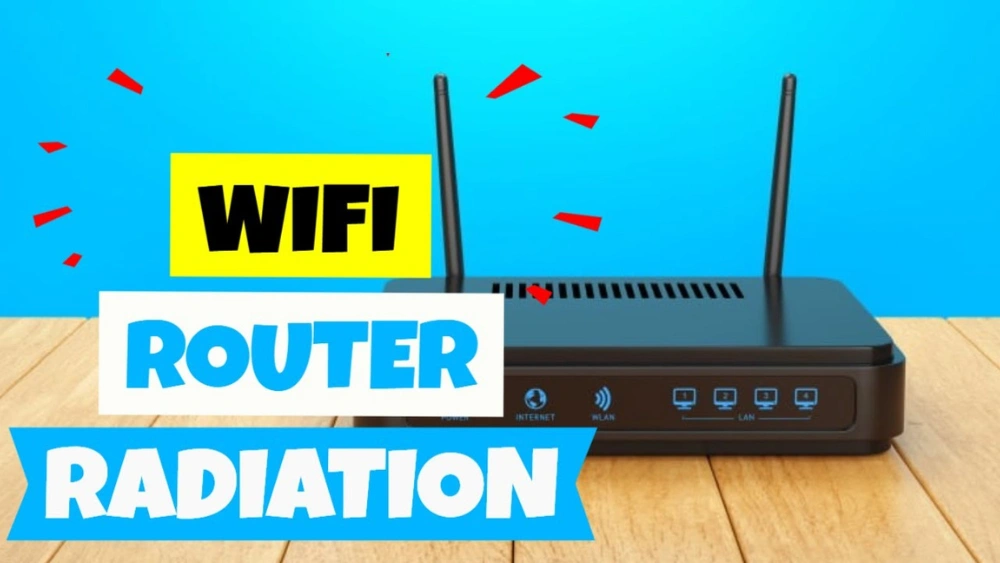
Are you worried about the invisible radiation coming from your Wi-Fi router? You’re not alone.
Many people want to protect themselves and their families but don’t know where to start. What if you could reduce that radiation without losing your internet connection? You’ll discover simple and effective ways to block or lower Wi-Fi radiation right at home.
Keep reading to learn how to create a safer space for you and your loved ones.

Credit: www.walmart.com
Health Concerns Of Wi-fi Radiation
Wi-Fi routers are everywhere, powering our devices and connecting us to the world. But have you ever stopped to wonder about the radiation they emit and how it might affect your health? Understanding the health concerns of Wi-Fi radiation helps you make smarter choices about your environment and safety.
Types Of Radiation Emitted
Wi-Fi routers emit a type of radiation called radiofrequency (RF) radiation, which is a form of non-ionizing electromagnetic radiation.
This radiation is different from ionizing radiation like X-rays, which can cause cellular damage.
RF radiation from Wi-Fi operates at frequencies between 2.4 GHz and 5 GHz, similar to microwaves but at much lower power levels.
Potential Health Risks
Some people worry that prolonged exposure to Wi-Fi radiation might affect their health. Concerns include headaches, sleep disturbances, and potential impacts on brain function.
Children and people with certain health conditions might be more sensitive to these effects.
Have you noticed any symptoms when you spend long hours near your router? Monitoring your own response can be a useful step in managing exposure.
Scientific Studies And Findings
Research on Wi-Fi radiation and health is ongoing, with mixed results.
Many studies find no clear evidence of harmful effects at typical exposure levels from routers.
However, some research suggests that long-term exposure could have subtle biological effects, especially in vulnerable groups.
It’s wise to stay informed and take simple precautions, like placing your router away from where you spend most of your time.
Credit: www.ehn.org
Ways To Reduce Exposure
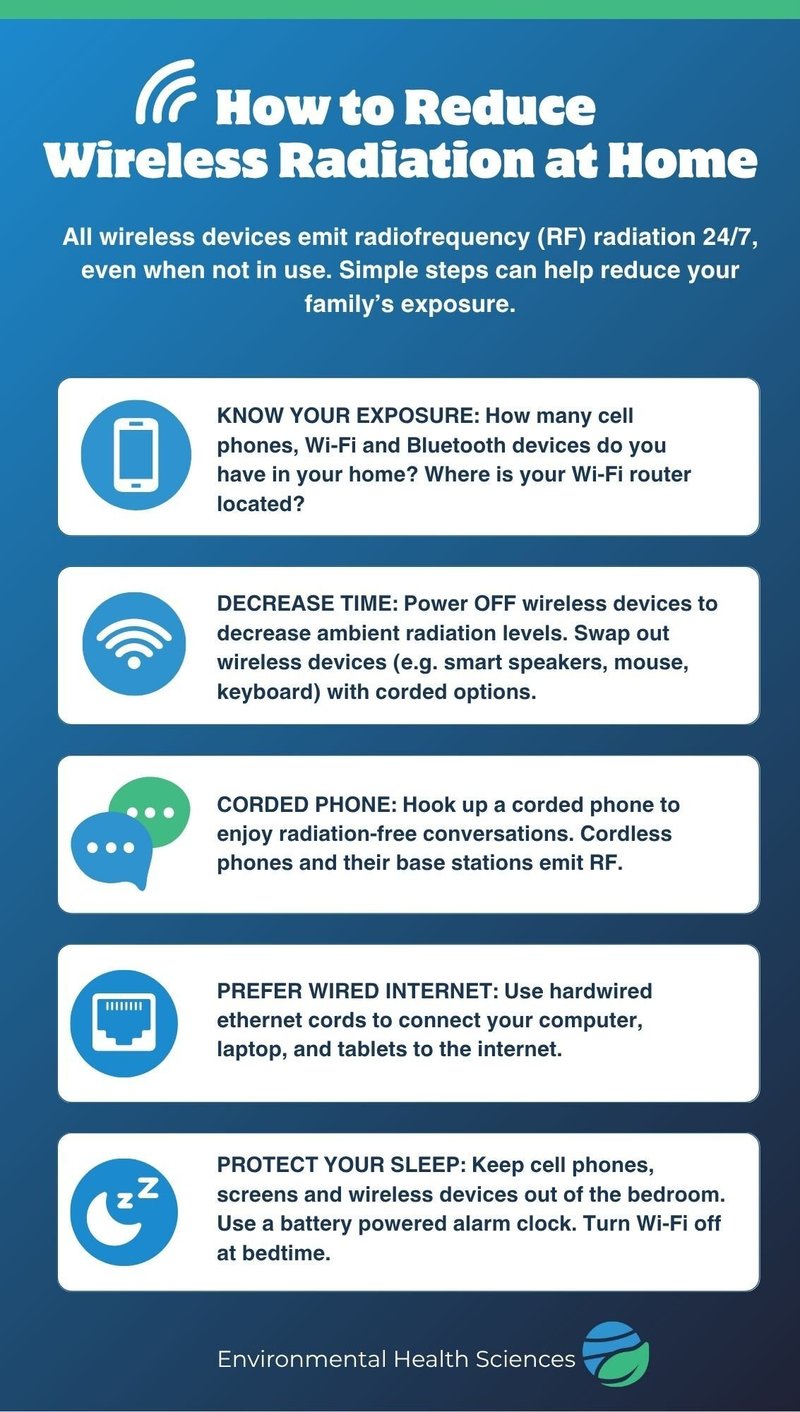
Reducing exposure to radiation from a Wi-Fi router can improve your home’s safety. Small changes in how you place and use your router lower radiation levels. You can protect yourself and your family without losing internet speed or quality. Here are simple ways to reduce radiation exposure effectively.
Optimal Router Placement
Place your router away from where people spend time. Avoid bedrooms and living rooms for router installation. Keep the router at a height, like on a shelf or mounted on a wall. This reduces radiation near your body. Keep it at least several feet from desks and sitting areas.
Do not put the router near metal objects. Metal can reflect signals and increase radiation in some spots. Open areas allow signals to spread without strong radiation buildup.
Using Physical Barriers
Use materials that block or reduce Wi-Fi signals around your router. Thick walls, furniture, or special shielding paint can help. You can place the router inside a metal mesh enclosure. This lowers radiation but keep in mind it also reduces Wi-Fi range.
Try placing plants or bookshelves nearby. They can absorb some signals naturally. Avoid materials like glass and plastic, which do not block radiation.
Adjusting Router Settings
Reduce the router’s transmission power in its settings menu. Lower power means less radiation but still enough for your devices. Turn off the Wi-Fi at night or when not in use. Use wired connections like Ethernet cables where possible.
Change your Wi-Fi frequency to 5 GHz if available. It usually has less radiation and interference than 2.4 GHz. Set shorter Wi-Fi signal range if your router supports it.
Materials That Block Radiation
Blocking radiation from Wi-Fi routers requires materials that can absorb or reflect electromagnetic waves. These materials help reduce exposure by creating barriers between the source and living spaces. Choosing the right materials depends on the level of protection needed and the environment.
Some materials work better for certain areas and setups. Understanding these options helps make safer choices for your home or office.
Metal Screens And Meshes
Metal screens and meshes act like shields against Wi-Fi radiation. They reflect and block electromagnetic waves effectively. Copper, aluminum, and stainless steel are common metals used in these screens.
These materials come in fine mesh patterns to allow airflow but still block radiation. They can be installed around routers or on windows and walls for added protection. Metal meshes are durable and do not interfere with ventilation.
Radiation-blocking Paints
Radiation-blocking paints contain metal particles that stop Wi-Fi signals. They create a barrier on walls or ceilings to reduce radiation inside rooms. These paints work well for large surfaces and are easy to apply.
The paint usually requires multiple coats for better effectiveness. It is ideal for rooms where the router cannot be moved. Such paints also help block other types of electromagnetic radiation.
Specialized Fabrics And Curtains
Specialized fabrics and curtains are woven with metal fibers. These textiles block Wi-Fi signals while maintaining flexibility and style. They can cover windows, doors, or be used as room dividers.
These fabrics come in different thicknesses and patterns. They absorb or reflect radiation depending on the fiber type. Using these curtains is a simple way to add protection without major changes.
Diy Shielding Solutions
DIY shielding solutions offer practical ways to reduce radiation from your Wi-Fi router without spending a lot of money or needing special tools. You can create barriers that absorb or block electromagnetic waves, making your home environment safer. These simple projects empower you to take control of your space with materials you likely already have.
Creating A Router Shield Box
Build a box around your router using wood or cardboard and line the inside with metal mesh or foil. This setup helps contain the radiation within the box while allowing airflow to keep the device cool. Remember to leave some gaps or holes for ventilation, or your router may overheat and slow down.
Try placing your router inside this shield box and notice if your signal strength changes. This can help you find the balance between reducing radiation and keeping good Wi-Fi coverage.
Using Aluminum Foil Strategically
Aluminum foil is an easy and affordable way to block Wi-Fi radiation. Wrap the back or sides of your router with foil, but avoid covering the antennas directly. This method reflects the waves away from the direction you want to protect, like your bedroom or workspace.
Test different placements of the foil to see which one reduces exposure the most. Keep in mind, too much foil can weaken your connection, so it’s about finding the right amount.
Building A Faraday Cage
A Faraday cage blocks electromagnetic radiation completely by surrounding an object with conductive material. You can make one using a metal mesh box or wire screen that fits around your router. Ensure the cage is grounded properly to maximize effectiveness.
If you try this, monitor your Wi-Fi performance because a full cage might stop signals altogether. Adjust the size or openings to allow enough signal while still reducing radiation where you spend the most time.
Alternative Technologies And Devices
Wi-Fi routers emit radiation that can be concerning for some. Switching to alternative technologies can reduce exposure and maintain connectivity. These options provide safer ways to stay online without compromising health or performance.
Low-radiation Routers
Low-radiation routers are designed to emit less radiation. They use advanced technology to minimize exposure while maintaining signal strength. These routers are ideal for homes with sensitive members. They offer peace of mind without sacrificing internet speed.
Ethernet Connections As Alternatives
Ethernet connections provide a wired alternative to Wi-Fi. This method eliminates wireless radiation entirely. Ethernet cables offer stable and fast internet. They are perfect for stationary devices like desktops and smart TVs. Using Ethernet can significantly reduce radiation levels in your home.
Radiation-reducing Gadgets
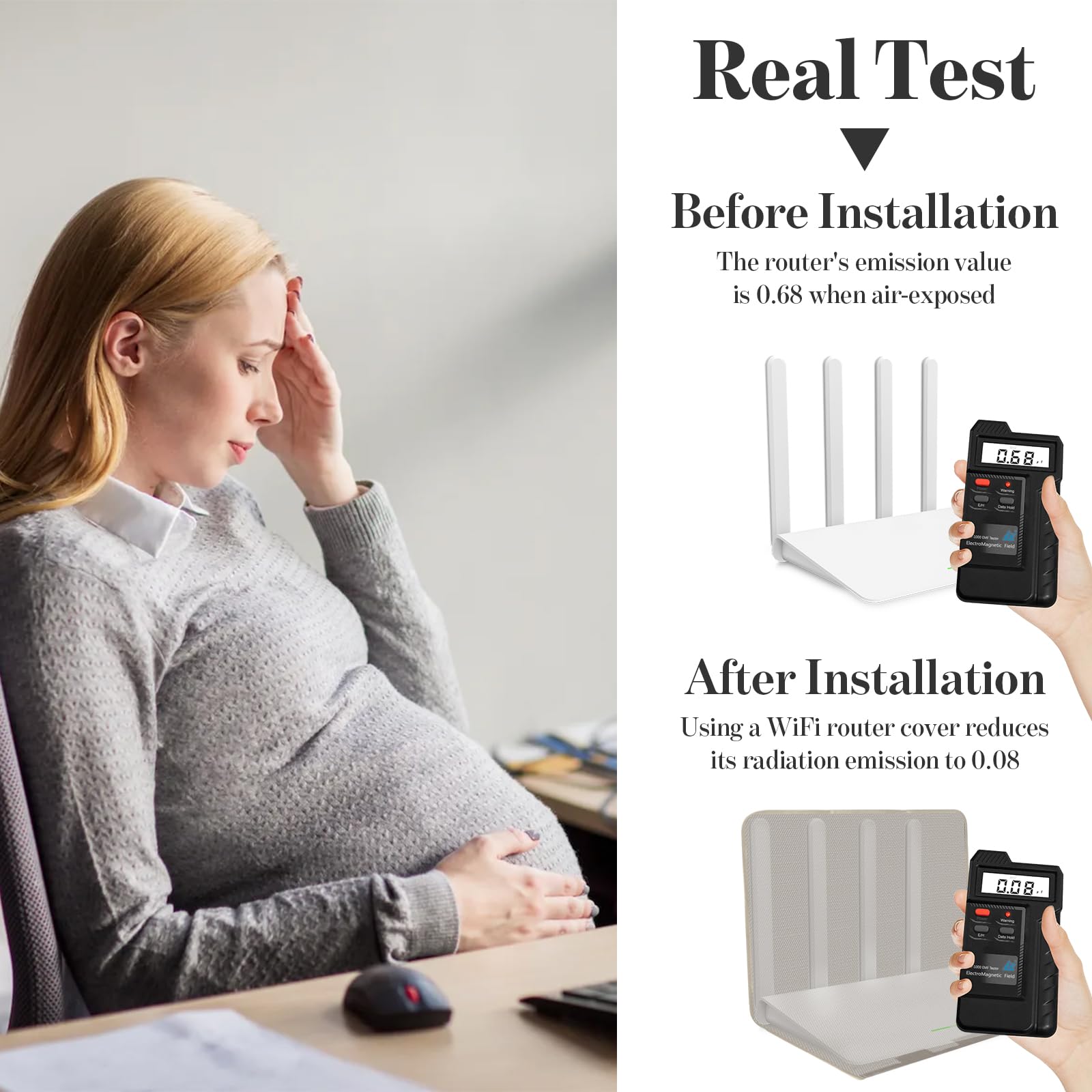
Radiation-reducing gadgets help lower exposure from Wi-Fi routers. Devices like router shields block and absorb radiation. They are easy to install and effective. These gadgets can be a simple solution for concerned households. Investing in them can enhance safety without affecting connectivity.
Credit: www.amazon.com
Lifestyle Habits To Minimize Risks
Reducing your exposure to Wi-Fi router radiation doesn’t require drastic lifestyle changes. Simple daily habits can significantly lower the risks associated with prolonged electromagnetic exposure. These small adjustments fit easily into your routine and help you create a safer environment at home or work.
Limiting Wi-fi Usage Time
Try to minimize the amount of time your devices stay connected to Wi-Fi. Switch to offline modes or use wired internet connections when possible. This approach cuts down the continuous emission of radiation in your living spaces.
I noticed my productivity increased when I set specific hours for Wi-Fi use rather than keeping it on all day. It also gave me peace of mind knowing I wasn’t constantly surrounded by wireless signals.
Turning Off Router When Not In Use
Turning off your router at night or during long periods of inactivity can drastically reduce radiation exposure. It’s a simple step that saves energy and lowers your risk without compromising convenience.
Ask yourself: How often do I really need constant internet access? You might find that switching off the router overnight is easier than expected and can improve your sleep quality.
Maintaining Distance From Router
Keep your router away from areas where you spend most of your time, like your bed or desk. Even a few feet of distance can reduce radiation intensity significantly.
Think about your living space layout. Could moving your router to a hallway or a less-used room protect you better? Small changes in placement often go unnoticed but make a big difference.
Frequently Asked Questions
How Can I Block Radiation From My Wi-fi Router?
You can block Wi-Fi radiation by placing the router inside a metal enclosure or using a radiation shield. Keeping the router away from living areas also reduces exposure. Additionally, turning off the router when not in use helps minimize radiation emission effectively.
Does Using A Router Shield Reduce Wi-fi Signal Strength?
Yes, router shields can reduce signal strength because they block electromagnetic waves. It’s essential to balance shielding with maintaining adequate Wi-Fi coverage. Use materials that partially block radiation but allow enough signal to pass for optimal connectivity.
Are Wi-fi Radiation Levels Harmful To Health?
Current research shows typical Wi-Fi radiation levels are low and unlikely harmful. However, prolonged close exposure may cause discomfort for some people. Using simple precautions like distance and shielding can help reduce any potential risks.
What Materials Are Best For Blocking Wi-fi Radiation?
Metallic materials like copper, aluminum, or steel are effective in blocking Wi-Fi radiation. These metals reflect or absorb electromagnetic waves, reducing exposure. Using mesh or foil materials in enclosures or shields works well without fully blocking the signal.
Conclusion
Blocking radiation from your Wi-Fi router is simple and effective. Keep the router away from places where you spend much time. Use physical barriers like special covers or shields to reduce exposure. Turn off the router when not in use, especially at night.
These small steps help lower radiation around you. Stay safe with easy habits. Protect your health without much effort. It’s all about smart choices every day.