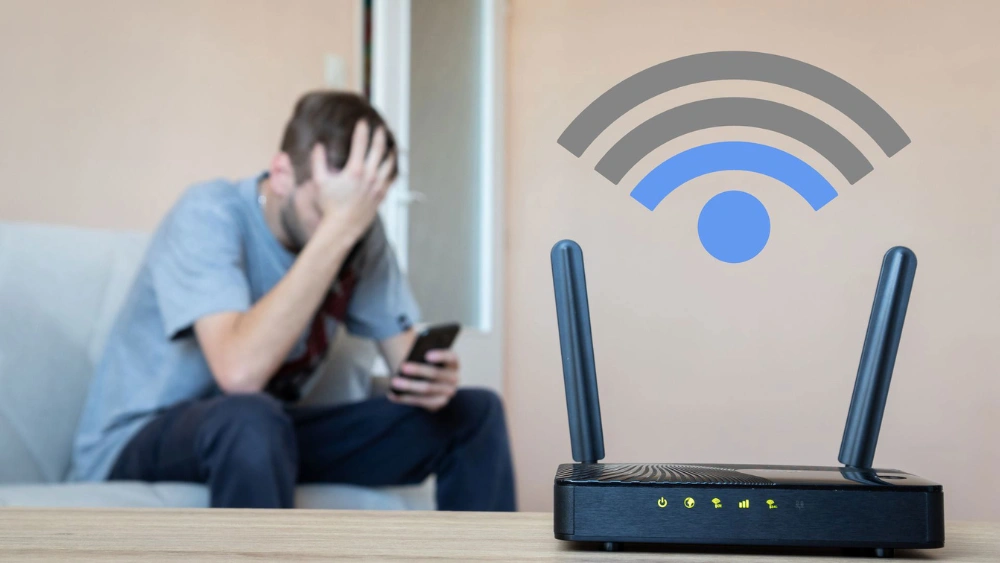
Have you ever been in the middle of something important online when your Wi-Fi suddenly stops working? It feels frustrating and confusing, especially when your router was fine just moments ago.
You might wonder, “Can a Wi-Fi router just suddenly quit working? ” The truth is, yes—it can happen without warning. But why does this happen, and what can you do to fix it quickly? Keep reading, and you’ll discover the surprising reasons behind sudden Wi-Fi failures and simple steps to get your connection back fast.
Don’t let your internet let you down again!

Credit: www.express.co.uk
Wi-fi Router Failures
Wi-Fi routers are essential for keeping us connected to the internet, but they can sometimes fail without warning. Understanding why a router might suddenly stop working can save you frustration and downtime. Let’s look closely at what happens during Wi-Fi router failures and how you can spot the warning signs early.
Common Signs Of Router Issues
Your router often gives off subtle signals before completely failing. Recognizing these signs can help you act before losing your connection entirely.
- Intermittent Connectivity:Your Wi-Fi connection drops randomly even though the signal strength looks fine.
- Slow Internet Speeds:Pages take longer to load, or videos buffer more than usual.
- Router Overheating:The device feels unusually hot to the touch or its lights flicker erratically.
- Unresponsive Router Interface:You can’t access the router settings or the web interface crashes frequently.
- Frequent Reboots:The router restarts on its own without any input from you.
Have you noticed any of these issues with your router recently? Acting early can prevent a sudden failure that leaves you offline.
How Sudden Failures Happen
Sudden router failures often feel like they come out of nowhere, but they usually result from underlying problems. Hardware defects, power surges, or firmware bugs can cause your router to stop working instantly.
Sometimes, a router’s internal components wear out over time due to heat or constant use. This slow damage might not show obvious signs until the moment it finally fails.
Power interruptions or unstable electrical currents can fry the circuitry inside your router. This can make the device quit working without any prior warning.
Software glitches also play a role. A bad firmware update or corrupted settings might cause your router to crash suddenly.
Have you ever lost your Wi-Fi connection right when you needed it most? Understanding these failure causes can help you prepare backup plans or replace your device before it’s too late.
Power And Hardware Problems
Power and hardware issues are often behind a Wi-Fi router’s sudden failure. These problems can strike without warning, leaving you disconnected and frustrated. Understanding the common causes can help you troubleshoot faster and maybe even prevent a complete breakdown.
Power Surges And Outages
Power surges can fry your router’s delicate circuits instantly. Even a brief spike in electricity can cause internal damage that stops your router from turning on or functioning properly. Have you ever noticed your router failing right after a storm or blackout? That’s a classic sign of a power surge or outage affecting your device.
Using a surge protector or an uninterruptible power supply (UPS) is a smart move. These devices shield your router from unexpected voltage spikes and keep it running during short outages. This simple step could save you a lot of headaches and replacement costs.
Overheating And Component Damage
Routers generate heat while running, but poor ventilation or a dusty environment can cause them to overheat. Overheating damages internal components over time, leading to sudden shutdowns or erratic performance. If your router feels hot to the touch or restarts frequently, overheating might be the culprit.
Keep your router in a cool, open space and clean dust from vents regularly. You’d be surprised how much this small effort extends your router’s lifespan and keeps it stable during heavy use.
Aging Hardware Effects
Routers don’t last forever. As they age, hardware components wear out, connections inside loosen, and performance declines. A router that’s several years old can suddenly stop working even without obvious external causes.
Have you checked how old your router is recently? If it’s over three years, consider testing a new one before spending hours troubleshooting. Upgrading not only avoids sudden failures but also boosts your network speed and security.
Firmware And Software Glitches
Firmware and software glitches often cause a Wi-Fi router to stop working suddenly. These problems affect the device’s internal system that controls its functions. Even small errors in the firmware or software can disrupt the connection and performance.
Firmware is the permanent software programmed into the router. It manages how the router communicates with devices and the internet. Bugs or glitches in this software can lead to unexpected failures. Software issues can also come from incorrect settings or failed updates.
Corrupted Firmware
Firmware can become corrupted due to power failures during updates or hardware faults. Corruption means the software code is damaged and cannot run properly. This causes the router to freeze, crash, or stop working entirely. The device may fail to boot up or lose connection frequently.
Failed Updates
Routers require regular updates to fix bugs and improve security. Failed updates happen when the process is interrupted or files are incomplete. Such failures can introduce new glitches or leave the router in a broken state. Users might notice slow speeds, random disconnects, or no internet access at all.
Configuration Errors
Incorrect settings can cause software conflicts inside the router. Mistakes in IP addresses, DNS settings, or security options can block proper operation. These errors often occur after manual changes or automatic resets. The router might refuse connections or show unstable performance as a result.
Credit: www.itarian.com
Environmental Factors
Environmental factors play a significant role in the sudden failure of your Wi-Fi router. These external influences can disrupt signals, damage hardware, or simply reduce performance to the point where it feels like your router has quit working. Understanding these factors can help you troubleshoot more effectively and avoid unnecessary replacements.
Interference From Other Devices
Have you ever noticed your Wi-Fi acting up when you turn on the microwave or use a cordless phone? Many household devices emit signals that overlap with your router’s frequency, causing interference. This interference can lead to slow connections, dropped signals, or even a complete loss of Wi-Fi.
Try moving your router away from these devices or switching to a less crowded Wi-Fi channel. Using a dual-band router that operates on 5 GHz can also reduce interference from common household electronics.
Physical Obstructions
Walls, furniture, and even large appliances can block or weaken your Wi-Fi signals. Materials like concrete, metal, and brick are especially tough barriers. If your router suddenly stops working well in certain rooms, physical obstructions might be the culprit.
Position your router in an open area, preferably elevated and central to your living space. Even small changes, like moving a bookshelf or relocating your router, can drastically improve signal strength and reliability.
Extreme Temperatures
Routers are designed to operate within a specific temperature range, usually between 32°F and 104°F (0°C to 40°C). If your router is placed in a hot attic, near a heater, or in direct sunlight, it can overheat and shut down unexpectedly. Cold temperatures can also cause internal components to malfunction.
Keep your router in a cool, well-ventilated spot. If you live in an area with extreme temperatures, consider additional cooling solutions like a small fan or relocating the device to a more temperature-stable environment.
Security Breaches And Hacks
Wi-Fi routers can suddenly stop working due to security breaches or hacking attempts. Unauthorized access may disrupt settings or overload the device, causing it to fail. Regular updates and strong passwords help protect your router from these risks.
Security breaches and hacks can cause sudden router malfunctions. These threats compromise the integrity of your network. Hackers target routers to steal data, disrupt connections, and inflict damage. Understanding these threats helps in safeguarding your Wi-Fi router.Malware Attacks On Routers
Routers can be infected with malware. Malware can alter settings, slow down performance, and expose data. Cybercriminals use malware to gain control of networks. Keeping router firmware updated helps block malware attacks.Unauthorized Access Impact
Unauthorized access can lead to severe security issues. Hackers exploit weak passwords to access routers. They may change settings or steal sensitive information. Strong passwords and regular checks prevent unauthorized access.Preventing Security Issues
Preventing security breaches is crucial for router safety. Use encryption methods like WPA2 or WPA3. Regularly update your router firmware. Disable remote management features if not needed. These steps keep your router secure and minimize risks.
Credit: nexxofy.com
Troubleshooting Steps
A Wi-Fi router can stop working without warning. Before calling a technician or buying a new one, try some simple troubleshooting steps. These steps help identify common problems and often fix them quickly. Start with easy fixes and move to more advanced options if needed.
Basic Restart Techniques
Turn off your router and unplug it from the power source. Wait for about 30 seconds to 1 minute. Plug the router back in and turn it on. This clears temporary glitches and refreshes the device’s connection. Restarting your router can resolve many common issues. Also, restart your modem and any connected devices.
Resetting To Factory Settings
Find the reset button on your router, usually a small hole. Use a paperclip to press and hold the button for 10 to 30 seconds. This will erase all settings and restore the router to its original state. You will need to set up your Wi-Fi again after this. Use this step only if restarting does not solve the problem.
When To Replace Your Router
Check the router’s age and model. Older routers may not support new internet speeds or security features. Look for frequent disconnections or slow speeds despite troubleshooting. Physical damage or overheating can also mean replacement is necessary. If problems persist after resets and restarts, it’s time to consider a new router.
Frequently Asked Questions
Why Does My Wi-fi Router Suddenly Stop Working?
A Wi-Fi router can stop working due to power issues, firmware glitches, or hardware failure. Overheating and network congestion also cause sudden outages. Regular updates and proper ventilation help maintain router performance and prevent unexpected shutdowns.
Can Outdated Firmware Cause Router Failures?
Yes, outdated firmware can cause router failures. Firmware updates fix bugs, improve security, and enhance stability. Without updates, routers may crash or lose connectivity. Always check for the latest firmware to ensure smooth operation.
How To Fix A Router That Suddenly Stopped Working?
Restart your router by unplugging it for 30 seconds, then plug it back in. Check cables and power supply. Update firmware and reset settings if needed. If problems persist, contact your ISP or replace the router.
Does Overheating Cause Routers To Stop Working Suddenly?
Yes, overheating can cause routers to stop working suddenly. Excess heat damages internal components and disrupts signals. Ensure proper ventilation, avoid covering the router, and keep it in a cool, open space to prevent overheating.
Conclusion
A Wi-Fi router can stop working without warning. Many reasons cause this, such as power issues or hardware failure. Restarting the router often fixes simple problems fast. Sometimes, replacing old devices is the best choice. Regular updates keep your router running smoothly.
Knowing these facts helps you stay connected. Don’t panic if your internet stops suddenly. Take a few quick steps to find the cause. Staying calm and informed saves time and stress.