Have you ever wondered if using VR headsets could harm your eyes? You’re not alone.
As VR technology becomes more popular, many people like you worry about the effects it might have on eye health. The good news is, the answer isn’t as scary as you might think. But before you put on that headset again, it’s important to understand what really happens to your eyes when you dive into virtual reality.
Keep reading to discover the facts that will help you enjoy VR safely and protect your vision for the future.
How Vr Headsets Work
Understanding how VR headsets work is key to addressing concerns about their impact on your eyes. These devices create immersive experiences by tricking your brain into seeing a virtual world. However, the technology behind this illusion involves specific visual mechanics that can affect your eye health.
Display Technology
VR headsets use tiny screens placed close to your eyes, often OLED or LCD panels. These screens show two slightly different images, one for each eye, to produce a 3D effect. The resolution and refresh rate are crucial because low-quality displays can cause eye strain or headaches.
Some headsets also use lenses to focus and enlarge the images. These lenses adjust the image size but can introduce distortion if not designed well. Have you ever noticed your eyes feeling tired after a VR session? That’s often linked to how the display technology handles these images.
Visual Focus And Distance
Unlike looking at a real object, your eyes focus on screens only a few centimeters away inside the headset. Yet, the images simulate depth, making your brain think objects are farther away. This mismatch between focus distance and perceived depth is called the vergence-accommodation conflict.
This conflict can make your eyes work harder, sometimes leading to discomfort. If you use VR for extended periods, your eyes might struggle with this unnatural focus demand. How long do you usually wear your VR headset before feeling any eye fatigue?
Eye Movement Patterns
When you explore VR environments, your eyes move differently than in the real world. Rapid shifts in focus and gaze happen as you look around the virtual scene. These quick movements combined with screen proximity can tire your eye muscles more than usual.
Additionally, some VR apps require intense concentration on small details, increasing eye strain. Taking regular breaks helps your eyes reset and reduces the risk of discomfort. Have you tried the 20-20-20 rule—looking 20 feet away for 20 seconds every 20 minutes—while using VR?
Credit: www.bbc.com
Common Eye Concerns With Vr
Using VR headsets is exciting, but it can also bring some eye issues you should watch out for. Understanding the common eye concerns helps you protect your vision while enjoying immersive experiences. Let’s look at some typical problems and what you can do to avoid them.
Eye Strain And Fatigue
Eye strain happens when your eyes work too hard to focus on the VR display. This can cause discomfort, headaches, or even soreness around your eyes after a long session. Taking short breaks every 20-30 minutes can help your eyes relax and reduce fatigue.
Have you noticed your eyes feeling tired faster when using VR compared to regular screens? Adjusting the headset fit and brightness might ease the strain and keep you comfortable for longer.
Dry Eyes
VR use often causes people to blink less, leading to dry eyes. This dryness can cause itching, burning, or a gritty feeling that distracts from the experience. Using artificial tears or consciously blinking more often can relieve dryness during and after VR use.
If you wear contact lenses, you might feel dryness more intensely. Make sure your lenses are suitable for extended screen use or try glasses instead when using VR.
Blurred Vision
Blurred vision after VR sessions is a sign your eyes are struggling to adjust between the virtual environment and real world. This usually clears up quickly but can be uncomfortable. Gradually increasing your VR time and allowing your eyes to refocus on real objects afterward helps reduce this effect.
Do you find it hard to focus right after removing the headset? Try looking at distant objects for a few moments to help your eyes reset naturally.
Scientific Findings On Eye Health
Virtual reality (VR) headsets have grown popular for gaming and education. Many users wonder if VR harms their eyes. Scientific studies explore how VR affects eye health. Research shows both short-term effects and possible long-term risks.
Short-term Effects
Using VR headsets can cause eye strain. This happens because eyes focus on screens very close to them. Some users feel dryness, irritation, or headaches after sessions. These symptoms usually go away after resting.
VR can also cause temporary blurred vision. Eyes adjust quickly to different depths in the virtual world. This adjustment can tire the eye muscles. Taking breaks helps reduce discomfort.
Long-term Risks
Long-term effects of VR on eyes need more study. So far, no clear evidence shows permanent damage. Experts worry about possible impacts on children’s eye development. Their eyes are still growing and more sensitive.
Extended VR use might increase the risk of nearsightedness. This happens when eyes focus too much on close objects. More research is needed to confirm these risks.
Studies And Research
- A 2020 study found short VR sessions cause mild eye strain.
- Research in 2022 showed no lasting vision damage after regular VR use.
- Some studies suggest VR use under two hours daily is safe.
- Experts recommend breaks every 30 minutes to protect eye health.
Scientists continue to study VR and eye health. Current findings support safe, moderate use. Users should watch for discomfort and rest their eyes often.
Factors Influencing Eye Impact
Understanding the factors that influence the impact of VR headsets on your eyes can help you make safer choices. Not every VR experience affects your vision the same way. The effects depend on how you use the device, the quality of the headset, and your personal eye health.
Duration Of Use
How long you spend in VR matters more than you might think. Extended sessions can cause eye strain, dryness, or discomfort. I noticed my eyes felt tired and dry after just 30 minutes without breaks.
Taking regular breaks, such as a 10-minute pause every hour, helps your eyes recover. Ask yourself: Are you pushing your eyes too hard without rest?
Device Quality
Not all VR headsets are created equal. Higher-quality devices offer better resolution and refresh rates, reducing eye strain. A low-quality headset can cause blurry images and flickering, which tire your eyes faster.
Before buying, check reviews focusing on display quality and comfort. Investing in a well-made headset can protect your eyes and improve your experience.
User’s Eye Condition
Your own eye health plays a big role in how VR affects you. People with conditions like astigmatism or dry eyes might feel discomfort sooner. I realized that adjusting the headset’s focus settings made a big difference for my mildly nearsighted eyes.
Consult an eye doctor if you experience persistent discomfort or have known vision issues. Tailoring VR use to your eye condition can prevent problems before they start.
Tips To Protect Your Eyes
VR headsets can cause eye strain if used excessively. Take breaks to let your eyes rest. Adjust headset settings for optimal comfort and clarity.
Virtual reality (VR) headsets have transformed how we experience digital worlds, but many users worry about potential eye strain. Fortunately, there are several ways to protect your eyes while enjoying these immersive experiences. By implementing simple strategies, you can enhance your VR adventures while ensuring your eyes remain healthy and comfortable.Taking Breaks
Just like with any screen-related activity, taking regular breaks is essential. Use the 20-20-20 rule: every 20 minutes, take a 20-second break, and look at something 20 feet away. This gives your eyes a chance to relax and reduces the risk of strain. Consider setting a timer as a reminder to step away from your VR headset. Short, frequent breaks can be more effective than long, infrequent ones. Your eyes will thank you, and you might even find that breaks enhance your overall VR experience.Adjusting Settings
Most VR headsets offer adjustable settings, allowing you to customize the display for better comfort. Adjust the brightness to a level that feels comfortable to your eyes, especially in darker environments. Ensure the interpupillary distance (IPD) is set correctly. This is the distance between your eyes, and adjusting it can dramatically improve focus and reduce strain. Take a few minutes to explore these settings; a small tweak can make a big difference.Proper Fit And Positioning
A well-fitted headset can prevent unnecessary pressure on your eyes. Make sure the strap is snug but not too tight, distributing weight evenly across your head. This avoids pressure points that can lead to headaches and discomfort. Check the lens positioning. Align them so they sit directly over your eyes, offering the best view without distortion. Consider how the headset sits on your nose and forehead, ensuring it’s balanced and comfortable for extended use. Are you taking these precautions with your VR headset? Small changes can have a big impact on your eye health and overall VR enjoyment.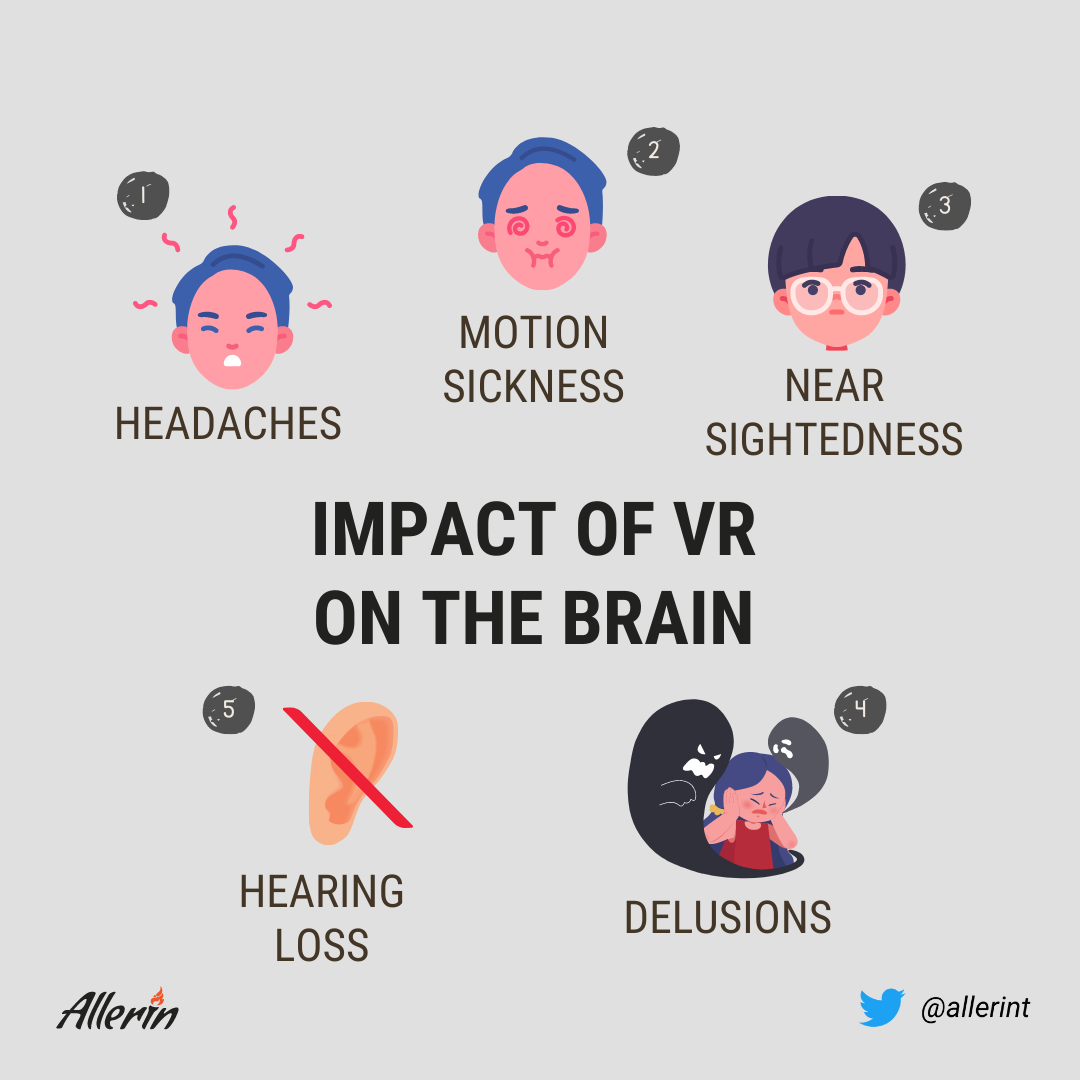
Credit: www.allerin.com
Children And Vr Usage
Virtual reality (VR) is popular among all ages, including children. Many parents wonder if VR headsets can harm their kids’ eyes. Understanding safe use and risks helps families enjoy VR without worry. Children’s eyes are still developing, so extra care is important during VR use.
Age Recommendations
Most VR headset makers suggest children under 12 avoid using VR. Some even recommend waiting until age 13 or older. Younger children may have trouble focusing on VR images. Their eyes might get tired faster than adults’. Following age guidelines helps protect children’s vision.
Potential Risks For Kids
Extended VR use can cause eye strain and headaches in kids. The close screen distance may lead to temporary blurred vision. Motion sickness is also common with VR, especially in young users. Long sessions might affect eye development, but research is still ongoing.
Parental Guidance
Parents should set time limits for VR use, like 15-20 minutes per session. Encourage breaks to rest the eyes and reduce fatigue. Monitor children for signs of discomfort or dizziness. Choose VR content suitable for their age. Create a safe play area to avoid accidents.
Future Of Vr And Eye Safety
The future of VR holds exciting potential, especially when it comes to protecting your eyes. As VR technology evolves, so do the ways manufacturers address eye safety. Understanding these advancements can help you feel more confident about using VR without worrying about damage to your vision.
Advancements In Technology
VR headsets are becoming lighter and more comfortable, reducing strain on your face and eyes. Improved screen resolutions mean less pixelation, which helps your eyes focus more naturally. Some devices now use better lenses that adjust automatically to reduce eye fatigue during long sessions.
Have you noticed how older VR models made your eyes feel tired quickly? New tech is designed to fix that by minimizing flicker and blue light exposure, common causes of discomfort. These improvements make it easier to enjoy VR for longer without sacrificing eye health.
Eye-tracking Features
Eye-tracking technology is a game-changer for VR eye safety. It follows your eye movements to adjust what you see in real-time, reducing unnecessary focus shifts. This means less strain because your eyes don’t have to work as hard to keep up with the visuals.
With eye-tracking, VR can also detect signs of eye fatigue or discomfort and suggest breaks. Imagine a headset that tells you when your eyes need rest—this feature could prevent overuse and potential damage. Do you think this kind of smart feedback will change how you use VR?
Emerging Safety Standards
Regulations around VR eye safety are becoming stricter as the technology spreads. New standards focus on limiting blue light exposure and ensuring screen brightness levels stay within safe ranges. These rules push manufacturers to create devices that protect your eyes better.
Some companies now include built-in reminders to take breaks and even limit continuous usage time. Such safety features are likely to become mandatory soon. Would you trust a headset more if it actively helped you protect your vision?

Credit: www.youtube.com
Frequently Asked Questions
Do Vr Headsets Cause Eye Strain Or Damage?
VR headsets can cause temporary eye strain due to close screen focus. However, they do not cause permanent eye damage when used responsibly. Taking breaks and adjusting headset fit reduces discomfort and protects your eyes during extended sessions.
How Long Can I Safely Use A Vr Headset?
It is recommended to use a VR headset for 15-30 minutes at a time. Frequent breaks help prevent eye fatigue and discomfort. Limiting continuous use protects your vision and maintains comfort during immersive experiences.
Can Vr Headsets Affect Children’s Eyesight?
Children’s eyes are more sensitive to strain from VR headset use. Experts suggest limiting VR time for kids under 12. Proper supervision and breaks reduce risks of eye discomfort and help maintain healthy vision in young users.
What Symptoms Indicate Vr-related Eye Problems?
Symptoms include eye strain, headaches, blurry vision, and dry eyes after VR use. These signs suggest you need to rest your eyes and reduce headset time. Persistent issues should be evaluated by an eye care professional.
Conclusion
VR headsets do not cause permanent eye damage. Short breaks help reduce eye strain and discomfort. Adjusting headset fit improves comfort during use. Avoid long sessions to keep your eyes healthy. Pay attention to any discomfort and rest as needed.
Using VR safely makes the experience enjoyable. Eye health depends on smart and careful use. Stay mindful, and VR can be a fun tool.