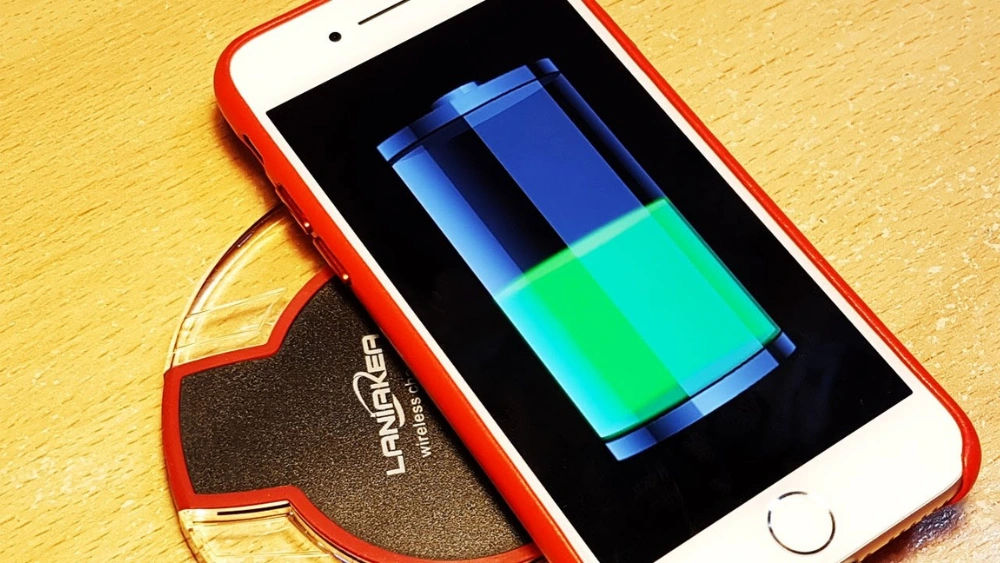
Are you wondering if your iPhone 7 can be charged without plugging it in? Wireless charging sounds like magic—just place your phone down and watch it power up.
But does the iPhone 7 have this feature? If you want to save time, avoid tangled cords, and keep your phone looking sleek, understanding wireless charging for your device is key. Keep reading to discover the truth about your iPhone 7 and how you can make charging easier than ever.
Wireless Charging Basics
Understanding wireless charging basics is essential before deciding if your iPhone 7 can benefit from this technology. Wireless charging eliminates the need for cables, offering convenience and reducing wear on charging ports. But how does this technology actually work, and what standards does it rely on?
How Wireless Charging Works
Wireless charging uses electromagnetic fields to transfer energy between two objects. A charging pad creates a magnetic field, and your device converts this field back into electrical energy to charge its battery. This method avoids the hassle of plugging and unplugging cables every time you need to power up.
Have you noticed how some wireless chargers feel warm during use? That warmth comes from energy lost as heat during the transfer, which is why efficiency can vary between devices and chargers. Understanding this can help you choose the best wireless charger for your needs.
Qi Wireless Charging Standard
The Qi standard is the most widely adopted wireless charging protocol. Developed by the Wireless Power Consortium, it ensures compatibility across different brands and devices. This means a Qi-certified charger can power any Qi-enabled device regardless of manufacturer.
Many modern smartphones support Qi wireless charging, but not all older models do. Knowing whether your device supports Qi can save you from buying incompatible gear. If your iPhone 7 doesn’t have built-in Qi support, there are still accessories that can add this feature.
Iphone 7 Charging Capabilities
The iPhone 7, launched in 2016, introduced several improvements over its predecessors, but how does it stand in terms of charging options today? Understanding its charging capabilities helps you make the right choices for power solutions that fit your lifestyle. Let’s break down what the iPhone 7 offers and what limitations you might face.
Native Wireless Charging Support
The iPhone 7 does not have native wireless charging support. Unlike newer iPhone models starting from the iPhone 8, it lacks the hardware required to charge wirelessly right out of the box.
This means you cannot simply place your iPhone 7 on a wireless charging pad and expect it to charge. If wireless charging is important to you, this is a key limitation to keep in mind.
Charging Ports And Limitations
The iPhone 7 uses a Lightning port for wired charging and data transfer. This port supports fast charging, but only when paired with a compatible adapter and cable.
One practical insight: many users find themselves carrying bulky chargers because the iPhone 7 doesn’t support USB-C to Lightning fast charging natively without the right accessories. This can be inconvenient if you travel or work on the go.
You might wonder, is there a way to add wireless charging to the iPhone 7? Yes, but it requires external accessories like wireless charging cases or adapters. These solutions add a layer of convenience but can affect the phone’s thickness and aesthetics.
Enabling Wireless Charging On Iphone 7
The iPhone 7 does not have built-in wireless charging. Apple added this feature starting with iPhone 8. Yet, wireless charging is possible for iPhone 7 with extra tools. These tools add wireless charging ability without opening the phone. Two common ways include special cases and adapters. Both options make charging easier and cable-free.
Using Wireless Charging Cases
Wireless charging cases are thin covers with built-in coils. They connect to the iPhone 7’s charging port inside the case. The case receives power from the wireless charger and passes it to the phone. These cases protect the phone and add wireless charging. They are light and easy to use. Just place the phone on any Qi wireless charger to start charging.
- Protects the phone from scratches
- Supports Qi wireless charging standard
- Plugs into Lightning port for power transfer
- Easy to carry and remove
Wireless Charging Adapters
Wireless charging adapters are small devices that plug into the iPhone 7’s Lightning port. They have a flat surface with a coil that receives wireless power. The adapter stays attached while the phone charges on a wireless pad. It does not add bulk like some cases. This option works with most Qi chargers. It makes the iPhone 7 compatible with wireless charging pads easily.
- Compact and lightweight design
- Connects directly to Lightning port
- Works with any Qi wireless charger
- Does not affect phone use or case fitting
Choosing The Right Wireless Charger
Choosing the right wireless charger for your iPhone 7 matters a lot. The wrong charger can cause slow charging or even damage your phone. This section explains key points to help pick the best charger for your device.
Compatibility Factors
Not all wireless chargers work with every phone. The iPhone 7 does not support built-in wireless charging. You need a special case or adapter that enables wireless charging. Check if the charger supports Qi standard, the common wireless charging technology. Make sure the charger fits the adapter or case you use with your iPhone 7.
Charging Speed And Efficiency
Wireless charging is usually slower than wired charging. Some chargers offer faster charging speeds. Look for chargers with at least 5W power output. Chargers with 7.5W or 10W can charge faster if your setup allows it. Choose a charger that keeps your phone cool during charging to avoid battery damage.
Safety Features To Consider
- Overcharge protection to stop charging when full
- Temperature control to prevent overheating
- Foreign object detection to avoid charging if metal objects block the charger
- Short circuit protection for device safety
These features protect your phone and charger during use. Pick a charger certified by safety standards for peace of mind.
Setting Up Wireless Charging
Wireless charging has become a sought-after feature, offering convenience and eliminating the clutter of charging cables. If you have an iPhone 7, you might wonder about setting up wireless charging for your device. Although the iPhone 7 doesn’t come with built-in wireless charging capability, you can still enjoy this feature through a wireless charging case or adapter. Here’s how you can set it up effectively.
Placement Tips For Effective Charging
Positioning your iPhone 7 correctly on the charging pad is crucial. Ensure the case or adapter’s charging receiver aligns perfectly with the charger. This alignment is key for efficient energy transfer.
Consider the surface where you place your charging pad. A flat, stable surface prevents your phone from sliding off, ensuring a consistent charge. If you’re like me, you’ve probably knocked your phone off the charger more times than you’d like to admit!
Some chargers come with LED indicators. Use these to confirm your phone is charging correctly. A quick glance can save you from waking up to a dead battery.
Troubleshooting Common Issues
Is your iPhone not charging wirelessly? Check the compatibility of your charging case or adapter with the pad. Not all products work seamlessly together.
Ensure the charger is plugged into a power source. It sounds simple, but it’s an easy oversight, especially when cords are tangled or hidden.
If your phone heats up excessively while charging, it might be a sign to reposition it. Overheating can affect performance and battery health. Have you experienced an unusually warm phone? It’s time to reassess your setup.
Benefits Of Wireless Charging
Wireless charging offers several benefits that can change the way you power up your devices. It removes the hassle of plugging and unplugging cables, making charging a smoother experience. Plus, it can help extend the life of your device by reducing physical wear and tear.
Convenience And Ease Of Use
Imagine placing your iPhone 7 on a pad and watching it charge without any cables. That simple action saves you time and effort every day. Wireless charging lets you quickly power up your phone while working at your desk or relaxing on the couch.
It also reduces clutter. No more tangled cords or searching for the right charger. You can easily pick up your phone to answer a call and set it back down to continue charging.
Reducing Wear On Charging Ports
Every time you plug in a cable, your iPhone’s charging port experiences some wear. Over time, this can cause loose connections or damage that might require costly repairs. Wireless charging removes this risk by eliminating the need to use the port frequently.
Think about how often you charge your phone daily—wireless charging helps protect that small but critical port from constant strain. This can keep your iPhone 7 working smoothly for longer.
Limitations And Drawbacks
Wireless charging offers convenience but comes with some limitations for the iPhone 7. These drawbacks affect how well and how fast the phone charges without cables. Understanding these issues helps in making better charging choices.
Slower Charging Speeds
Wireless charging is slower compared to wired charging. The iPhone 7 does not support fast wireless charging standards. Charging times can take much longer, which may be inconvenient for daily use. This means you might wait more hours for a full battery.
Case Thickness And Material Impact
The phone’s case can block or reduce wireless charging efficiency. Thick cases or those made of metal can stop the charger from working well. Thin plastic or silicone cases work better but may still slow charging a bit. Removing the case often improves charging speed and connection.
Alternative Charging Options
If you own an iPhone 7, you might wonder about charging options beyond the traditional cable. While wireless charging isn’t natively supported on this model, there are several practical alternatives to keep your device powered up efficiently. These options can fit different lifestyles and needs, whether you want speed or convenience.
Fast Wired Charging Solutions
Even though the iPhone 7 doesn’t support fast charging out of the box, you can still speed up the process with the right accessories. Using a higher wattage USB power adapter—like the 12W charger from an iPad—can noticeably reduce charging time compared to the standard 5W charger that comes with the iPhone 7.
Pair this with a quality Lightning to USB cable, and you’ll get a faster, more reliable charge. Have you ever felt frustrated waiting for your phone to reach 100% before heading out? This small upgrade can save you valuable minutes every day.
Portable Power Banks
Power banks are a lifesaver when you’re on the move and can’t find a plug. Choose one with at least 10,000mAh capacity for multiple charges of your iPhone 7. Some models even include quick charge features that work well with your device’s charging specs.
Carrying a portable charger means you never have to worry about your battery dropping to zero during important moments. How often do you find yourself wishing for extra juice during long trips or busy days? A power bank offers that freedom and peace of mind.
Frequently Asked Questions
Can Iphone 7 Charge Wirelessly Without Accessories?
No, iPhone 7 does not support wireless charging natively. You need a wireless charging case or adapter to enable wireless charging.
What Wireless Charging Options Work With Iphone 7?
You can use Qi wireless charging cases or external adapters designed for iPhone 7. These allow compatibility with standard Qi wireless chargers.
Does Wireless Charging Harm Iphone 7 Battery Life?
Wireless charging does not harm the iPhone 7 battery when using certified accessories. Always use quality chargers to ensure safety and efficiency.
How Fast Is Wireless Charging On Iphone 7?
Wireless charging on iPhone 7 is generally slower than wired charging. Charging speed depends on the adapter and charger quality used.
Conclusion
The iPhone 7 does not support wireless charging by itself. You can add a special case or adapter to charge it wirelessly. This option makes charging easier without using cables. Many people find this helpful for daily use. Wireless charging works well but may be slower than wired charging.
Choose the method that fits your needs best. Wireless charging can be a convenient choice for your iPhone 7. Simple steps can improve your charging experience today.