
You want your music to sound amazing, and your Bluetooth speaker is the perfect way to make that happen. But first, you need to sync it correctly.
If you’ve ever felt frustrated trying to connect your speaker to your phone or other devices, you’re not alone. The good news is, syncing a Bluetooth speaker is easier than you think. In this guide, you’ll discover simple, step-by-step instructions that will get your speaker paired quickly and hassle-free.
Keep reading, and soon you’ll be enjoying your favorite tunes with crystal-clear sound.
Prepare Your Devices
Getting your devices ready before syncing your Bluetooth speaker can save you time and frustration. It’s easy to overlook simple steps like charging or enabling Bluetooth, but these basics ensure a smooth connection. Let’s walk through how to prepare your devices so you can enjoy your music without interruptions.
Charge Your Speaker
A dead battery is the quickest way to kill your listening session. Make sure your Bluetooth speaker is fully charged or has enough power before you try to connect it. Most speakers have LED indicators—watch for a green or blue light that signals a good charge.
If your speaker is low on battery, plug it in for at least 30 minutes. This small effort prevents annoying drops in sound or connection failures later. Have you ever tried syncing only to realize the speaker was off? Avoid that hassle by checking the charge first.
Enable Bluetooth On Your Device
Bluetooth won’t work if it’s turned off on your phone, tablet, or computer. Go to your device’s settings and switch Bluetooth on. You might see a list of previously connected devices—clear out any that you no longer use to avoid confusion.
Different devices have different ways to access Bluetooth settings, but it’s usually under “Connections” or “Wireless & Networks.” If you’re not sure, a quick search on your device model can guide you. Have you noticed how a cluttered Bluetooth list can slow down pairing? Keep it tidy for faster syncing.

Credit: www.youtube.com
Activate Pairing Mode
Activating pairing mode is the essential first step to connect your Bluetooth speaker with any device. This mode allows your speaker to become discoverable so your phone, tablet, or computer can find and link to it. Without entering pairing mode, your speaker remains invisible to other devices, making syncing impossible.
Locate The Pairing Button
Every Bluetooth speaker has a dedicated button or switch to start pairing mode. It is often labeled with a Bluetooth symbol or simply the word “Pair.” Sometimes, this button doubles as the power button—press and hold it until the speaker enters pairing mode.
If you can’t find the button right away, check the user manual or look around the speaker’s edges, near the power switch, or on the top. Some models use a combination of buttons, like holding both volume up and down simultaneously. Have you ever tried pressing random buttons only to accidentally reset your device? Finding the right pairing button quickly saves time and frustration.
Indicator Lights And Sounds
Once you press the pairing button, your speaker will signal that it’s ready to connect. Most devices flash a blue or red LED light rapidly. Others may alternate colors or blink in a unique pattern to show they’re in pairing mode.
Besides lights, some speakers play a sound or voice prompt, like “Ready to pair” or a beep. These signals confirm your action was successful. If you don’t see or hear anything, try holding the button longer or restarting the speaker. Paying close attention to these indicators helps you know exactly when your speaker is ready for syncing, avoiding wasted attempts.
Connect From Your Device
Connecting your Bluetooth speaker from your device is a breeze, yet it can sometimes feel like a puzzle waiting to be solved. You’ve got your favorite tunes ready to play, but first, your speaker needs to be linked up. The beauty of Bluetooth is its simplicity, allowing you to cut the cords and enjoy wireless music. But what happens when your devices don’t seem to speak the same language? Let’s unravel the mystery and get your Bluetooth speaker singing along with your device.
Search For Available Devices
Begin by ensuring your Bluetooth speaker is powered on and set to pairing mode. Most speakers have a dedicated button or switch for this. Once in pairing mode, your speaker is ready to make new friends. Head to the Bluetooth settings on your device. Whether you’re using a smartphone, tablet, or laptop, the process is similar. Look for the option to scan or search for devices. A list of available devices should appear—your speaker should be among them. Isn’t it fascinating how technology brings things to life with just a few clicks?
Select Your Speaker
In the list of devices, find the name of your Bluetooth speaker. It might be labeled with its brand or model number, making it easy to spot. Tap or click on the name to initiate the connection. You might feel a sense of triumph seeing your device communicate with your speaker! Once selected, your device will start establishing a connection. This process usually takes only a few seconds, but the anticipation of hearing your music on a quality speaker makes it feel longer, doesn’t it?
Enter A Passcode If Needed
Sometimes, a passcode is required to finalize the connection. This is typically a four-digit number like “0000” or “1234”. Your speaker’s manual or the packaging might offer clues if you’re unsure. Entering the passcode ensures a secure connection, preventing unwanted devices from pairing. If you ever feel stuck, remember that a quick search online can help find the right passcode. Once entered, your device and speaker should be paired, ready to fill your space with sound. Are you ready to press play and enjoy the music?
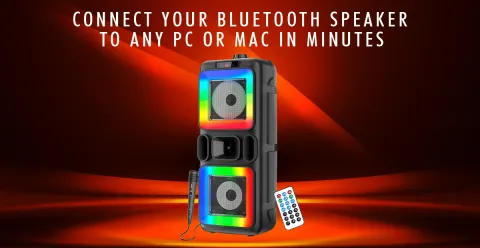
Credit: guggu.in
Troubleshoot Connection Issues
Bluetooth speaker connection issues can be frustrating. They stop your music and break the flow. Troubleshooting these problems helps restore clear sound quickly. Try simple fixes to reconnect your speaker without stress.
Reset Your Bluetooth Speaker
Resetting your speaker clears old settings and errors. Most speakers have a reset button or a button combination. Hold the button(s) for about 10 seconds. After reset, pair the speaker with your device again.
Restart Your Device
Restart your phone, tablet, or computer. Restarting refreshes the Bluetooth connection and clears glitches. Turn the device off, wait a few seconds, and turn it back on. Try connecting to the speaker after the restart.
Check For Interference
Other wireless devices can block Bluetooth signals. Move away from Wi-Fi routers, microwaves, and cordless phones. Walls and metal objects also weaken the signal. Place your speaker and device closer with a clear path between them.
Optimize Your Bluetooth Experience
Optimizing your Bluetooth experience ensures you get the best sound quality and seamless connectivity from your speaker. Small adjustments can make a big difference in how well your devices communicate. Let’s look at key ways to keep your Bluetooth connection strong and reliable.
Maintain Device Proximity
Keeping your Bluetooth speaker and device close together is crucial. Walls, furniture, and other obstacles can weaken the signal, causing interruptions or poor sound quality.
Try to stay within 30 feet of your speaker. Moving closer often fixes sudden drops or delays in audio. Have you noticed your music cutting out when you walk to another room? That’s a sign you need to reduce the distance or remove obstacles.
Update Firmware Regularly
Firmware updates improve your speaker’s performance and fix bugs that might cause connectivity issues. Manufacturers release updates to enhance compatibility with new devices and improve battery life.
Check your speaker’s app or website for the latest firmware version. Updating can be as simple as connecting to Wi-Fi or using a USB cable. It’s worth the effort—updated firmware often solves problems you didn’t even realize were there.

Credit: www.youtube.com
Frequently Asked Questions
How Do I Pair My Phone With A Bluetooth Speaker?
Turn on your speaker and enable Bluetooth on your phone. Search for available devices, select your speaker, and confirm pairing. Once connected, audio will play through the speaker.
Why Won’t My Bluetooth Speaker Connect To My Device?
Ensure your speaker is in pairing mode and within range. Check if your device’s Bluetooth is on and not connected to another device. Restart both devices and try pairing again.
Can I Connect Multiple Devices To One Bluetooth Speaker?
Some Bluetooth speakers support multi-device connections. Check your speaker’s manual for this feature. If supported, you can switch between devices or play audio from multiple sources.
How To Improve Bluetooth Speaker Connection Stability?
Keep devices close without obstacles. Avoid interference from other wireless devices. Update your device and speaker firmware. Restart devices if connection drops frequently.
Conclusion
Syncing a Bluetooth speaker is easy once you know the steps. Start by turning on both devices and enabling Bluetooth. Find the speaker in your device’s list and select it. Wait for the connection to confirm. Sound will play through the speaker if done right.
Keep devices close for a better signal. Now, enjoy your music or podcasts with clear sound. Practice a few times to feel confident. Simple steps bring great sound anywhere you go.