
Are you confused about how to choose the right Wi-Fi router for your home or office? Knowing how to rate the power of a Wi-Fi router can save you from slow internet and dead zones.
Imagine streaming your favorite shows without buffering or working smoothly on video calls. You’ll discover simple ways to understand a router’s strength and what really matters when picking one. Keep reading, and you’ll soon feel confident about making the best choice for your internet needs.

Credit: www.theverge.com
Wi Fi Router Power Basics
Understanding the power of a Wi Fi router helps you choose the right device for your needs. Router power affects how strong and far the signal travels. This section breaks down the basics of Wi Fi power to make it simple and clear.
Signal Strength Explained
Signal strength shows how well your device receives the Wi Fi signal. It depends on the router’s power and nearby obstacles like walls. A stronger signal means faster internet and fewer drops. You can check signal strength on your device or use special apps for better accuracy.
Transmit Power And Its Impact
Transmit power is the energy used by the router to send signals. Higher power means better range but can cause interference with other devices. Most routers have a set transmit power, but some allow adjustments. Balancing power helps keep a stable connection without disturbing nearby networks.
Frequency Bands And Coverage
Wi Fi routers use different frequency bands, mainly 2.4 GHz and 5 GHz. The 2.4 GHz band covers longer distances but is slower. The 5 GHz band is faster but works best close to the router. Knowing these bands helps you understand how coverage and speed vary in your home or office.

Credit: m.facebook.com
Key Specs To Check
To truly understand the power of a Wi-Fi router, you need to look beyond just the brand name or price tag. Certain technical specs reveal how well a router can perform in your home or office. Knowing what to check can help you pick a router that delivers fast, reliable, and far-reaching Wi-Fi.
Wattage And Decibel Milliwatts
Wattage indicates the power output of a router’s transmitter, but it’s often not listed directly. Instead, you’ll see decibel milliwatts (dBm), a logarithmic unit that shows signal strength more precisely.
Higher dBm values mean stronger signals, but keep in mind that regulations limit maximum output to avoid interference. For example, a typical home router might have a transmit power of around 20 dBm. This balance keeps your Wi-Fi signal strong without causing issues for neighbors.
Have you ever wondered why your router’s signal drops in certain rooms? It might be due to lower wattage or obstacles blocking the signal, not just distance.
Antenna Types And Gain
The type and number of antennas on a router impact how well it sends and receives signals. External antennas usually perform better than internal ones because you can adjust their direction.
Antenna gain, measured in decibels (dBi), shows how focused the antenna’s signal is. Higher gain antennas send signals farther but in a narrower area. Lower gain antennas cover a wider area but with less reach.
Think about your space: do you need to cover a large open floor or multiple rooms with walls? Choosing antennas with the right gain can make a big difference in coverage.
Router Standards And Speeds
Wi-Fi standards like 802.11n, 802.11ac, and 802.11ax tell you about the technology inside the router. Newer standards offer faster speeds, better handling of multiple devices, and improved range.
Speeds listed on the box, such as 300 Mbps or 1.2 Gbps, represent the maximum theoretical data rate. Actual speeds depend on your internet plan, device capabilities, and environment.
Ask yourself: do you stream 4K videos, play online games, or just browse the web? Matching your router’s standard and speed with your usage needs ensures you get the best performance for your money.
Measuring Router Power
Measuring the power of a Wi-Fi router helps you understand its performance. It shows how well your router can send and receive signals. Good measurement can guide you to choose the best router or improve your current setup. You need simple tools and basic tests to check router power effectively.
Using A Wi Fi Analyzer
A Wi-Fi analyzer is a tool that shows signal strength and quality. It helps find the best spot for your router. The app displays data like signal strength in decibels (dBm). Lower negative numbers mean stronger signals. For example, -30 dBm is better than -80 dBm.
You can also see nearby networks and their channels. This helps avoid interference from other routers. Use the analyzer to check signal strength in different rooms. It gives a clear view of your router’s reach and power.
Signal-to-noise Ratio
The signal-to-noise ratio (SNR) compares useful signal to background noise. Higher SNR means better Wi-Fi performance. It shows how clear the signal is in your environment.
Measure SNR with Wi-Fi analyzers or some router apps. An SNR above 25 dB is usually good for smooth internet. If SNR is low, the signal may be weak or noisy. This affects connection speed and stability.
Real World Speed Tests
Speed tests show actual internet speed from your router. They measure download and upload rates in megabits per second (Mbps). Use websites or apps like Speedtest.net to check speeds.
Run tests in different areas of your home. This reveals where Wi-Fi is strong or weak. Real-world tests reflect how well the router performs under normal use. Compare results with your internet plan to check router efficiency.
Factors Affecting Power
The power of a Wi-Fi router isn’t just about its technical specs. Several real-world factors influence how far and strong your signal travels. Understanding these can help you rate a router’s actual performance in your space.
Physical Obstacles
Walls, floors, and furniture can block or weaken Wi-Fi signals. Materials like concrete, brick, and metal cause more signal loss than wood or drywall. Even a large aquarium or a microwave oven can reduce signal strength.
Think about your home layout. Are there thick walls between your router and devices? If yes, the rated power might not translate into strong coverage where you need it most.
Interference Sources
Other electronics can disrupt your Wi-Fi signal. Devices like cordless phones, baby monitors, and Bluetooth gadgets often share similar frequency bands. This overlap creates interference that lowers your router’s effective range.
Neighboring Wi-Fi networks also compete for the same channels. Have you noticed slower speeds during busy hours? That’s interference in action, making it harder for your router to maintain strong connections.
Router Placement Tips
Positioning your router can dramatically affect its power. Place it in a central, elevated spot away from walls and large objects for better signal spread.
Avoid placing your router near metal objects or electronic devices that emit interference. Sometimes, moving your router just a few feet can improve coverage significantly.
Have you tried adjusting your router’s location and noticed an instant boost? Small changes often have a big impact on your Wi-Fi’s real-world power.
Comparing Routers
When you’re on the hunt for the perfect Wi-Fi router, the task can feel overwhelming with the plethora of options available. The key is knowing how to compare routers effectively to ensure you get the best performance for your needs. By focusing on specific aspects like manufacturer specs, user reviews, and balancing price with performance, you can make an informed decision. Let’s dive into the details that can guide you towards finding the ideal router for your home or office.
Reading Manufacturer Specs
Manufacturer specs are the first things you should examine when comparing routers. These details tell you about the router’s capabilities, including speed, range, and supported standards like Wi-Fi 6 or 5GHz bands. But don’t just skim through them; take a moment to understand what each specification means for your specific situation.
For example, a high-speed router might sound appealing, but if your internet plan doesn’t support those speeds, it’s unnecessary. Consider what your household needs: do you stream 4K videos, game online, or simply browse? Tailoring your choice based on specs can save you headaches later.
User Reviews And Feedback
User reviews are a treasure trove of real-world insights. They often highlight issues that specs alone might not reveal, such as inconsistent performance or poor customer service. Reading these reviews gives you a glimpse into the router’s reliability and performance over time.
Don’t just look at the star ratings. Dive into the comments to understand the context—why did someone rate it poorly? Was it a setup issue or a persistent problem? This feedback can guide you in choosing a router that aligns with your expectations and avoids potential pitfalls.
Price Vs Performance
Balancing price with performance is crucial. You might be tempted by the latest high-end model, but ask yourself if the extra features justify the cost. Often, mid-range routers offer excellent performance for most users without breaking the bank.
Consider creating a list of priorities: Do you need advanced security features, or is coverage more important? By comparing what each router offers for its price, you can ensure you’re not overspending on features you won’t use. Remember, the most expensive router isn’t always the best choice for your needs.
Choosing the right Wi-Fi router doesn’t have to be daunting. By focusing on these key aspects, you can simplify the process and find a router that fits seamlessly into your digital lifestyle. Happy surfing!
Optimizing Your Router Power
Optimizing your router power improves Wi-Fi signal strength and coverage. Small changes can make a big difference in your internet speed and connection quality. Focus on settings and physical setup to get the best performance from your device.
Firmware Updates
Keep your router’s firmware up to date. Manufacturers release updates to fix bugs and improve performance. Check the router’s admin page regularly or enable automatic updates. Updated firmware can boost signal strength and security.
Antenna Adjustments
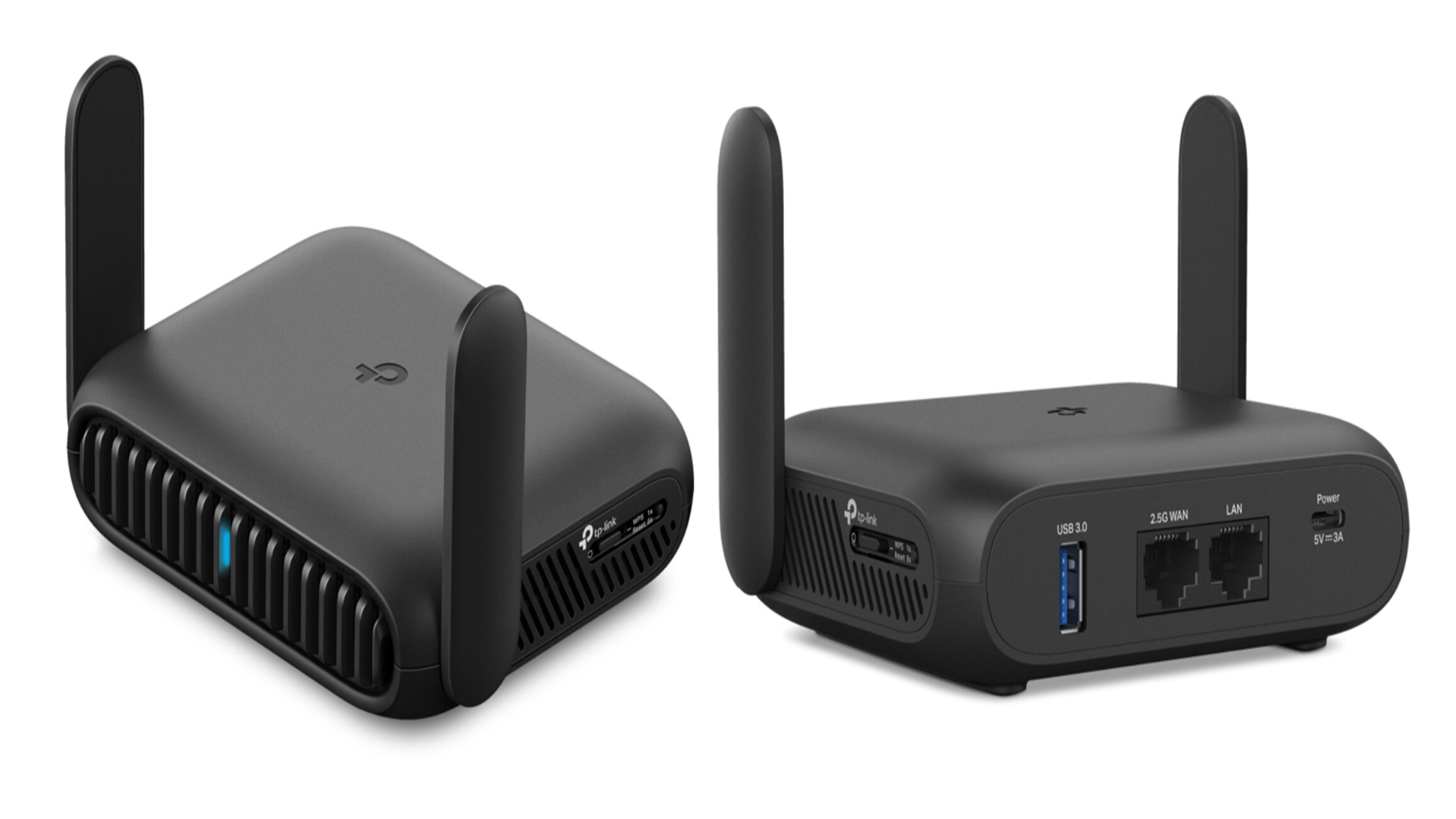
Adjust the router’s antennas for better signal direction. Position antennas vertically for wider horizontal coverage. Use a combination of vertical and horizontal angles to cover multi-story homes. Avoid placing antennas inside walls or behind furniture.
Using Range Extenders
Range extenders increase Wi-Fi coverage in larger areas. Place extenders halfway between the router and weak signal spots. Avoid placing extenders too far from the router to keep connection strong. This setup helps eliminate dead zones in your home.
Credit: www.techradar.com
Frequently Asked Questions
What Factors Determine A Wi-fi Router’s Power Rating?
A router’s power rating depends on its signal strength, frequency band, antenna type, and transmission power. Higher wattage often means better range and speed. Other factors include technology standards like Wi-Fi 5 or Wi-Fi 6, and environmental interference.
How Does Transmission Power Affect Wi-fi Range?
Transmission power controls the signal strength a router emits. Higher power increases coverage but may cause interference. It’s crucial to balance power for optimal range and minimal disruption. Regulatory limits also cap maximum transmission power.
Why Is Antenna Type Important For Router Power?
Antennas influence signal direction and strength. Omni-directional antennas broadcast signals evenly, while directional antennas focus power in one direction, enhancing range. The right antenna type boosts router efficiency and overall network performance.
How Do Wi-fi Standards Impact Router Power?
Newer Wi-Fi standards like Wi-Fi 6 offer improved power efficiency and signal management. They support higher data rates and better range at similar or lower power levels, improving overall router performance and user experience.
Conclusion
Choosing the right Wi-Fi router power helps improve your internet experience. Consider signal strength, coverage area, and speed for best results. Remember to check router specs carefully before buying. Good signal power means fewer dead zones in your home. Testing the router in your space shows real performance.
Simple steps make it easier to pick the right router. Enjoy faster and more reliable Wi-Fi every day. Keep these tips in mind to rate router power well. Your internet connection depends on it.