
Want to experience the fast-paced action of Arena Breakout right on your PC? You’re in the right place.
Playing this exciting game on a bigger screen with better controls can change the way you enjoy every match. But if you’re not sure how to get started or set everything up smoothly, don’t worry. You’ll discover simple, step-by-step tips to help you play Arena Breakout on your PC like a pro.
Keep reading, and you’ll be jumping into the action faster than you think.
Getting Started With Arena Breakout
Starting with Arena Breakout on PC is simple and fun. This guide helps you set up the game quickly. Prepare your PC and controls to enjoy smooth gameplay. Follow these steps to get started without any hassle.
System Requirements For Pc
Ensure your PC meets the game’s basic needs. Check the specifications below for a good experience.
| Requirement | Minimum | Recommended |
|---|---|---|
| Operating System | Windows 10 (64-bit) | Windows 10 or 11 (64-bit) |
| Processor | Intel Core i5-4460 | Intel Core i7-9700K |
| RAM | 8 GB | 16 GB |
| Graphics | NVIDIA GTX 960 | NVIDIA RTX 2060 |
| Storage | 30 GB available space | 30 GB available space |
Meeting these specs helps avoid lag and crashes. A faster PC improves your gaming experience.
Downloading And Installing The Game
Download Arena Breakout from an official source or platform. Use the game’s website or trusted digital stores.
- Visit the official Arena Breakout website or your preferred game store.
- Create an account if required.
- Purchase or claim the game if free.
- Click the download button to start.
- Wait for the download to finish completely.
After downloading, run the installer file. Follow the on-screen instructions to complete setup. Choose the installation folder carefully. Make sure you have enough disk space before starting.
Setting Up Your Controls
Customize controls for comfortable gameplay. Arena Breakout supports keyboard, mouse, and gamepads.
- Open the game and go to settings.
- Find the controls or input section.
- Adjust key bindings to your preference.
- Test your controls in the training mode.
- Save your settings before leaving the menu.
Keep the controls simple and easy to reach. This setup helps improve your reaction time and gameplay. Use default settings if unsure, then tweak over time.

Credit: www.arenabreakoutinfinite.com
Basic Gameplay Mechanics
Understanding the basic gameplay mechanics in Arena Breakout is key to gaining an edge. Mastering how your character moves, what your goals are, and how to effectively navigate the map will make your experience smoother and more enjoyable. Let’s break down these core elements so you can start playing like a pro.
Character Movement And Controls
Your character’s movement is fluid but demands precision. Use the W, A, S, Dkeys to move forward, left, backward, and right respectively. Combining these with mouse movements allows you to look around and aim accurately.
Jump with the Spacebarto overcome obstacles or reach higher ground. Crouch using Cto reduce noise and visibility, crucial when sneaking past enemies. Don’t forget to sprint by holding Shift, but be mindful—it drains stamina and makes you louder.
Understanding Game Objectives
Your main goal in Arena Breakout is to survive and complete mission tasks within each round. These tasks often involve collecting key items, eliminating threats, or escaping the area safely.
Each objective impacts your strategy. For instance, if you need to extract safely, rushing blindly into firefights can backfire. Instead, plan your moves based on what the mission demands and adapt as the situation changes.
Navigating The Map
Knowing the layout is essential. Arena Breakout maps are detailed with multiple routes, hidden spots, and strategic vantage points. Spend time exploring to learn where cover and choke points are located.
Use the in-game map to mark key locations and plan your path. Are you heading straight to the objective, or will you take a detour for loot? Your decisions here can mean the difference between victory and defeat.
Weapons And Equipment
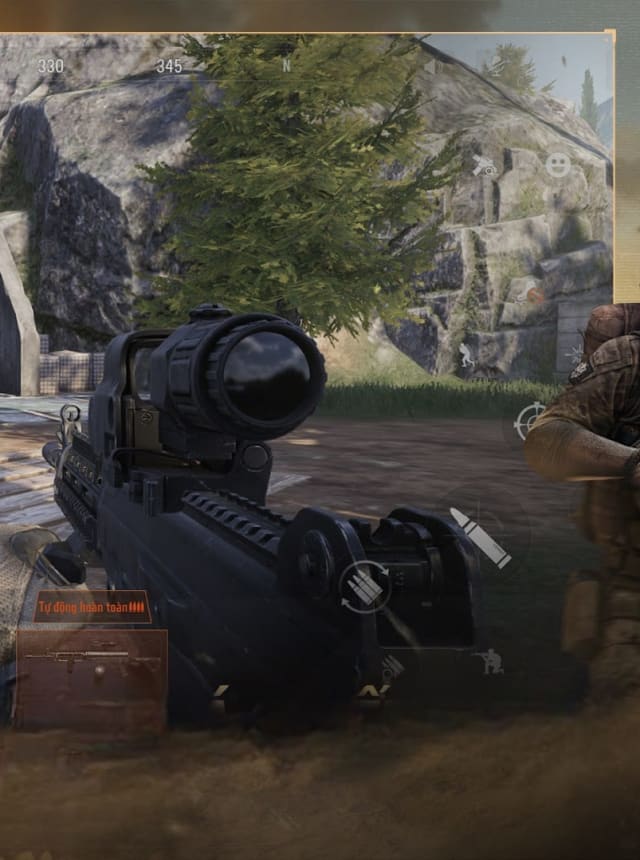
Playing Arena Breakout on PC can be an exhilarating experience, especially when you master the art of using weapons and equipment effectively. The right gear can make all the difference between a victorious match and a frustrating defeat. Understanding how to choose, manage, and utilize your arsenal will give you the upper hand in battles. So, let’s dive into how you can maximize your potential with your loadout and inventory.
Choosing Your Loadout
Your loadout is your best friend on the battlefield. It’s crucial to select weapons and gear that complement your playstyle and strategy. Are you a stealthy sniper or a bold rusher? Choose weapons that match your approach. Opt for a balanced mix of firearms and gadgets that can adapt to different scenarios.
- Consider your role: Support, Assault, or Sniper.
- Balance power with agility: Heavy weapons offer power but can slow you down.
- Adapt to the map: Some maps favor close combat, others long-range.
Weapon Types And Their Uses
Each weapon type in Arena Breakout serves a unique purpose. Understanding these can help you make strategic choices during gameplay. From rifles to shotguns, each has its strengths and weaknesses.
- Rifles: Great for medium to long-range engagements.
- Shotguns: Ideal for close quarters combat.
- Sniper rifles: Perfect for picking off enemies from a distance.
Experiment with different weapon types to find what works best for you. You might be surprised at how a change in weapon can transform your gaming experience.
Managing Inventory Effectively
Effective inventory management is key to staying prepared for any situation. It’s not just about what you carry but how you organize it. Keeping your inventory tidy ensures quick access during intense moments.
- Prioritize essentials: Ammo, medkits, and grenades.
- Regularly review and adjust based on your needs.
- Don’t hoard: Carry only what you need to avoid clutter.
Think about how you react under pressure. Is your inventory setup helping or hindering you? A well-organized inventory can be the silent hero in your gameplay.
Credit: www.bluestacks.com
Combat Tips And Strategies
Mastering combat in Arena Breakout on PC requires more than quick reflexes. It demands smart decisions and adapting your tactics to the situation. Below are key strategies that will help you stay alive and dominate your opponents.
Engaging Enemies
Approach fights with a clear plan. Identify the enemy’s position before opening fire to avoid exposing yourself unnecessarily.
Use burst fire or controlled shots to maintain accuracy, especially at longer ranges. Running in blindly often leads to quick defeats.
Have you tried timing your shots to disrupt enemy reloads? Interrupting their rhythm can give you a crucial advantage.
Using Cover And Positioning
Always move from cover to cover. Open spaces leave you vulnerable to multiple angles of attack.
Choose high ground or spots with limited enemy sightlines. This improves your chances to spot threats early and react.
Try to flank enemies rather than facing them head-on. Positioning yourself behind or to the side can turn the tide of battle.
Team Coordination
Communicate constantly with your teammates. Share enemy locations and your movement plans to avoid friendly fire and ambushes.
Assign roles like scout, sniper, or support to maximize your team’s efficiency. Knowing who does what keeps your squad balanced.
Have you noticed how synchronized attacks overwhelm opponents? Coordinated pushes and covering fire often decide matches.
Advanced Tactics For Beginners
Mastering advanced tactics in Arena Breakout on PC can transform your gameplay, especially if you’re just starting out. These strategies help you think beyond basic moves and prepare you for dynamic combat situations. Focusing on resource management, communication, and adapting to game modes will give you an edge in every match.
Resource Management
Efficient use of resources can be the difference between winning and losing. Always keep track of your ammo, health kits, and grenades. Use items only when necessary to avoid running out at critical moments.
Try to prioritize picking up high-value loot first, like armor and powerful weapons. Don’t hoard everything; share or trade with teammates if possible. Managing your inventory space wisely means you won’t miss out on important gear later.
Effective Communication
Clear communication with your team is essential. Use simple, direct callouts for enemy positions and your own status. This keeps everyone aware and ready to respond quickly.
Don’t hesitate to ask teammates for help or share your plans. Even a quick message about your next move can coordinate attacks or defenses better. Remember, silence in a team-based game can sometimes cost you the match.
Adapting To Different Game Modes
Each game mode demands a slightly different approach. In survival modes, focus on staying hidden and conserving resources. In objective-based modes, prioritize teamwork and map control.
Adjust your loadout and tactics depending on the mode. For instance, a sniper might excel in long-range maps but struggle in close-quarters battles. Have you noticed how switching strategies mid-game can turn the tide in your favor?
Troubleshooting And Performance
Troubleshooting and performance are key to enjoying Arena Breakout on PC. Running the game smoothly improves your experience and helps avoid frustrating issues. Simple adjustments can boost your gameplay and fix common problems quickly. Knowing how to optimize settings and improve frame rates makes the game more fun and stable.
Optimizing Game Settings
Start by lowering graphics quality in the game menu. Reduce shadows, textures, and effects for better speed. Turn off V-Sync to decrease input lag. Adjust resolution to match your monitor or lower it for extra performance. Disable unnecessary background apps that use CPU or memory. Use fullscreen mode for better focus and resource use.
Common Issues And Fixes
- Game crashes: Update your graphics drivers and Windows system.
- Game won’t start: Run the game as administrator and check antivirus settings.
- Sound problems: Check audio drivers and audio settings inside the game.
- Connection drops: Use a wired internet connection for stability.
- Lag spikes: Close other apps and pause downloads during play.
Improving Frame Rates
Lower the game’s visual effects to reduce GPU load. Set texture quality to medium or low for smoother gameplay. Disable motion blur and depth of field for clearer visuals and better performance. Keep your PC cool with proper ventilation to avoid slowdowns. Adjust power settings to high performance in your PC’s control panel. Regularly update your GPU drivers to get the best support.

Credit: www.youtube.com
Frequently Asked Questions
How Can I Download Arena Breakout On Pc?
You can download Arena Breakout on PC via official platforms like Steam or the game’s website. Ensure your PC meets the system requirements for smooth gameplay and better performance.
What Are The Best Controls For Arena Breakout On Pc?
Use a keyboard and mouse for precise control in Arena Breakout. Customize key bindings in settings to suit your playstyle and improve reaction times.
Can I Play Arena Breakout With Friends On Pc?
Yes, Arena Breakout supports multiplayer mode on PC. You can team up with friends for cooperative missions or compete in PvP matches.
What Pc Specs Are Required For Arena Breakout?
Arena Breakout requires a minimum of Intel i5 processor, 8GB RAM, and a GTX 960 graphics card. Higher specs enhance gameplay quality and reduce lag.
Conclusion
Playing Arena Breakout on PC brings a new level of fun and challenge. Use the tips shared to improve your skills step by step. Practice regularly to get used to controls and strategies. Stay patient and enjoy each match, no matter the outcome.
Playing with friends can make the experience even better. Keep exploring different tactics and stay calm under pressure. Arena Breakout offers exciting moments for every player. Now, it’s your turn to dive in and enjoy the action.