
Are you ready to dive into your favorite games with crystal-clear sound? Connecting your headphones to your PS5 can take your gaming experience to the next level.
Whether you want to hear every footstep or chat with friends without distractions, knowing the simple steps to link your headphones is key. In this guide, you’ll discover easy ways to connect your headphones to your PS5, so you can enjoy immersive audio without any hassle.
Keep reading, and you’ll be set up in no time!
Wired Connection Methods
Wired connection methods for headphones on the PS5 offer a simple and reliable audio experience. These methods do not require Bluetooth pairing or additional setup. They ensure clear sound and low latency, perfect for gaming sessions.
Using a wired connection also helps save controller battery life. It works well with most standard headphones that have a 3.5mm audio jack or a USB plug. Below are two common ways to connect your headphones directly to the PS5.
Using The Controller’s Audio Jack
The PS5 DualSense controller has a built-in 3.5mm audio jack. Plug your wired headphones directly into this port. The audio will automatically switch to your headphones.
This method is quick and does not need extra settings. You can adjust the headphone volume through the PS5 settings menu. It also supports built-in microphones on your headset for voice chat.
Connecting Via Usb
Some headphones connect through USB instead of a 3.5mm jack. Plug the USB connector into one of the PS5’s USB ports. The console will detect the headphones and route sound to them.
This method works well for headsets with surround sound features. Check that your headphones are compatible with the PS5 for full functionality. You may need to adjust audio output settings in the console menu.
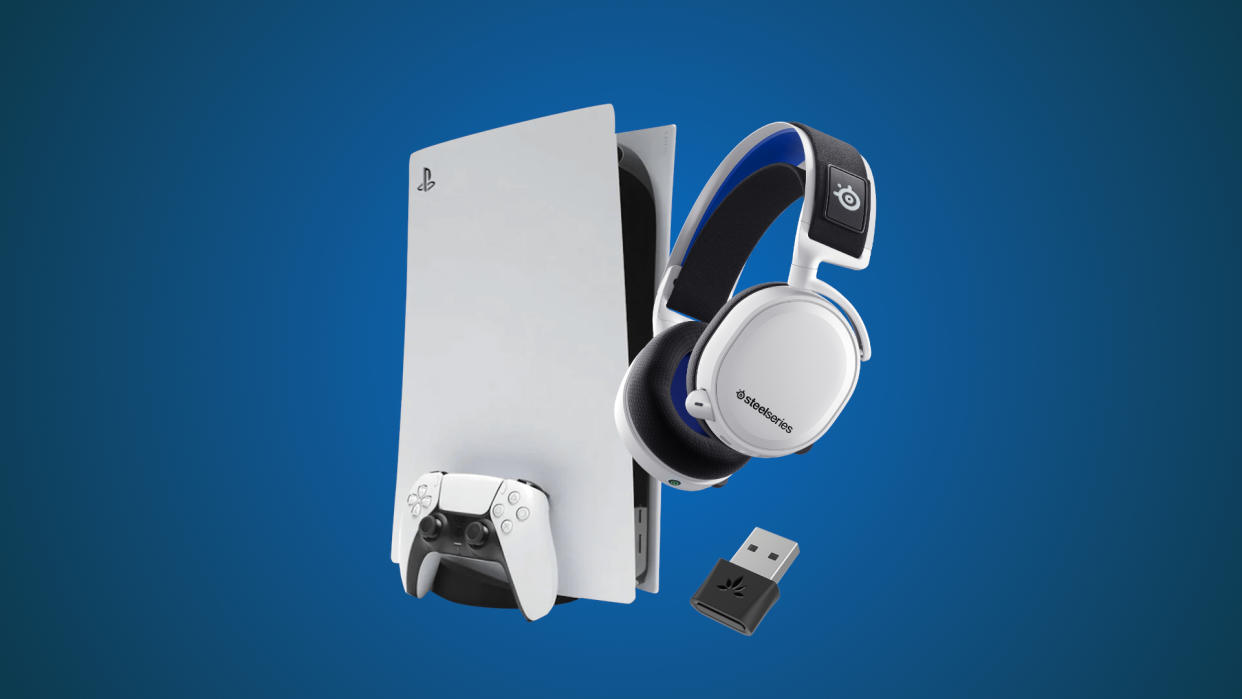
Credit: tech.yahoo.com
Wireless Connection Options
Connecting your headphones to the PS5 wirelessly gives you freedom of movement and a clutter-free gaming setup. There are a couple of solid wireless options to consider, each with its own benefits. Understanding these choices helps you pick the best way to enjoy immersive sound while playing.
Pairing Bluetooth Headphones
PS5 doesn’t support direct Bluetooth audio connections for most headphones. However, you can still pair Bluetooth headphones using a compatible Bluetooth adapter. Plug the adapter into the PS5’s USB port or audio jack, then pair your headphones with the adapter.
This workaround lets you use your favorite Bluetooth headphones, but be aware of potential audio lag or connectivity hiccups depending on the adapter’s quality. Have you noticed any delay when using wireless audio? Choosing an adapter with low latency can make a big difference.
Using Official Ps5 Wireless Headsets
Sony offers official wireless headsets designed specifically for the PS5, like the Pulse 3D Wireless Headset. These connect via a USB dongle that plugs directly into your console, ensuring seamless, lag-free audio.
Using an official headset guarantees full access to PS5’s 3D audio features, enhancing your gaming experience. The setup is simple—plug in the dongle, power on the headset, and you’re ready to play. Have you tried the Pulse 3D headset? Many players find its sound quality and comfort ideal for long sessions.
Adjusting Audio Settings
Adjust audio settings on your PS5 to improve headphone sound quality. Navigate to the sound menu and select the correct output device. Adjust volume and surround sound options for the best experience.
Adjusting audio settings on your PS5 can enhance your gaming experience. Properly configuring these settings ensures optimal sound quality. Follow the steps below to customize your audio preferences.Setting Output Device
To set your headphones as the output device, go to the PS5 home screen. Select “Settings” and then “Sound.” Choose “Audio Output” and set your headphones as the preferred device. This directs all sound to your headphones, providing a focused audio experience.Managing Volume Levels
Adjusting volume levels is simple. Return to “Settings” and select “Sound.” Choose “Volume” and adjust the slider to your preference. You can increase or decrease the sound to fit your comfort level. Balancing the audio ensures you catch every in-game detail without discomfort.Troubleshooting Common Issues
Troubleshooting headphone issues on your PS5 can be simple with the right tips. Many common problems have easy fixes. Understanding these problems helps you enjoy your games without interruptions.
No Sound From Headphones
Check if your headphones are properly plugged into the controller or console. Make sure the volume is not muted or too low. Adjust the PS5 audio settings by going to Settings > Sound > Audio Output. Choose the correct output device, such as USB Headphones or Controller Headphones. Restart the console if sound still does not come through. Test the headphones on another device to confirm they work.
Connectivity Problems
Wireless headphones may lose connection due to interference. Keep the PS5 and headphones close to avoid signal issues. Ensure the headphones are fully charged. Re-pair Bluetooth headphones by turning them off and on again. Delete the device from PS5 Bluetooth settings and reconnect. Update your PS5 system software to fix bugs affecting connectivity.
Audio Lag And Sync Issues
Audio lag can ruin your gaming experience. Try connecting wired headphones to avoid delays. Adjust the audio delay settings in the PS5 menu under Settings > Sound > Audio Output > Adjust Audio Delay. Lower the delay until the sound matches the action. Close apps running in the background to improve system performance. Using a high-quality headset often reduces lag problems.
Tips For Optimal Audio Experience
Getting the best sound from your headphones on PS5 needs some care. Simple steps can improve your audio quality and comfort during gameplay. Focus on your headphone choice and battery management for the best results.
Choosing The Right Headphones
Pick headphones that suit gaming needs. Look for clear sound and good bass. Comfort matters for long sessions. Closed-back designs block outside noise well. Wired headphones avoid delay in sound. Wireless models offer freedom of movement. Check compatibility with PS5 before buying. Brands with good reviews often deliver better sound.
Maintaining Battery Life
Charge wireless headphones fully before use. Avoid running them until the battery is empty. Turn off headphones when not in use. Lower volume helps save battery power. Use power-saving modes if available. Keep chargers and cables in good condition. Regular care extends headphone life and performance.

Credit: www.youtube.com

Credit: www.youtube.com
Frequently Asked Questions
How Do I Connect Wired Headphones To Ps5?
Plug your wired headphones into the PS5 controller’s 3. 5mm audio jack. The console will automatically detect the headset. Adjust settings via the sound menu for optimal audio.
Can I Use Bluetooth Headphones With Ps5?
PS5 does not support direct Bluetooth audio connection. Use a Bluetooth transmitter or a compatible USB dongle for wireless headphones. Otherwise, connect wired headphones for best results.
How To Adjust Headphone Volume On Ps5?
Go to Settings > Sound > Audio Output. Use the volume slider to adjust headphone sound levels. You can also customize chat and game audio balance here.
Why Is My Headphone Sound Not Working On Ps5?
Check if headphones are properly plugged into the controller. Verify audio output settings in the menu. Restart the console or try another headset if issues persist.
Conclusion
Connecting headphones to your PS5 is easy and quick. Just follow the steps carefully. Use the right cable or Bluetooth settings for best sound. Clear audio helps you enjoy games better. No need to buy extra tools. Play with friends or alone, sound matters.
Now you know how to get started. Enjoy your gaming with perfect sound!