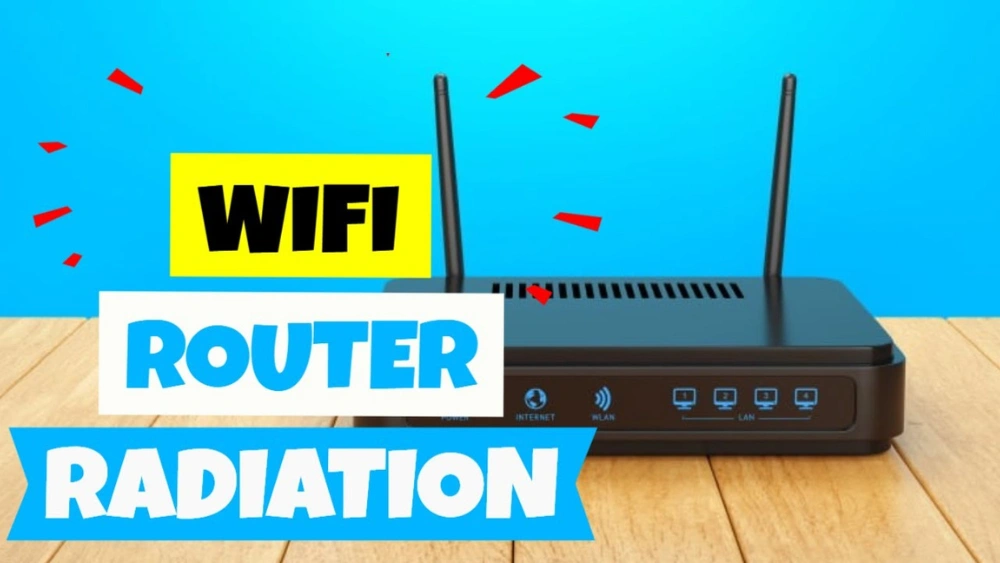
Have you ever wondered how much radiation your Wi-Fi router actually puts out? You use it every day to connect your devices, but what’s really happening behind the scenes?
Understanding the radiation levels from your router can help you feel safer and more in control of your home environment. You’ll discover clear, simple facts that cut through the confusion. By the end, you’ll know exactly what to expect and how to manage your exposure—without unnecessary worry.
Keep reading to get the answers you need.
Credit: www.jrseco.com
Wi-fi Radiation Basics
Wi-Fi routers send and receive signals using invisible waves. These waves carry data to your devices, allowing internet access without wires. Understanding the radiation from routers helps clear up common worries. The radiation is a type of energy called electromagnetic radiation. It differs from harmful radiation like X-rays or gamma rays. Instead, Wi-Fi uses low-energy radio waves. These waves are safe at the levels used by routers. Knowing the basics of Wi-Fi radiation helps you make informed choices about your home network.
Types Of Radiation Emitted
Wi-Fi routers emit non-ionizing radiation. This radiation has less energy than ionizing radiation. Ionizing radiation can damage cells and DNA. Wi-Fi signals use radiofrequency (RF) radiation. RF radiation is similar to signals from radios and microwaves. It does not cause chemical changes or harm cells. The energy is too low to break molecular bonds. This type of radiation only carries information through the air.
Frequency Bands Used By Routers
Wi-Fi routers mainly use two frequency bands. These are 2.4 GHz and 5 GHz bands. The 2.4 GHz band covers a wider area but is slower. The 5 GHz band offers faster speeds but covers less area. Some newer routers use a 6 GHz band as well. Each band sends out radio waves at specific frequencies. These frequencies are part of the electromagnetic spectrum. Devices choose bands based on speed and range needs. The radiation strength remains low across all bands.
Credit: www.ehn.org
Measuring Router Radiation
Measuring the radiation from your Wi-Fi router helps understand its safety levels. Radiation refers to the energy the router emits as it sends wireless signals. These signals are a type of radiofrequency (RF) radiation. Scientists use special tools to measure this energy. The measurements show how strong the radiation is close to the router.
Knowing radiation levels can ease worries about health risks. It also helps compare different routers. This section explains the units used to measure radiation and typical levels found in home routers.
Units And Standards
Radiation from routers is measured in units called watts per square meter (W/m²). This unit shows how much energy hits a surface area. Another common unit is milliwatts per square centimeter (mW/cm²). These units help describe the intensity of radiation.
Safety limits for radiation come from organizations like the Federal Communications Commission (FCC). They set maximum exposure levels for humans. The FCC limit for public exposure is 1 mW/cm² for frequencies used by Wi-Fi. This limit ensures radiation stays at a safe level.
Typical Radiation Levels
Most home Wi-Fi routers emit radiation far below safety limits. Typical levels near a router range from 0.001 to 0.1 mW/cm². This is much less than the FCC limit. Radiation decreases quickly with distance. Standing a few feet away reduces exposure significantly.
- Close to the router: Up to 0.1 mW/cm²
- At 1 meter distance: Around 0.01 mW/cm² or less
- More than 3 meters away: Almost negligible radiation
These low levels show routers pose minimal risk under normal use. Measuring radiation helps confirm this fact and supports safe Wi-Fi use.
Health Impact Of Wi-fi Radiation
Concerns about the health impact of Wi-Fi radiation are common today. People worry about the electromagnetic waves emitted by routers. These worries often stem from fears about long-term exposure. Understanding the scientific basis is crucial for informed opinions.
Scientific Research Findings
Research shows Wi-Fi emits low levels of radiation. Studies report Wi-Fi radiation is non-ionizing. This means it does not damage DNA directly. Scientists compare it to radio waves. The World Health Organization states Wi-Fi poses no major health risk. Many studies find no link to cancer or other serious diseases. Experts continue to monitor its effects closely.
Comparing Wi-fi To Other Sources
Wi-Fi radiation is weaker than other common sources. Cell phones emit more radiation during calls. Microwave ovens also have higher radiation levels. Wi-Fi routers are similar to baby monitors in terms of output. The sun’s UV rays are far stronger than Wi-Fi signals. Everyday exposure to these stronger sources is more concerning.
Factors Affecting Radiation Exposure
Understanding what affects the radiation exposure from your Wi-Fi router can help you manage your home environment better. The amount of radiation you receive isn’t fixed; it changes based on several factors around you. Knowing these factors lets you make simple adjustments to reduce unnecessary exposure without losing internet quality.
Distance From Router
Radiation intensity drops quickly as you move away from the router. If you place your router in a central location but spend most of your time far from it, your exposure will be minimal. Have you ever noticed how your phone signal changes when you move across the room? That’s the same effect with radiation—it weakens with distance.
Try moving your router to a spot where you don’t sit or sleep close by. Even a few feet can make a noticeable difference in radiation levels.
Router Power Settings
Not all routers broadcast at full strength all the time. Many models let you adjust power settings to lower the signal range. Lower power means less radiation, but it also means less coverage. You might not need the router blasting at max power if you live in a small apartment.
Check your router’s settings or manual to see if you can reduce the power output. This change can balance safety and performance effectively.
Environmental Influences
Walls, furniture, and other objects affect how Wi-Fi signals travel and how much radiation reaches you. Thick walls or metal objects can block or reflect signals, sometimes causing your router to increase power to maintain connection. This can increase radiation levels in certain areas.
Consider your room layout and materials when placing your router. Could rearranging furniture or moving the router to a less obstructed area reduce your exposure? Small changes might improve your Wi-Fi and lower radiation at the same time.
Reducing Radiation Exposure
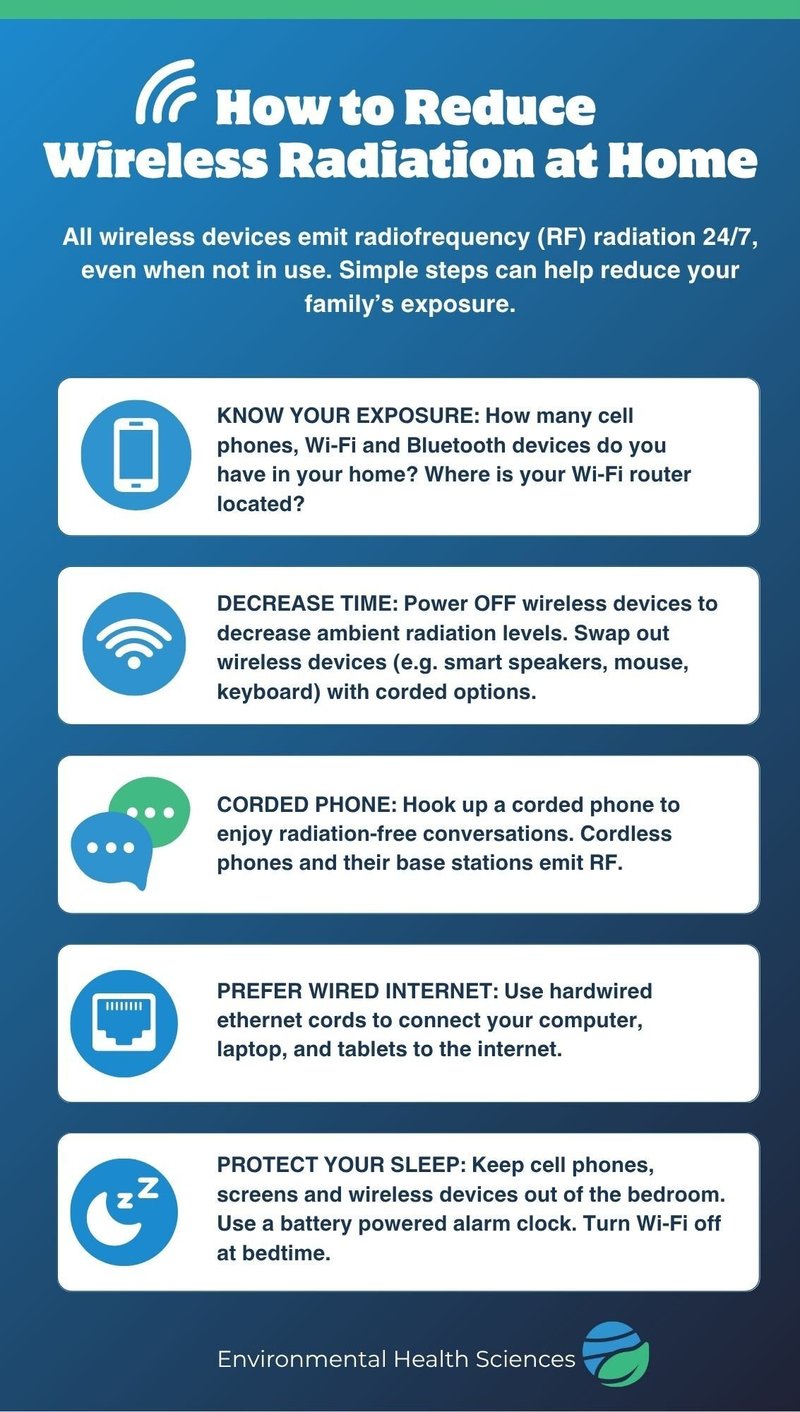
Reducing radiation exposure from your Wi-Fi router can be simpler than you think. Small changes in how you set up and use your router can make a noticeable difference. These adjustments help you stay connected while minimizing any potential risks from radiation.
Router Placement Tips
Where you place your router matters a lot. Keep it away from places where you spend long periods, like your bed or desk. Placing the router higher up, such as on a shelf, can reduce direct exposure.
Also, avoid hiding your router inside cabinets or behind thick walls. These block signals and make your router work harder, increasing radiation output. Have you checked where your router sits in your home recently?
Using Wired Connections
Switching to wired connections can greatly reduce your exposure to Wi-Fi radiation. Using Ethernet cables for your desktop or smart TV limits your reliance on wireless signals. This not only cuts radiation but also improves your internet speed and stability.
If you have many devices, consider a combination of wired and wireless connections. This balance lets you reduce radiation without losing convenience. Have you tried plugging in at least some of your devices?
Router Settings Adjustments
Many routers let you tweak settings to lower radiation levels. You can reduce the transmission power, which limits how far the signal reaches. This means less radiation but still enough coverage for your needs.
Turning off your router when not in use, like overnight, also cuts unnecessary radiation. Some routers have schedules you can set for automatic shutdowns. Have you explored your router’s settings to find these useful options?

Credit: www.instagram.com
Myths And Facts About Wi-fi Radiation
Wi-Fi routers are a part of daily life, but many people worry about radiation from these devices. There are many stories about Wi-Fi radiation causing health problems. Some claims spread fear, while others try to calm those fears. Understanding the truth helps make better choices.
Common Misconceptions
- Wi-Fi routers emit dangerous levels of radiation.
- Radiation from Wi-Fi can cause cancer or serious illness.
- Turning off the router stops all radiation immediately.
- Only close contact with a router causes harm.
- Wi-Fi radiation is the same as X-rays or nuclear radiation.
Many of these ideas are not true. Wi-Fi uses low-energy radio waves. These waves are far weaker than harmful radiation types. The body does not absorb enough energy from Wi-Fi to cause damage.
Scientific Consensus
Experts worldwide study radiation from Wi-Fi and other wireless devices. They find no clear evidence of health risks at normal exposure levels. Organizations like the World Health Organization and the FCC say Wi-Fi radiation is safe. Limits on radiation exposure keep people protected.
Research continues to monitor long-term effects. So far, no link exists between Wi-Fi radiation and diseases. Using Wi-Fi devices in normal ways poses little to no risk. Safety rules make sure radiation stays at very low levels.
Frequently Asked Questions
How Much Radiation Does A Typical Wi-fi Router Emit?
A typical Wi-Fi router emits very low levels of radiofrequency radiation. It is far below international safety limits, making it generally safe for home use. Radiation levels vary by model but remain minimal during normal operation.
Is Wi-fi Radiation Harmful To Human Health?
Current research shows Wi-Fi radiation is non-ionizing and unlikely to harm human health. Most studies find no clear link between Wi-Fi exposure and health problems. Precautionary measures can be taken, but Wi-Fi radiation is considered safe.
How Does Wi-fi Router Radiation Compare To Cell Phones?
Wi-Fi routers emit much lower radiation than cell phones. Cell phones transmit closer to the body, increasing exposure. Wi-Fi router signals are weaker and dispersed over a wider area, reducing radiation intensity.
Can Distance Reduce Radiation Exposure From Wi-fi Routers?
Yes, increasing distance from a Wi-Fi router significantly reduces radiation exposure. Radiation intensity decreases rapidly as you move away. Keeping routers a few feet away from living spaces minimizes any potential risk.
Conclusion
Wi-Fi routers give off very low radiation levels. These levels stay well below safety limits. Daily exposure from routers is usually safe for most people. You can reduce radiation by placing routers away from living areas. Turning off the router when not in use helps too.
Understanding radiation helps you feel more confident using Wi-Fi. Small steps can make a big difference in safety. Stay informed and use your devices wisely every day.