Are you thinking about getting a desktop computer but wondering how much it will cost? You’re not alone.
Finding the right desktop that fits your needs and budget can feel confusing. But don’t worry—knowing the price range and what affects the cost can help you make a smart choice. You’ll discover exactly how much a desktop computer costs and what you should consider before buying.
Keep reading to find the perfect balance between price and performance for your next computer.

Credit: www.londondrugs.com
Price Factors
Understanding the price factors of a desktop computer helps make smarter buying choices. Several elements affect the final cost. These elements vary based on the buyer’s needs and preferences. The following sections break down the main factors.
Components Impacting Cost
The parts inside a desktop define much of its price. Key components include:
- Processor (CPU):Faster CPUs cost more but improve performance.
- Memory (RAM):More RAM helps multitasking and speed but adds to cost.
- Storage:SSDs are pricier than HDDs but offer quicker access.
- Graphics Card:Important for gaming or design, it often raises the price significantly.
- Motherboard and Power Supply:Quality parts here ensure stability and can affect price.
Choosing higher-end components leads to a higher overall cost.
Brand Influence
Brands impact desktop prices through reputation and support. Well-known brands often charge more. They provide better customer service and warranties. Lesser-known brands may offer lower prices but fewer guarantees. Brand trust can justify spending extra for many buyers.
Custom Vs Prebuilt
Custom desktops let users pick exact parts. This option can save money or improve quality. It requires knowledge and time to assemble or configure. Prebuilt systems come ready to use and include support. They often cost more due to assembly and warranty services. Choice depends on budget, skills, and convenience needs.
Entry-level Desktops
Entry-level desktops are the most affordable type of desktop computers. They serve basic computing needs without extra features. These machines fit well for users with simple tasks.
They usually have modest processors, limited storage, and basic graphics. These computers are easy to set up and use. They help save money while providing decent performance.
Typical Price Range
Entry-level desktops usually cost between $300 and $600. Prices vary based on brand, specs, and included accessories. Some models may be closer to $250, others near $700.
Buying during sales or discounts can lower prices further. This range offers good options for budget-conscious buyers.
Performance Expectations
These desktops handle everyday tasks smoothly. Expect decent speed for web browsing, email, and document editing. Multi-tasking is possible but limited with many open apps.
Graphics are basic, suitable for videos and simple games. They usually cannot run demanding software or advanced games well. Upgrades may be limited or require extra cost.
Best Uses
- Writing and editing documents
- Browsing the internet and checking email
- Watching videos and streaming content
- Basic photo editing and presentations
- Home office tasks and simple budgeting
Entry-level desktops are perfect for students, retirees, or casual users. They cover daily needs without high investment.
Mid-range Desktops
Mid-range desktop computers usually cost between $500 and $1,000. They offer good performance for everyday tasks and light gaming. Expect decent speed and storage without spending too much.
Mid-range desktops offer a balance between performance and cost. These computers suit users who need more than basic tasks but don’t require high-end gaming or design capabilities. They provide decent speed, storage, and graphics for everyday computing needs.Cost Breakdown
The price range for mid-range desktops is typically between $500 and $1,000. Here’s a simple breakdown:- Processor:Intel Core i5 or AMD Ryzen 5, costing around $150-$250.
- RAM:8GB to 16GB, usually priced between $50-$100.
- Storage:SSDs from 256GB to 512GB, ranging from $50-$150.
- Graphics Card:Mid-tier options like NVIDIA GTX, costing $150-$300.
- Other Components:Motherboard, casing, and power supply, adding up to $100-$200.
Ideal Users
Mid-range desktops are perfect for:- Home Users:For browsing, streaming, and basic productivity tasks.
- Students:Handling assignments, research, and light software applications.
- Small Business Owners:Managing documents, spreadsheets, and online operations.
- Casual Gamers:Playing less demanding games with reasonable graphics settings.
Popular Models
Several models stand out in the mid-range category:- Dell Inspiron:Known for reliability and decent performance.
- HP Pavilion:Offers good value with solid specs.
- Acer Aspire:Budget-friendly with adequate capabilities.
- Lenovo ThinkCentre:Robust and suitable for business applications.

Credit: www.hp.com
High-end Desktops
High-end desktop computers deliver powerful performance for demanding tasks. They suit users who need speed and reliability for work or play. These desktops come with advanced components and robust designs. Expect higher prices that reflect their capabilities and build quality.
Price Estimates
High-end desktops usually cost between $1,500 and $4,000. Custom-built models with premium parts can exceed $5,000. Prices vary based on components like the CPU, GPU, and storage options. Brand names and additional features also affect the final cost.
Gaming And Professional Use
These desktops handle the latest games smoothly at high settings. They also support professional software for video editing, 3D modeling, and coding. Fast processors and powerful graphics cards reduce lag and increase productivity. Cooling systems keep the hardware stable during long sessions.
Top Features
- Multi-core processors for faster computing
- High-end graphics cards for detailed visuals
- Large RAM capacity for multitasking
- SSD storage for quick boot and load times
- Advanced cooling solutions to prevent overheating
- Expandable slots for future upgrades
Additional Costs
Buying a desktop computer involves more than just the base price. There are several additional costs to consider. These extra expenses can add up quickly and impact your overall budget. Understanding these costs helps you plan better and avoid surprises.
Monitors And Peripherals
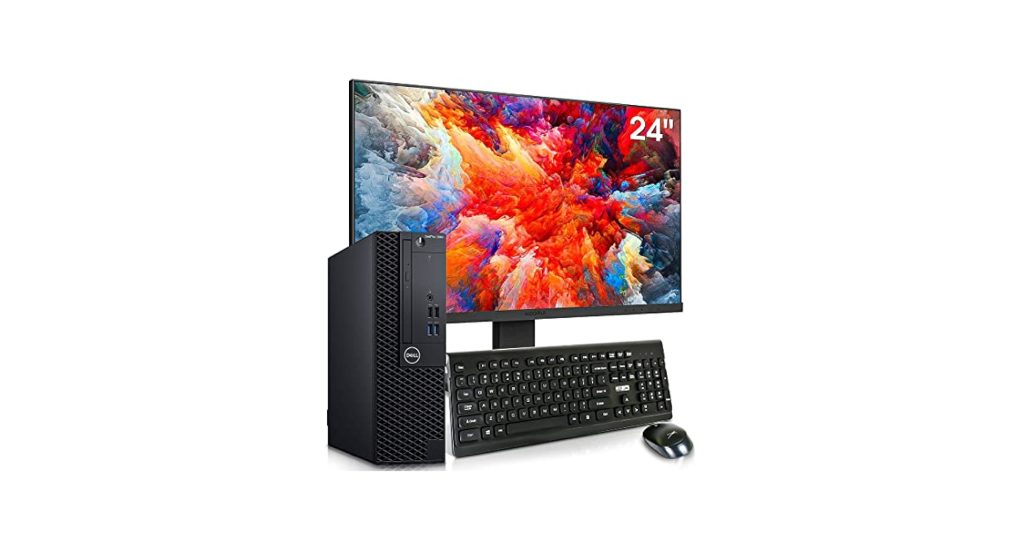
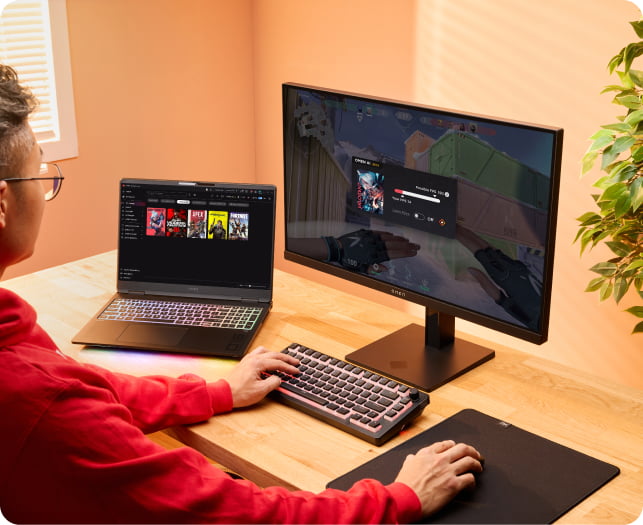
A desktop needs a monitor to display images and videos. Prices vary based on size and quality. Basic monitors cost less, while high-resolution screens are pricier.
Other peripherals include keyboards, mice, and speakers. Budget models are affordable, but premium options cost more. Think about what accessories you need for your tasks.
Software And Licenses
Most desktops require an operating system like Windows or macOS. Some come pre-installed, but others need you to buy a license. Software for work, school, or creativity may also cost extra.
Antivirus programs and productivity tools often require yearly fees. Free alternatives exist but might have limited features. Factor these costs into your total budget.
Maintenance And Upgrades
Desktops need regular maintenance to run smoothly. Cleaning and occasional repairs may require tools or professional help. These costs can add up over time.
Upgrading parts like memory or storage can improve performance. These upgrades are not free and depend on your computer’s compatibility. Plan for future expenses to keep your system updated.
Credit: www.hp.com
Buying Tips
Buying a desktop computer requires careful thought. The right choice saves money and meets your needs. Consider key factors before making a purchase. These tips help you shop wisely and get the best value.
Where To Shop
Choose stores with good reputations. Check local electronics shops for personal service. Online retailers offer a wide selection and competitive prices. Compare prices across multiple sites. Read customer reviews to ensure reliability. Look for stores with clear return policies.
Timing And Discounts
Prices often drop during sales events. Watch for holiday sales like Black Friday or Cyber Monday. Back-to-school season can bring good deals. New product releases may lower older model prices. Sign up for newsletters to get discount alerts. Buying during sales saves significant money.
Warranty And Support
Check warranty length and coverage details. A good warranty protects against defects and failures. Look for options offering on-site or phone support. Extended warranties add extra protection. Confirm the ease of claiming repairs or replacements. Reliable support reduces future hassles.
Frequently Asked Questions
How Much Does A Basic Desktop Computer Cost?
A basic desktop computer typically costs between $300 and $600. This price includes essential components suitable for everyday tasks like browsing and word processing.
What Factors Influence The Price Of Desktop Computers?
Price depends on processor speed, RAM, storage type, and graphics capabilities. Brand reputation and additional features also affect the overall cost significantly.
Are Gaming Desktops More Expensive Than Regular Ones?
Yes, gaming desktops usually cost more due to high-performance GPUs, faster processors, and advanced cooling systems designed for intensive gaming.
Can I Build A Desktop Computer Cheaper Than Buying One?
Building a desktop can be cost-effective if you choose parts wisely. It often offers better customization and performance for your budget.
Conclusion
Desktop computer prices vary based on features and brand. Budget models cost less but offer basic functions. Mid-range desktops provide better speed and storage for most tasks. High-end computers suit those needing power for work or gaming. Consider what you need before deciding your budget.
Shop around to find the best deals and options. A good desktop fits your needs without overspending. Choose wisely to enjoy your computer for years.