Have you ever wondered if your Wi-Fi router is quietly keeping tabs on what you do online? You might think your internet activity is private, but can your router actually track where you go and what you click?
Understanding this could change how you feel about your home network and your online privacy. Keep reading to discover the surprising truth about what your router knows—and what it doesn’t. This knowledge could help you take control of your digital footprint like never before.
How Wi Fi Routers Work
Understanding how Wi Fi routers work helps to know their role in managing internet activity. A Wi Fi router connects devices to the internet and controls data flow. It acts as a bridge between your home network and the wider internet. This section breaks down the basic functions and data transmission process of Wi Fi routers.
Basic Functions
A Wi Fi router has several key tasks. It sends and receives data from the internet. It creates a wireless network for devices in your home. It assigns local IP addresses to each connected device. It controls access to the network with passwords and security settings. It manages traffic to ensure smooth internet use for all devices.
Data Transmission Process
Data transmission starts when a device sends a request to the router. The router receives this request and forwards it to the internet service provider. The provider sends back the requested information. The router then delivers this data to the device over the wireless network.
Data moves in small packets. Each packet contains part of the message and routing information. The router reads this information to send data correctly. It also manages multiple devices sending and receiving data simultaneously. This coordination helps maintain a stable internet connection for everyone on the network.
Types Of Data Routers Can Access
Routers do more than just connect your devices to the internet. They can access various types of data that reveal how you use your network. Understanding what data your router can see helps you control your privacy and security better.
Browsing History
Your router can track the websites you visit by recording domain names and IP addresses. It doesn’t usually capture the exact pages or content, but it knows the sites you access. This means your browsing habits can be monitored if someone has access to your router’s logs.
Think about the last time you noticed targeted ads popping up after visiting a few websites. Could your router’s data have played a role in that? Knowing this can help you decide whether to use additional privacy tools like VPNs.
Connected Devices
Routers keep a list of all devices connected to your network. This includes smartphones, laptops, smart TVs, and even IoT devices like smart bulbs or thermostats. You can see device names, MAC addresses, and sometimes even connection times.
Have you ever wondered if a stranger is using your Wi-Fi without permission? Checking your router’s device list regularly is a simple way to spot unfamiliar devices and keep your network secure.
Traffic Logs
Traffic logs provide detailed information about the data packets passing through your router. They can show timestamps, data sizes, and source and destination IP addresses. This helps in diagnosing network issues or spotting unusual activity.
Imagine noticing a sudden spike in data usage. Traffic logs can help identify which device or service caused it, giving you control over your bandwidth. Would you like to know how much data your streaming apps are really using?
Router Logging Capabilities
Your Wi-Fi router isn’t just a simple device that connects you to the internet—it can also keep a record of your online activity. Understanding the router logging capabilities helps you see what data is tracked and how it’s stored. This knowledge is crucial if you want to monitor your network or safeguard your privacy.
Built In Logs
Most routers come with built-in logging features that record basic information like connection times and device IP addresses. These logs usually track system events such as when devices connect or disconnect. However, they rarely save detailed internet activity like the specific websites visited.
If you’ve ever checked your router’s admin panel, you might have seen these logs under “system log” or “event log.” They give a snapshot of your network’s health but don’t tell the full story of your browsing habits.
Third Party Firmware
Installing third-party firmware like DD-WRT or OpenWrt can enhance your router’s logging abilities. These firmware options allow you to track more detailed data, including traffic statistics and sometimes even packet data.
With this setup, you can monitor bandwidth use per device or detect unusual activity. However, flashing new firmware requires technical know-how and carries risks if not done correctly.
Limitations Of Logs
Router logs don’t capture everything. They often miss encrypted traffic details, such as HTTPS sites you visit, since the data is protected. This means even with advanced logging, the full content of your internet activity remains hidden.
Also, logs can fill up quickly and overwrite old information, so the timeframe you can review is limited. Have you considered how much you really need to track, and whether your router’s logs meet that need?
Privacy Concerns With Router Tracking
Understanding the privacy concerns linked to router tracking is essential for anyone using Wi-Fi at home or work. Your router can log various internet activities, which raises questions about who can access this data and how it might be used. This section dives into the risks and security issues you should be aware of to protect your personal information.
Potential Risks
Your router can store details like websites visited, connection times, and data usage. This information might seem harmless, but it can reveal a lot about your habits and preferences. If someone unauthorized gains access, they could misuse this data for targeted scams or identity theft.
Think about this: Have you ever considered that your internet provider or even hackers might be watching your online moves through your router? Even routers with default passwords are vulnerable, making it easier for attackers to spy on your activity without you knowing.
To stay safe, always change default router passwords and update firmware regularly. This simple action reduces the risk of unauthorized tracking significantly.
Data Security Issues
Data stored on routers is not always encrypted, which means it can be intercepted. This vulnerability puts your private information at risk, especially if you use public or poorly secured networks. Sensitive data like login credentials or financial details might be exposed if the router’s security is weak.
Have you checked if your router supports advanced security features like WPA3 encryption? Using strong encryption protects your internet activity from being easily accessed by outsiders. Without it, your data could be vulnerable to cyberattacks or surveillance.
Additionally, some routers collect data for analytics or marketing purposes. This means your browsing habits might be shared with third parties without your clear consent. Reviewing your router’s privacy settings and opting out of unnecessary data collection can help you maintain control over your information.
How To Check Your Router’s Activity Logs
Understanding your router’s activity logs can provide insights into your internet usage. These logs can show what devices are connected and their browsing activities. It helps in monitoring the network and detecting any unusual patterns or unauthorized access. Checking these logs can be done by accessing the router settings and interpreting the information presented.
Accessing Router Settings
To check your router’s activity logs, start by accessing the router settings. Connect to the Wi-Fi network and open a web browser. Type the router’s IP address in the address bar. This is usually found on the router itself or in the user manual. You’ll need to log in using the administrator credentials. These are often default but may be customized for security.
Interpreting Logs
Once logged in, navigate to the section labeled ‘Logs’ or ‘System Logs.’ Here, you’ll find a list of activities. These may include IP addresses, timestamps, and URLs accessed. Look for patterns or entries that seem out of place. Understanding these logs can help ensure your network is secure. If you’re unsure about any entry, consult the router’s manual or seek expert advice.
Credit: www.popularmechanics.com
Steps To Protect Your Online Privacy
Protecting your online privacy starts with understanding how your Wi-Fi router can monitor your internet activity. Taking clear and effective steps can reduce the risk of unwanted tracking and keep your data secure. Simple actions on your part can make a big difference in maintaining control over your digital footprint.
Changing Default Settings
Many routers come with default usernames and passwords that are widely known. Leaving these unchanged makes it easy for someone to access your network and monitor your activity. You should immediately change the admin password to something strong and unique.
Also, consider renaming your Wi-Fi network (SSID) to something that doesn’t reveal your identity or location. This small change adds a layer of privacy and makes your network less obvious to outsiders.
Using Vpns
A VPN (Virtual Private Network) masks your online actions by encrypting your internet traffic. Even if your router can see the data flow, the contents remain hidden. Using a trusted VPN service is one of the most effective ways to stop anyone from tracking your browsing habits.
Think about how often you use public Wi-Fi or shared networks—would you want someone watching everything you do? A VPN protects your privacy by making your online activity anonymous and secure.
Regular Firmware Updates
Router manufacturers release firmware updates to fix security weaknesses and improve performance. Ignoring these updates can leave your device vulnerable to hackers and unauthorized tracking. Check your router’s settings regularly and install updates as soon as they’re available.
Many routers offer automatic update options—activating this feature ensures you don’t miss critical patches. Staying current helps you stay ahead of threats targeting your online privacy.
When To Consider A Privacy-focused Router
Choosing a privacy-focused router becomes important when you want to keep your internet activity safe. Regular routers can track and store your browsing data. This information could be accessed by others or shared without your consent. A router designed for privacy limits data collection and offers better security features. It helps protect your personal information from hackers and advertisers. People who use public Wi-Fi or work from home often need stronger privacy protections. A privacy-focused router gives peace of mind in an increasingly connected world.
Features To Look For
- Strong encryption protocols like WPA3 for better security
- Built-in VPN support to hide your internet activity
- Automatic firmware updates to fix security bugs
- Ad-blocking and tracker-blocking capabilities
- Guest network options to separate devices and control access
- Easy-to-use privacy settings with clear controls
- Minimal data logging or no logging policy
- Firewall features that monitor and block suspicious traffic
Recommended Models
| Model | Key Privacy Feature | Price Range |
|---|---|---|
| Asus RT-AX86U | WPA3, AiProtection Pro, automatic updates | $$ |
| Synology RT2600ac | VPN server, advanced firewall, minimal logging | $$ |
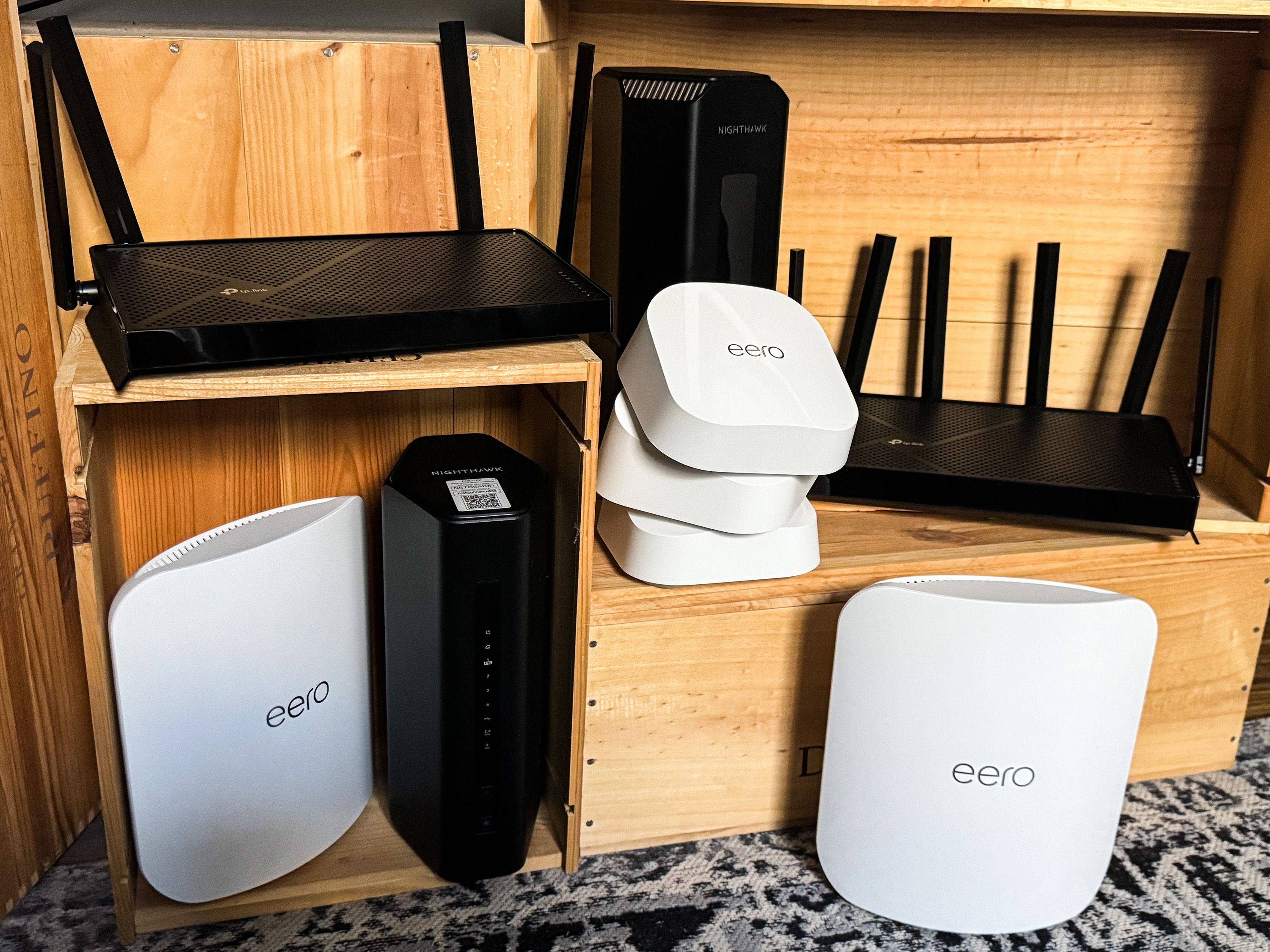
| Google Nest Wifi | Automatic security updates, guest network control | $$ |
| InvizBox 2 | Built-in VPN, ad and tracker blocking | $$$ |

Credit: www.esecurityplanet.com

Credit: www.protectyoungeyes.com
Frequently Asked Questions
Can A Wi-fi Router Log My Browsing History?
Yes, some Wi-Fi routers can log websites visited by connected devices. This depends on the router’s settings and firmware capabilities. However, most consumer routers only track basic connection data, not detailed browsing history.
How Does A Router Track Internet Activity?
Routers track internet activity by recording IP addresses and data packets. They monitor which devices connect and the amount of data used. Detailed content tracking usually requires specialized firmware or third-party software.
Can Others See My Internet Activity Through The Router?
Network administrators or anyone with router access can see some internet activity details. They can view connected devices, data usage, and sometimes visited websites if logging is enabled. Regular users typically cannot access this information.
Does Router Tracking Affect My Privacy?
Yes, router tracking can impact your privacy. Logged data may reveal your online habits if accessed by unauthorized users. Using encryption, VPNs, and strong router passwords helps protect your privacy.
Conclusion
A Wi Fi router can track some internet activity on your network. It records which devices connect and what websites they visit. This data helps manage network traffic and improve security. Still, it does not see everything you do online.
For full privacy, use extra tools like VPNs or private browsers. Understanding your router’s role helps protect your online habits better. Stay aware, stay safe.