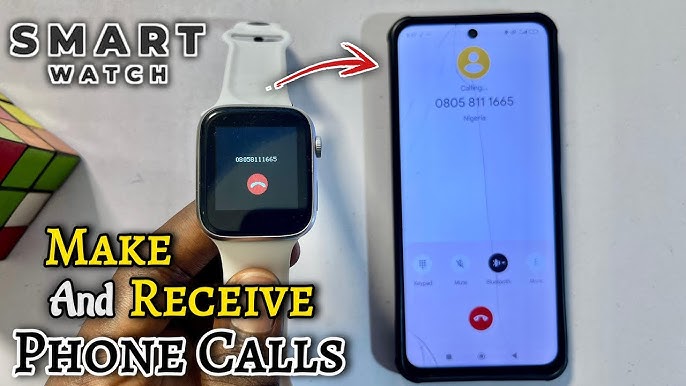
Have you ever wondered how your smartwatch lets you make calls without picking up your phone? It might seem like magic, but there’s real technology working behind the scenes.
Imagine answering important calls right from your wrist—no fumbling through pockets or bags. You’ll discover exactly how your smartwatch connects to networks, uses built-in features, and keeps you connected on the go. Keep reading to unlock the secrets of making calls with your smartwatch and see how it can change the way you communicate every day.

Credit: www.amazon.com
Smartwatch Call Features
Smartwatch call features have changed how people stay connected. These devices let users make and receive calls without needing their phones. They combine convenience with technology, making communication quick and easy. Understanding these features helps in choosing the right smartwatch.
Types Of Calling Capabilities
Smartwatches offer different ways to handle calls. Some support calls through a paired smartphone only. Others have built-in cellular support, allowing calls independently. Wi-Fi calling is another option on some models. These types provide flexibility depending on user needs.
Built-in Microphone And Speaker
The microphone and speaker in smartwatches enable hands-free calls. The microphone picks up your voice clearly. The speaker plays the caller’s voice loud enough for easy hearing. This setup works well for short conversations and quick replies.
Integration With Smartphones
Most smartwatches connect to smartphones via Bluetooth. This link lets the watch access the phone’s call features. Calls can be answered or made from the watch screen. Notifications for incoming calls also appear on the watch. This integration keeps users connected without pulling out their phones.
Connectivity Options
Smartwatches offer several ways to connect for making calls. These connectivity options determine how your watch communicates with your phone or network. Each method has its own benefits and limitations. Understanding these options helps you choose the best way to stay connected.
Bluetooth Pairing
Bluetooth pairing links your smartwatch directly to your smartphone. The watch uses the phone’s cellular connection to make and receive calls. This method saves battery on the watch because it does not use its own network. The connection works well within about 30 feet. Beyond that, calls may drop or fail.
Wi-fi Calling
Wi-Fi calling lets your smartwatch make calls through a wireless internet network. The watch connects to a Wi-Fi signal instead of using cellular data. This option is useful in places with weak phone signals but strong Wi-Fi. It requires both the watch and phone to support Wi-Fi calling. Calls sound clear and stable over a good Wi-Fi connection.
Standalone Cellular Networks
Some smartwatches have their own SIM cards or eSIMs. This allows them to connect directly to cellular networks. The watch can make and receive calls without a phone nearby. This is ideal for running, biking, or times when carrying a phone is inconvenient. It requires a separate cellular plan, often linked to your phone’s number.
Setting Up Calls On Your Smartwatch
Setting up calls on your smartwatch is simple and quick. Your watch needs to connect with your phone and contacts. After syncing, adjust the call settings to suit your needs. Voice assistants can help you make calls without touching the screen. This section explains these steps clearly.
Syncing Contacts
First, sync your contacts from your smartphone to your smartwatch. This lets you call anyone saved on your phone directly from your watch. Open the smartwatch app on your phone. Find the option to sync contacts and enable it. Wait a few moments for the contacts to transfer. Check your watch to see if the contacts appear. This step makes calling faster and easier.
Configuring Call Settings
Next, configure call settings on your smartwatch. Open the call or phone settings in the watch menu. Set preferences like ringtone, volume, and call answering options. Choose if calls should go through your phone or watch speaker. Enable or disable call notifications as you prefer. Save the settings to apply them. Proper settings improve your calling experience.
Using Voice Assistants
Voice assistants on smartwatches let you call hands-free. Activate the assistant by saying a wake word or pressing a button. Say the name of the person you want to call. The assistant finds the contact and starts the call. You can also ask it to redial or end calls. Voice commands make calling quick and easy during busy moments.

Credit: www.amazon.com
Making And Receiving Calls
Smartwatches have evolved beyond simple notifications, transforming into powerful communication devices. One of the standout features of modern smartwatches is their ability to make and receive calls, providing you with the convenience of staying connected without needing to reach for your smartphone.
Initiating Calls From The Watch
Starting a call from your smartwatch is surprisingly straightforward. Most smartwatches come equipped with a dedicated app or interface for calls. Simply navigate to your contacts or dial pad, select the person you want to call, and tap the call button. It’s like having a mini phone strapped to your wrist.
Imagine you’re out for a jog and you remember you need to call a friend. No need to stop and find your phone; just glance at your wrist, tap a few times, and you’re connected. This hands-free convenience can be a game-changer for multitaskers.
Answering Incoming Calls
Receiving calls on your smartwatch is equally intuitive. When a call comes in, your watch vibrates and displays the caller ID. A simple swipe on the screen allows you to answer, decline, or send a quick text reply if you’re unavailable to talk.
Picture this: you’re cooking dinner when your watch buzzes with an incoming call. With a quick swipe, you’re chatting away without skipping a beat in your culinary masterpiece. The ease of handling calls without interrupting your flow is incredibly liberating.
Managing Call Quality
Call quality on smartwatches can vary, but there are steps you can take to ensure clear communication. Make sure your watch is connected to a strong Wi-Fi or cellular signal, as this directly impacts call clarity.
Consider using Bluetooth earbuds for a more private and clearer conversation. They’re often more comfortable for longer calls and can enhance sound quality. Remember, adjusting your watch settings to reduce background noise can also improve the call experience.
Have you ever had a call cut out due to poor signal? Testing call quality in different environments can help pinpoint the best places for making and receiving calls, ensuring you never miss a critical conversation.
Battery And Performance Impact
Using your smartwatch to make calls is incredibly convenient, but it does have a direct impact on your device’s battery life and overall performance. Understanding how calling affects these aspects helps you manage your smartwatch better and get the most out of every charge. Let’s look at what happens behind the scenes when you place a call from your wrist.
Effect Of Calling On Battery Life
Making calls on a smartwatch uses more power compared to basic functions like checking notifications or tracking steps. This is because your watch activates its microphone, speaker, cellular or Bluetooth connection, and sometimes even its display at higher brightness.
During calls, the cellular radio or Bluetooth module stays active continuously, which drains the battery faster. For example, a 30-minute call can reduce your battery by up to 20%, depending on your smartwatch model and network conditions.
Have you noticed how your watch’s battery drops more quickly after long conversations? That’s the reason behind it. If you rely on your watch for calls, keeping a portable charger handy might be a smart move.
Optimizing Performance
You can improve your smartwatch’s call performance and extend battery life with a few simple adjustments. Lowering screen brightness during calls helps conserve energy without affecting call quality.
- Use Bluetooth headphones instead of the built-in speaker to reduce power consumption.
- Close unnecessary apps running in the background to keep the processor focused on the call.
- Switch to Wi-Fi calling when available, as it tends to use less power than cellular connections.
Another tip is to keep your watch’s software updated. Manufacturers often release performance improvements that optimize power management during calls. Have you ever updated your watch and noticed better battery life during calls? That’s why staying current matters.
Privacy And Security
Privacy and security are crucial when making calls using a smartwatch. These devices handle personal information and voice data. Protecting this data is essential to keep conversations safe and private. Smartwatches use strong security methods to prevent unauthorized access and data leaks.
Data Protection Measures
Smartwatches encrypt stored and transmitted data. Encryption turns information into a code that others cannot read. This protects call details and personal information.
Many smartwatches require authentication before making calls. Users must enter a PIN or use biometric data like fingerprints. This step blocks strangers from using the device.
Regular software updates fix security vulnerabilities. These updates keep the smartwatch protected against new threats. Users should always install updates promptly.
Securing Call Connections
Call connections are secured through encrypted networks. This makes it hard for hackers to listen in on calls.
Some smartwatches use secure Bluetooth connections when paired with smartphones. Secure Bluetooth prevents interception during communication.
Smartwatch manufacturers often use secure communication protocols. These protocols ensure calls are private and data is safe during transmission.
Popular Smartwatches With Calling Features
Smartwatches with calling features offer a new level of convenience. They let you make and receive calls without reaching for your phone. This feature suits busy people who need to stay connected on the move. Many brands now include calling in their smartwatch models. These watches use cellular technology or Bluetooth to handle calls. Let’s explore some popular smartwatches that support calling.
Top Models Supporting Calls
- Apple Watch Series 9 – Supports cellular calls with LTE.
- Samsung Galaxy Watch 6 – Offers 4G LTE calling options.
- Garmin Venu 2 Plus – Allows phone calls through Bluetooth connection.
- Fitbit Versa 4 – Supports calls via Bluetooth when paired with a phone.
- TicWatch Pro 5 – Features built-in LTE for standalone calling.
Comparing Features And Prices
| Model | Calling Type | Battery Life | Price Range |
|---|---|---|---|
| Apple Watch Series 9 | Cellular (LTE) | 18 hours | $399 – $749 |
| Samsung Galaxy Watch 6 | Cellular (4G LTE) | 40 hours | $299 – $449 |
| Garmin Venu 2 Plus | Bluetooth Calls | 9 days (smartwatch mode) | $449 |
| Fitbit Versa 4 | Bluetooth Calls | 6+ days | $229 |
| TicWatch Pro 5 | Cellular (LTE) | 2 days | $449 |

Credit: shopsavvy.com
Frequently Asked Questions
How Does A Smartwatch Connect To Make Calls?
A smartwatch connects to your smartphone via Bluetooth or cellular network. This connection enables it to make and receive calls independently or through your phone.
Can I Make Calls Without A Smartphone Using A Smartwatch?
Yes, some smartwatches have built-in cellular capabilities. They use a separate SIM or eSIM to connect directly to mobile networks for calls.
What Technology Enables Calling On Smartwatches?
Smartwatches use Bluetooth or LTE technology for calls. Bluetooth links to your phone, while LTE allows standalone calling without a phone nearby.
Are Smartwatch Calls As Clear As Smartphone Calls?
Call quality on smartwatches depends on network strength and microphone quality. Modern smartwatches offer clear voice transmission similar to smartphones.
Conclusion
Smartwatches let you make calls by connecting to your phone or network. They have built-in microphones and speakers for clear conversations. Some models use their own SIM cards to work independently. This technology keeps you connected without carrying your phone everywhere.
Calls start with a simple tap or voice command. Smartwatches bring convenience and freedom to your daily life. They show how small devices can do big tasks. Using a smartwatch for calls saves time and effort. It’s a handy tool for busy or active people.