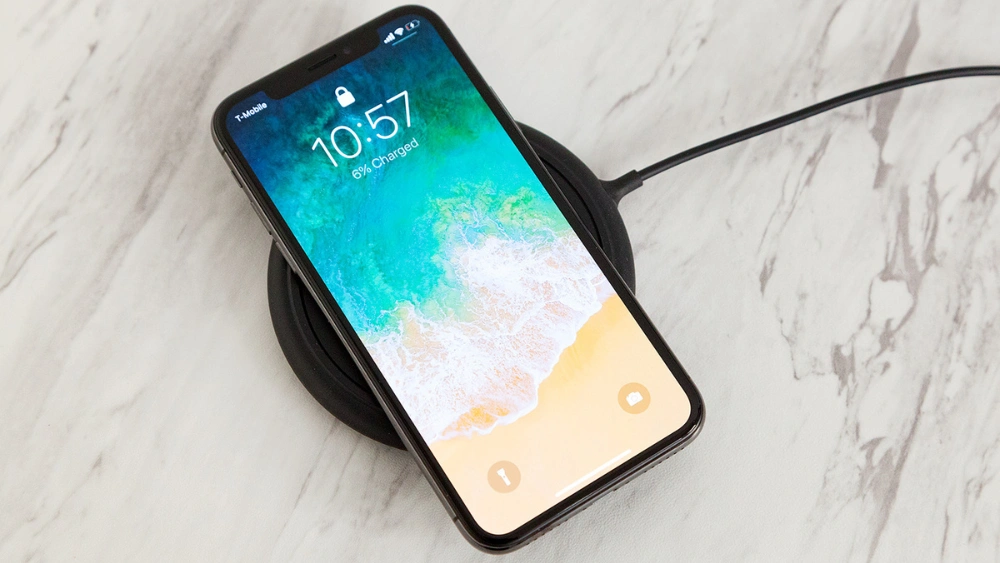
Are you wondering if your iPhone 8 can charge without plugging in? Wireless charging sounds like magic—just place your phone down and watch it power up.
But does your iPhone 8 support this feature? If you’ve been curious about how to make charging easier and faster, this article will clear things up for you. Keep reading to discover the truth about wireless charging on your iPhone 8 and learn how to get the most out of it.
Wireless Charging Basics
Wireless charging has become a convenient way to power up your devices without the hassle of cables. It simplifies your daily routine by allowing you to just place your phone on a charging pad and walk away. But how does this technology really work, and what types of wireless chargers are available for you to choose from?
How Wireless Charging Works
Wireless charging uses electromagnetic fields to transfer energy from a charging station to your phone. Inside the charger, a coil generates an alternating electromagnetic field. Your phone contains a similar coil that converts this field back into electrical current to charge the battery.
This process is called inductive charging. It means you don’t need to plug in your device physically, which reduces wear and tear on charging ports. Have you noticed how much easier it is to just set your phone down instead of fumbling with cables?
Types Of Wireless Chargers
There are several types of wireless chargers designed to fit different needs and devices. The most common is the Qi wireless charger, which is compatible with many smartphones, including newer iPhones and Android phones.
- Charging pads:Flat surfaces where you place your phone. They’re simple and widely used.
- Charging stands:These hold your phone upright, so you can see the screen while charging.
- Wireless charging docks:Often support multiple devices at once, great for desks or nightstands.
Choosing the right type depends on how you use your phone while it charges. Do you like watching videos or making video calls? A stand might be better for you. If you just want quick, no-fuss charging, a pad could be the easiest choice.
Iphone 8 Wireless Charging Features
The iPhone 8 brings wireless charging to Apple’s lineup. This feature offers a convenient way to power up without cables. Users can simply place their phone on a compatible charging pad. The wireless charging system is built into the phone’s design. It supports efficient and safe power transfer.
Built-in Qi Wireless Charging
The iPhone 8 supports the Qi wireless charging standard. Qi is a popular and widely used technology for wireless power. This means the iPhone 8 works with many charging pads on the market. No need for special adapters or cables. The phone has a built-in receiver coil that captures energy from the charger. This coil converts the energy to charge the battery.
Charging Speed And Efficiency
Wireless charging on the iPhone 8 is convenient but slower than wired charging. It supports up to 7.5 watts of power input. This speed is enough for daily use and overnight charging. Efficiency depends on the charger’s quality and placement. Proper alignment with the charging pad improves charging speed. Heat can reduce efficiency, so some energy loss is normal. Still, the wireless feature adds comfort and ease to charging routines.
Choosing The Right Wireless Charger
The iPhone 8 supports wireless charging using Qi-certified chargers. Choose a charger that matches this standard for safe, efficient power. Wireless charging offers a simple, cable-free way to keep your phone powered.
Choosing the right wireless charger for your iPhone 8 is crucial. The right charger ensures efficient charging and protects your device. Wireless chargers come in various designs and features. Some offer fast charging, while others focus on portability. Prioritize compatibility to avoid any charging issues. A good wireless charger can also enhance your device’s lifespan.Compatibility With Iphone 8
Not all chargers are suitable for the iPhone 8. Check if the charger supports Qi wireless charging. Qi is the standard used by iPhone 8. It ensures seamless charging without any hiccups. Chargers must also have adequate power output. This guarantees your phone charges at a steady pace. Avoid chargers with low output, as they can slow down charging.Top Wireless Chargers For Iphone 8
Several chargers stand out for their features and reliability.- Belkin Boost Up Wireless Charging Pad
- Anker Wireless Charger
- CHOETECH Wireless Charger
Setting Up Wireless Charging On Iphone 8
Setting up wireless charging on the iPhone 8 is simple and convenient. The device supports Qi wireless charging technology. This means you can power your phone without plugging in a cable.
Before starting, ensure you have a compatible wireless charger. Place the charger on a flat surface near a power outlet. Keep your iPhone 8’s case thin or remove it for better charging efficiency.
Step-by-step Charging Process
- Connect the wireless charger to a power source.
- Place your iPhone 8 on the center of the charging pad.
- Wait for the charging symbol to appear on the screen.
- Leave your phone on the charger until it reaches the desired battery level.
- Remove the phone carefully once charging is complete.
Troubleshooting Common Issues
- Check that the charger is plugged in properly.
- Remove any thick cases or metal attachments on the phone.
- Make sure the phone is correctly aligned with the charger’s coil.
- Restart your iPhone 8 if it does not start charging.
- Try a different wireless charger to rule out hardware problems.
Wireless Charging Accessories
Wireless charging accessories are essential if you want to make the most out of your iPhone 8’s wireless charging capabilities. These gadgets offer convenience and flexibility, letting you power up without fumbling with cables. Choosing the right accessory can affect how quickly and efficiently your phone charges.
Charging Pads And Stands
Charging pads are the simplest way to add wireless charging to your setup. You just place your iPhone 8 flat on the pad, and it starts charging instantly. Many models come with LED indicators to show charging status, which helps you avoid guessing if your phone is charging or not.
Charging stands offer a more versatile solution. They hold your phone upright, so you can easily see notifications or use your phone while it charges. This is perfect if you like keeping your phone visible on your desk or nightstand.
Look for accessories that support the Qi standard, as the iPhone 8 uses this for wireless charging. Brands like Anker, Belkin, and Mophie have reliable options that balance price and performance well.
Portable Wireless Chargers
Portable wireless chargers, or power banks with wireless pads, give you the freedom to charge your iPhone 8 on the go. They combine the convenience of wireless charging with the mobility of a power bank. This means no cables, no plugs, just simple charging wherever you are.
These chargers are compact and lightweight, fitting easily in a bag or pocket. Some models also support fast charging, which can be a game changer if you’re often in a hurry. Have you ever been stuck without a charger and wished for a quick wireless power boost? Portable wireless chargers solve that problem.
When selecting a portable charger, check the battery capacity and output power. A higher mAh rating means more charges between recharges, and output power affects how quickly your iPhone 8 will fill up.
Pros And Cons Of Wireless Charging
Wireless charging offers a new way to power up devices without cables. It provides ease but also brings some challenges. Understanding the pros and cons helps decide if it fits your needs.
Convenience And Usability
- No need to plug in your iPhone 8 every time.
- Simply place the phone on a charging pad to start charging.
- Reduces wear and tear on charging ports and cables.
- Works well for quick top-ups during the day.
- Supports charging while you use your phone comfortably.
Limitations And Drawbacks
- Charging speed is usually slower than wired charging.
- Phone must stay on the charging pad without moving.
- Not all cases are compatible with wireless charging.
- Charging pads can be expensive compared to cables.
- May generate more heat, affecting battery health over time.
Future Of Wireless Charging For Iphones
Wireless charging has transformed how we power our iPhones, offering convenience without the hassle of cables. The iPhone 8 introduced wireless charging capabilities, but the technology has evolved far beyond that. Looking ahead, the future of wireless charging for iPhones promises to be faster, more efficient, and even more integrated into daily life.
Advancements In Charging Technology
Wireless charging is getting smarter and quicker. New tech developments aim to boost charging speeds while reducing energy loss. Imagine placing your phone on a pad and seeing it charge as fast as plugging it in.
Apple is also exploring ways to charge multiple devices simultaneously. This could mean charging your iPhone, AirPods, and Apple Watch all at once without any extra cables cluttering your space.
Another exciting advancement is the potential for longer-range wireless charging. Picture leaving your phone on a desk and still having it charge while you move around the room. This could change how you use and charge your devices entirely.
Upcoming Iphone Models And Features
New iPhone models are expected to push wireless charging further. Apple might introduce higher wattage wireless chargers to speed up your daily routine. Wouldn’t it be great if your iPhone could fully charge in just 30 minutes wirelessly?
There’s talk about reverse wireless charging, where your iPhone can charge other devices. This feature would be handy for topping up your earbuds or even a friend’s phone during emergencies.
Apple’s focus on sustainability may lead to wireless chargers made from eco-friendly materials. This aligns with the company’s goal to reduce environmental impact while improving user experience.
What features would you want in your next iPhone’s wireless charging? Faster speed, wider range, or charging multiple devices? Share your thoughts and imagine how these changes could make your daily tech use easier.
Frequently Asked Questions
Does Iphone 8 Support Wireless Charging?
Yes, the iPhone 8 supports wireless charging using the Qi standard. It allows charging without cables.
What Wireless Chargers Work With Iphone 8?
Any Qi-certified wireless charger works with iPhone 8. Popular brands include Belkin, Anker, and Mophie.
How Fast Is Iphone 8 Wireless Charging?
IPhone 8 supports up to 7. 5W wireless charging speed. It’s slower than wired fast charging but convenient.
Can Iphone 8 Charge Wirelessly With A Case?
Yes, iPhone 8 can charge wirelessly through most cases. Cases should be thin and non-metallic for best results.
Conclusion
The iPhone 8 supports wireless charging with Qi chargers. This feature adds convenience to daily use. Just place the phone on a compatible pad, and charging begins. No need to plug in cables anymore. Wireless charging works well but charges a bit slower than wired.
It fits well with modern lifestyles. Many users find it easy and practical. Wireless charging makes keeping the phone ready simple. So, the iPhone 8 offers a useful wireless charging option.