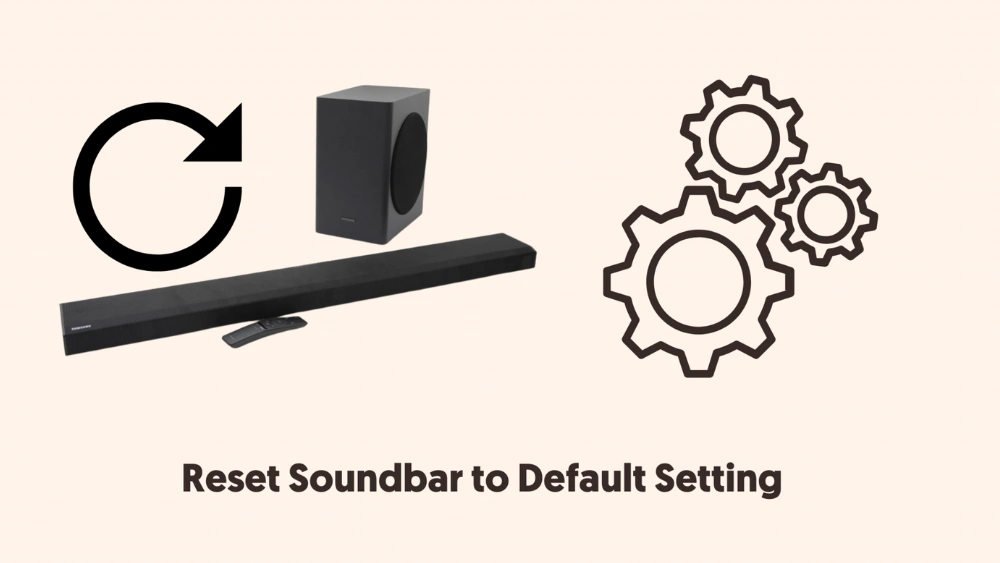
Is your Onn soundbar acting up or not delivering the sound quality you expect? Sometimes, a simple reset can fix common issues and bring your device back to life.
If you’re wondering how to reset your Onn soundbar quickly and easily, you’re in the right place. You’ll discover clear, step-by-step instructions that anyone can follow. Keep reading, and you’ll have your soundbar working like new in no time.
Credit: www.tiktok.com
Reset Methods
Resetting your Onn soundbar can fix many common issues like unresponsive controls or poor sound quality. Knowing the right reset method helps you avoid unnecessary frustration and saves time. Here, you’ll find clear steps for both soft and factory resets to get your soundbar back on track quickly.
Soft Reset
A soft reset is a quick way to refresh your soundbar without erasing any settings. It’s ideal when your device is slow or the sound cuts out unexpectedly.
- Turn off the soundbar using the remote or power button.
- Unplug the power cord from the outlet.
- Wait for about 30 seconds to 1 minute to let the device fully power down.
- Plug the power cord back in and turn on the soundbar.
After this, check if your soundbar is functioning normally. This simple reset often fixes minor glitches and doesn’t disrupt your saved preferences.
Factory Reset
If issues persist, a factory reset restores your soundbar to its original settings, wiping out custom configurations. This is useful when software problems don’t clear up with a soft reset.
- Press and hold the “Source” and “Volume Down” buttons on the soundbar simultaneously.
- Keep holding until the LED light flashes or the display shows a reset message.
- Release the buttons and wait for the soundbar to restart.
Remember, this process deletes all personalized settings like Bluetooth connections and sound modes. Ask yourself if you’ve backed up necessary information before starting. Have you ever lost settings unexpectedly? This reset helps avoid such headaches by giving you a fresh start.

Credit: www.youtube.com
Preparation Steps
Preparing your Onn soundbar for a reset ensures the process goes smoothly. Taking a few simple steps first can help avoid common problems. These preparation actions make resetting easier and more effective.
Power Cycle The Soundbar
Turn off the soundbar completely. Unplug it from the power outlet. Wait for about 30 seconds to 1 minute. This pause lets the internal components fully discharge. Plug the soundbar back in. Turn it on and check if it works normally.
Check Remote Control
Make sure the remote has working batteries. Replace old or weak batteries with new ones. Test if the remote responds to the soundbar. Press different buttons and observe the soundbar’s reaction. A faulty remote can cause reset issues.
Reset Using Buttons
Resetting your Onn soundbar using buttons is a practical solution when you’re facing connectivity or performance issues. This method is straightforward and doesn’t require any technical expertise. By following a few simple steps, you can easily restore your soundbar to its factory settings, potentially resolving any persistent problems.
Locate Reset Button
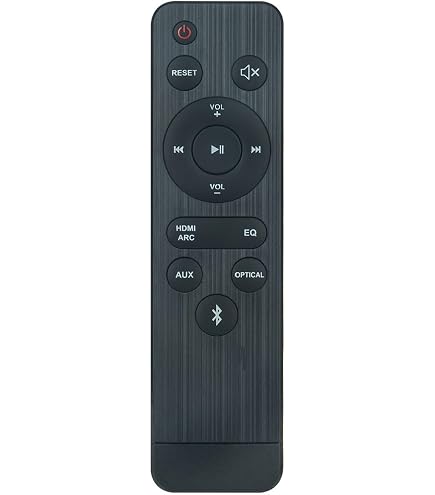
The first step is to find the reset button on your Onn soundbar. Typically, this button is located on the back or underside of the device. It might be labeled as ‘Reset’ or sometimes represented with a tiny pinhole. If you’re unsure, refer to your soundbar’s manual for precise details.
Locating this button might require a bit of maneuvering and patience. A flashlight can be handy, especially if the button is in a hard-to-see spot. Have you ever found yourself searching for a lost item, only to realize it was right in front of you? That’s how finding the reset button might feel!
Perform Button Reset
Once you’ve located the reset button, press and hold it for about 5 to 10 seconds. You might need a pen or a paperclip if it’s a pinhole button. Listen for a confirmation sound or check if the indicator lights flash, signaling that the reset process has started.
After releasing the button, your soundbar should restart automatically. You may notice it reverting to its default settings. This is your cue that the reset was successful. Are you ready to enjoy clearer sound and uninterrupted connectivity again?
If the issue persists after resetting, it might be worth checking your connections or consulting customer support for further assistance. Remember, technology is here to make your life easier, not harder!
Reset Through Settings Menu
Resetting your Onn soundbar through the settings menu helps fix many common issues. This method is simple and does not require extra tools. Follow clear steps inside the soundbar’s menu to restore default settings.
Navigate To Audio Settings
Turn on the soundbar and grab the remote control. Press the “Menu” button to open the main menu. Use the arrow keys to scroll down and find “Audio Settings.” Select it by pressing the “OK” button. This section controls all sound-related options.
Select Reset Option
Inside the Audio Settings, look for the “Reset” or “Restore Defaults” option. Highlight it and press “OK.” A confirmation message appears to prevent accidental resets. Confirm your choice to start the reset process. The soundbar returns to factory sound settings.
Troubleshooting Audio Issues
Audio issues with your Onn soundbar can disrupt your entertainment. Simple checks often fix these problems fast. Start by verifying basic elements before deeper troubleshooting. This approach saves time and ensures your soundbar works properly.
Check Connections
Loose or faulty cables cause many audio problems. Inspect all wires connecting the soundbar to your TV or devices. Make sure HDMI, optical, or AUX cables fit snugly. Look for damage like frayed wires or bent connectors. Replace any broken cables to restore clear sound.
Update Firmware
Outdated firmware can lead to glitches in sound performance. Check the Onn website or your soundbar’s settings menu for updates. Follow instructions carefully to install the latest software. Updated firmware improves compatibility and fixes bugs that affect audio.
Test Different Inputs
Sometimes the problem lies with the input source. Switch between HDMI, optical, or Bluetooth connections to see if sound improves. Try playing audio from different devices like a phone, TV, or game console. This helps identify if the issue is with your soundbar or the input source.
When To Contact Support
Knowing when to contact support for your Onn soundbar saves time and frustration. Some problems need expert help beyond basic resets. Recognizing these signs helps you get the right assistance quickly.
Persistent Sound Problems
Sound issues that keep happening after resets need attention. These include:
- No sound output despite correct connections
- Distorted or crackling sound during playback
- Volume controls not responding properly
- Sound cutting in and out repeatedly
Such problems may indicate deeper software or firmware faults. Support can guide you through advanced fixes or replacements.
Hardware Malfunctions
Physical damage or internal faults require professional help. Watch for these signs:
- Buttons stuck or not working on the soundbar
- Power issues like failure to turn on
- Unusual noises coming from the device
- Connectivity ports damaged or loose
These conditions often need repair or part replacement. Contact support to avoid further damage or voiding warranty.
Credit: www.amazon.com
Frequently Asked Questions
How Do I Reset My Onn Soundbar To Factory Settings?
To reset your Onn soundbar, press and hold the power button for 10 seconds. The soundbar will turn off and reset to factory defaults. This helps resolve connectivity or audio issues quickly and easily.
Why Should I Reset My Onn Soundbar?
Resetting clears all custom settings and fixes common glitches. It restores the soundbar to its original state, improving performance and connectivity.
Can Resetting Fix Onn Soundbar Audio Problems?
Yes, resetting often resolves audio issues like no sound or distorted output. It refreshes the device and clears temporary faults.
How Long Does An Onn Soundbar Reset Take?
The reset process takes about 10 seconds after holding the power button. The soundbar will power off and restart automatically.
Conclusion
Resetting your Onn soundbar can fix many common issues. The process is simple and quick. Just follow the steps carefully to avoid mistakes. After the reset, your soundbar should work like new. Remember to check the connections before resetting. Regular resets can help keep your device in good shape.
Try this solution before seeking professional help. Enjoy clear sound and better performance with ease. Keep this guide handy for future use.